
Peeler 1.0.1
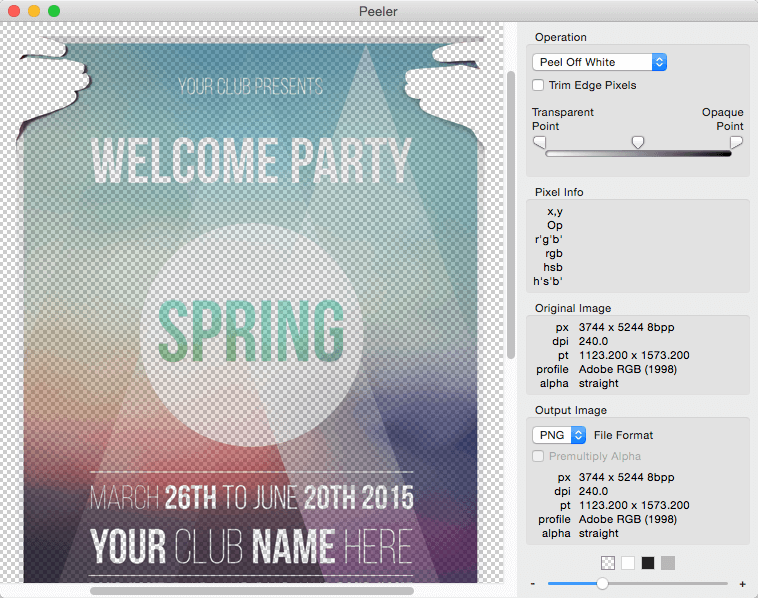
Peeler is a graphics program that can "peel" logos and illustrations off their backgrounds, producing artwork with transparent backgrounds and flawless anit-aliased edges. It is the evolution of our long-time Adobe Photoshop plug-ins "Peel-Off White" and "Peel-Off Black". Peeler is ideal for repurposing logos, clip art and illustrations with white or black backgrounds and for lifting drawings and sketches from scanned papers.Peeler manipulates an image's color and alpha channels to generate transparency, but it functions differently than a masking program. Rather than making a mask by selecting regions of pixels, Peeler removes the white or black matting in the pixels, then offers you several methods for adjusting the resulting alpha channel to restore opacity to the pixels.
Peeler can save the result as a native Photoshop PSD file, PNG file or TIFF file and it's intelligent about color profiles and straight/premultiplied alpha.Peeler is a great addition to your graphics toolbox for those jobs where the magic wand tool or a layer mask simply can't produce the desired result. Peeler can also extract a color layer which can be used in another image editing program to enhance or decrease saturation more easily. The pure color layer makes it much easier to see where color exists in highlights and shadows, and then using layer blending modes, you can edit this color layer and blend it down onto your original image to make your adjustments.
Screenshots
Frequently asked questions
How do I install the app?
Mount the image, drag the app into the "Applications" folder and launch it. If the system blocks the launch, allow it in "System Settings → Privacy & Security".
The app is damaged or won't launch
Reinstalling from a fresh image usually helps. Make sure your macOS version matches the one listed in the compatibility specs.
How do I update?
Download the new version from the site and install it over the current one — your settings will be preserved.
The download link doesn't work
Try a mirror or a download manager. For large files the browser often drops the connection.
How do I completely remove the app?
Use an uninstaller utility — it cleans up the service files that remain after moving the app to the trash.
VersionPeeler 1.0.1
Developerbergdesign inc
CompatibilityOS X 10.7 or later, 64-bit processor
LanguageEnglish
IncludesK



Information
Visitors in the group Guests cannot leave comments on this publication.
Choose a download source
Peeler 1.0.1 · 3.96 MB