
iRightMouse Pro 2.2.3
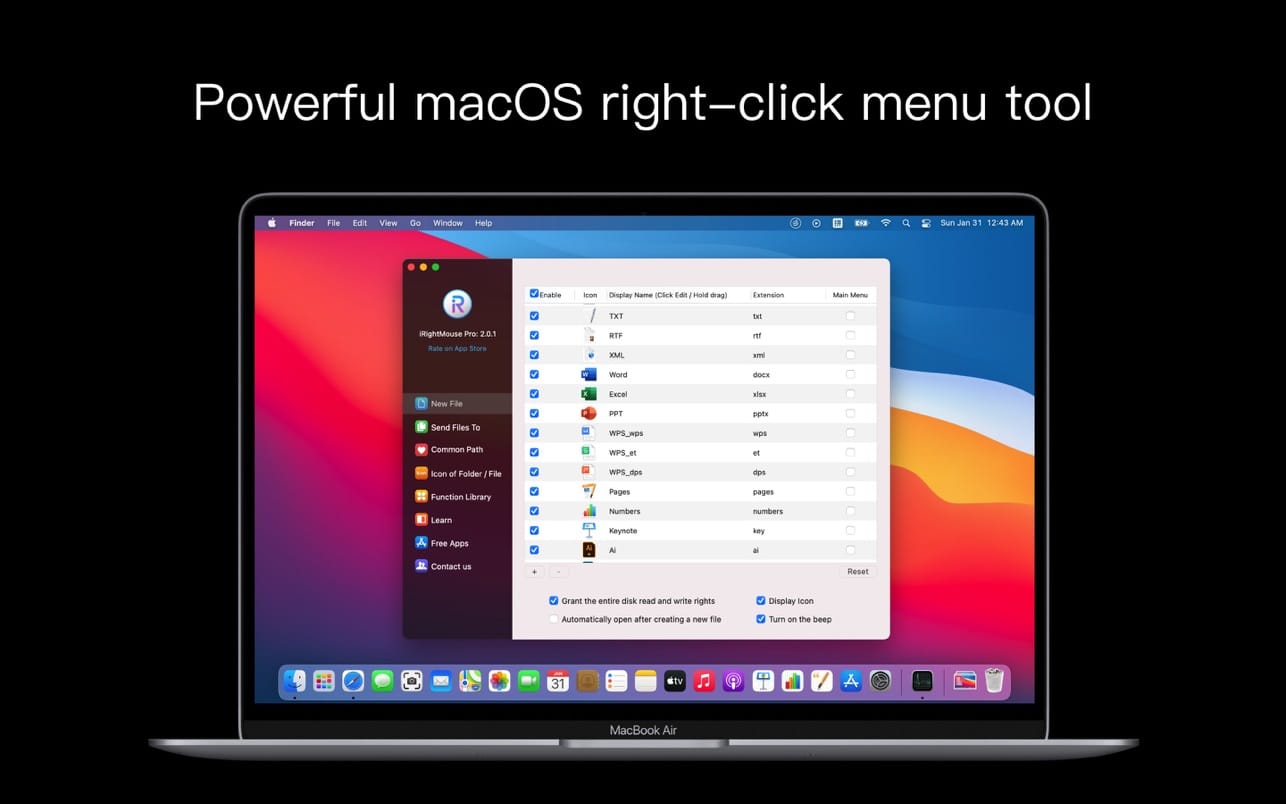
The super right-click is the most powerful right-click menu tool on the Mac. It has rich functions to make your right-click menu even more powerful. The deeply rooted interactive design helps you greatly enhance the macOS experience!
Features at a glance
- Right click to create a new file
- Send files to
- Copy files to
- Common Directory
- Customize folder icons
- Cut/paste files
- Copy path
- Specify the tool to enter the current path
- Hide/show files
- Delete files completely
- The picture is converted to macOS icon set
- The picture is converted to iOS icon set
- Baidu translator
- Google Translate
- QR code conversion
Features:
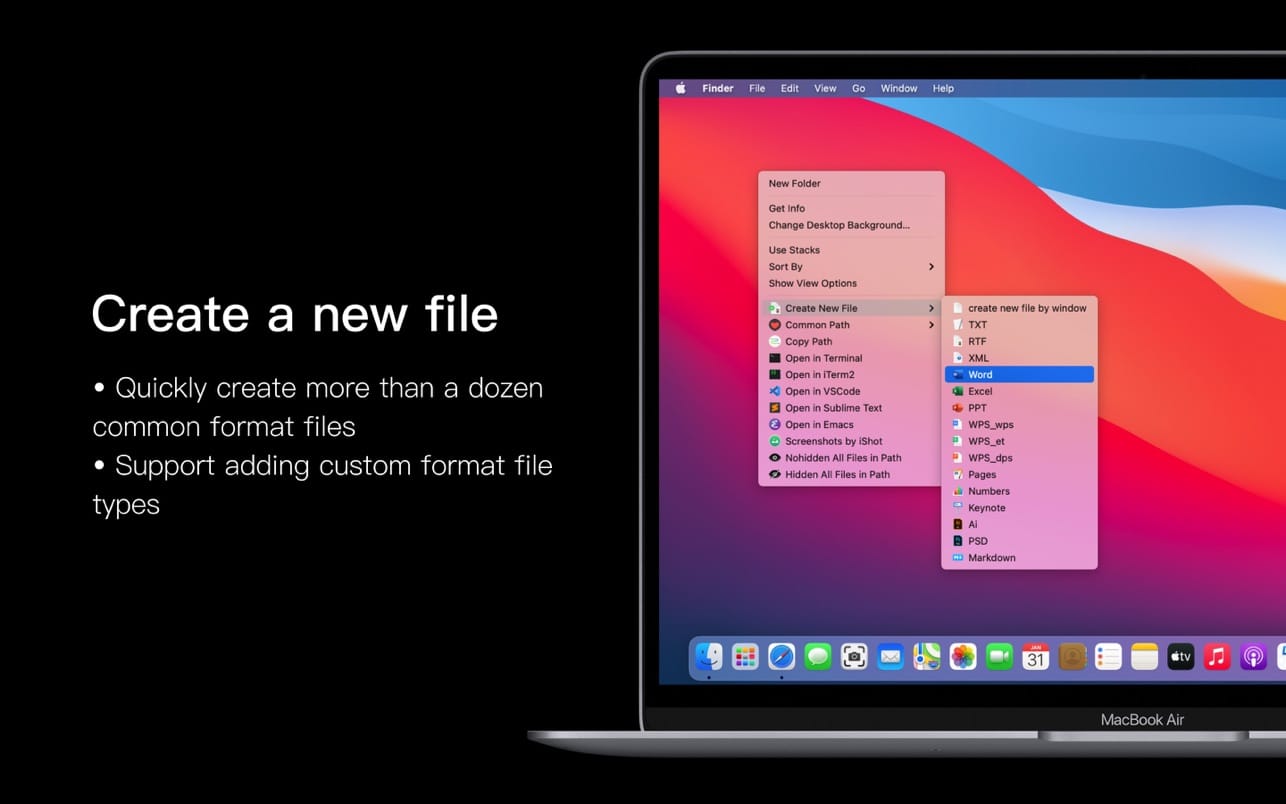
Right click to create a new file
- The new file format is supported by default: TXT / RTF / XML / Word / Excel / PPT / WPS text / WPS table / WPS presentation / Pages / Numbers / Keynote / Ai / PSD / Markdown
- Support users to add new file format types
Send files to
Send the file to the specified location
Copy files to
Copy the file to the specified location
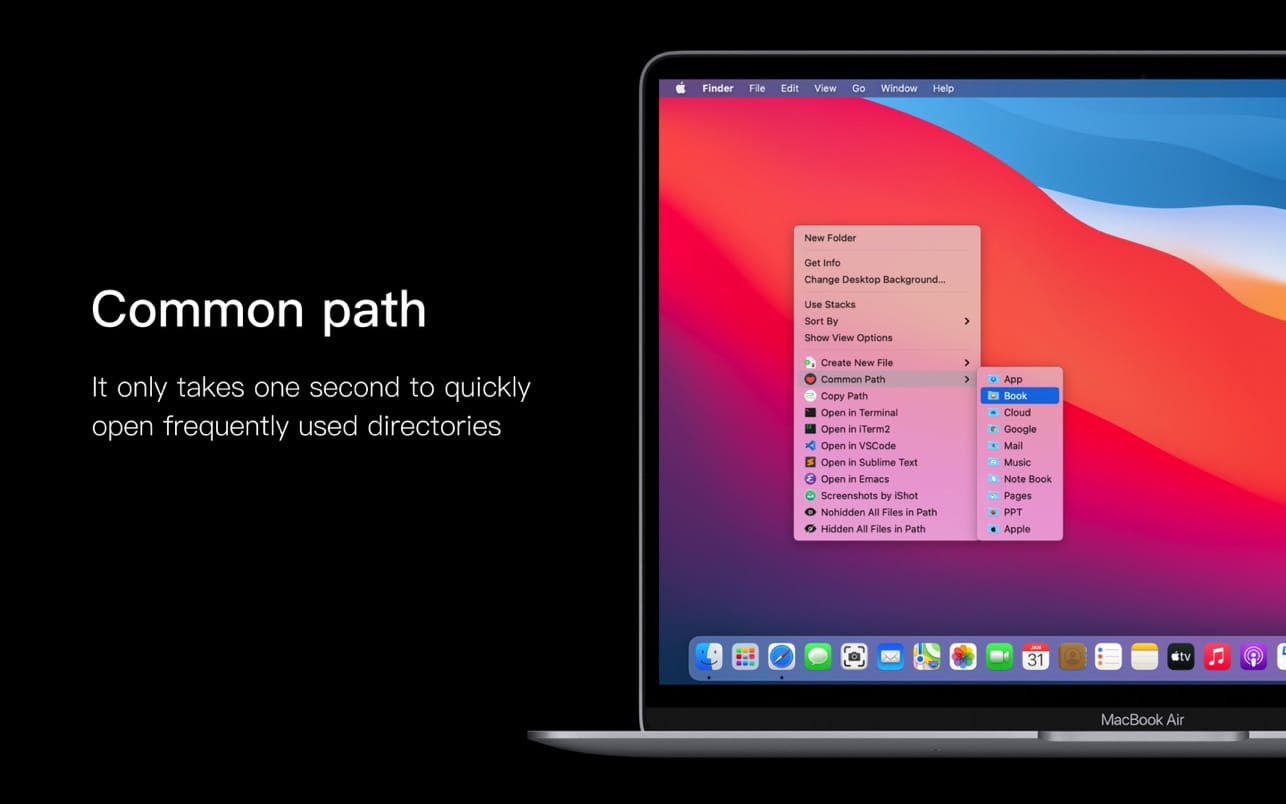
Common Directory
Add and set common directories in the right-click menu, select to reach the specified directory
Customize folder icons
Is it inconvenient to find the cookie-cutter folder? Don't be afraid, you can easily put beautiful icons on the folders. The super right button provides a lot of beautiful folder icons, select the folder and set a beautiful folder for him.
Cut/paste files
Right-click menu to cut/paste files, convenient and quick
Copy path
Select the file or in the current window, right click to copy the path, convenient and easy to use
Specify the tool to enter the current path
Enter the path or open the file with Terminal / iTerm2 / VsCode / Sublime Text / Emacs / Clion / CotEditor / HBuilderX / PhpStorm / PyCharm / Typora / WebStorm / IDEA/AppCode / DataGrip / GoLand / Rider / RubyMine
Hide/show files
Show/hide a file
Show/hide all files in the current window
Delete files completely
Select the file and delete it directly without keeping it in the trash
The picture is converted to macOS icon set
Select the picture and convert it to an icon set of 16*16, 32*32, 64*64, 128*128, 256*256, 512*512, 1024*1024
The picture is converted to iOS icon set
Select the picture to convert it to:
1. iPhone icon group
29*29, 40*40, 58*58, 57*57, 114*114, 120*120, 180*180
2. iPad icon group
29*29, 40*40, 50*50, 58*58, 80*80, 100*100
72*72, 76*76, 144*144, 153*153, 160*160
3. Apple Watch icon group
48*48, 55*55, 58*58, 87*87
80*80, 88*88, 172*172, 196*196
Right-click service menu
- Baidu translator
- Google Translate
- QR code conversion
Select the text, right-click in the service menu, and convert it into a two-dimensional code and store it on the clipboard
Version 2.2.3
- Fix the bug of opening the preference setting interface after hibernation (especially thank "Newxinqi", "Xiaobai", "Caiyuan Laonong" and other users for their feedback)
- Improve the calculation speed of file information viewing
- Common directories support the selection of hidden paths
Frequently asked questions
How do I install the app?
Mount the image, drag the app into the "Applications" folder and launch it. If the system blocks the launch, allow it in "System Settings → Privacy & Security".
The app is damaged or won't launch
Reinstalling from a fresh image usually helps. Make sure your macOS version matches the one listed in the compatibility specs.
How do I update?
Download the new version from the site and install it over the current one — your settings will be preserved.
The download link doesn't work
Try a mirror or a download manager. For large files the browser often drops the connection.
How do I completely remove the app?
Use an uninstaller utility — it cleans up the service files that remain after moving the app to the trash.




Choose a download source
iRightMouse Pro 2.2.3