Mirror Magnet 1.3
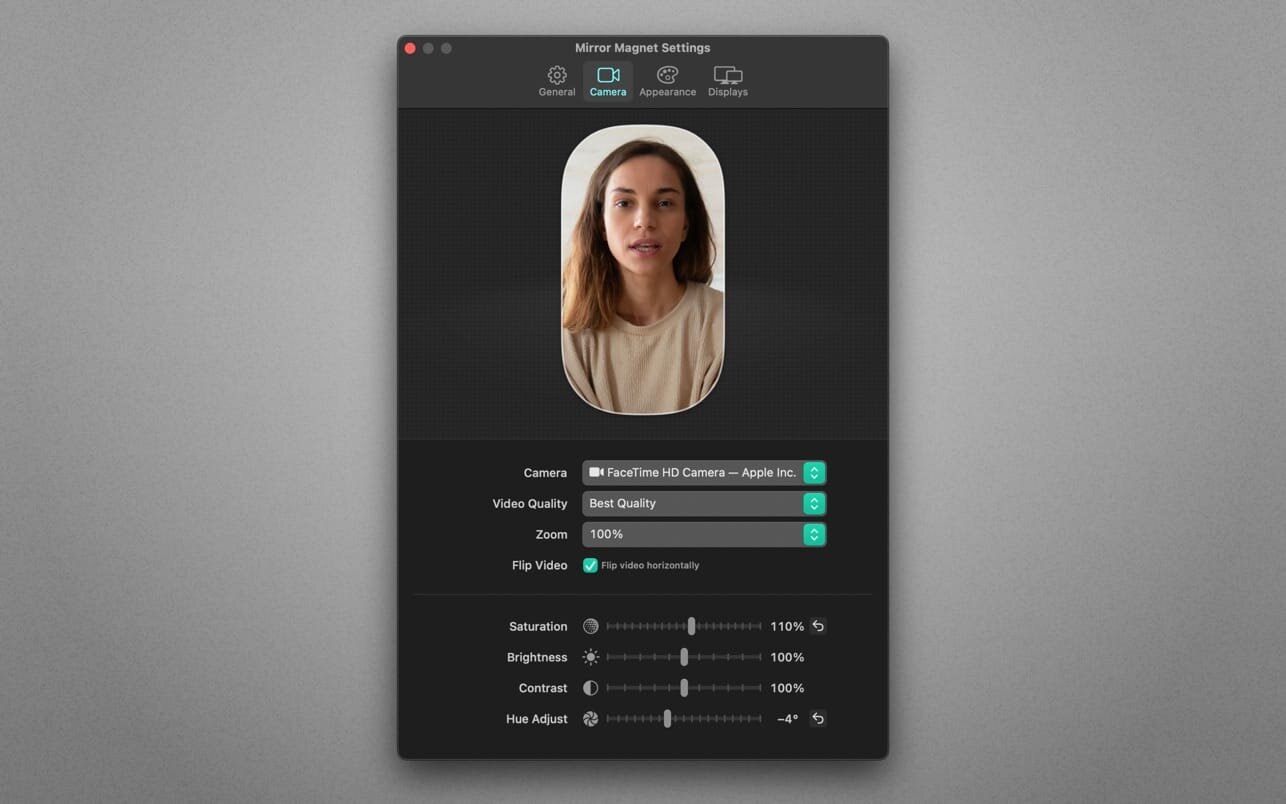

Mirror Magnet puts a live camera image on your desktop that stays on top of everything else.
The app lives in your menu bar. And it’s smart! The video fades out and blurs when you hover it with your mouse cursor, so it never gets in your way. Customize its appearance (shape, border, aspect ratio) and improve your look through fine-grained video adjustments.
Whether you record your screen for a tutorial, stream gameplay or share your screen on video calls—Mirror Magnet will instantly make your presentations more personal. It’s a tremendous time safer for tutorial creators who record their screen and want to display a live portrait of themselves at the same time—no more separate video recording and syncing in post-production! Mirror Magnet also detects virtual webcams (like OBS) and is able to display the screen of cable-connected iOS devices.
Highlights:
- Supports built-in, external and virtual webcams
- Detects connected iOS devices as camera
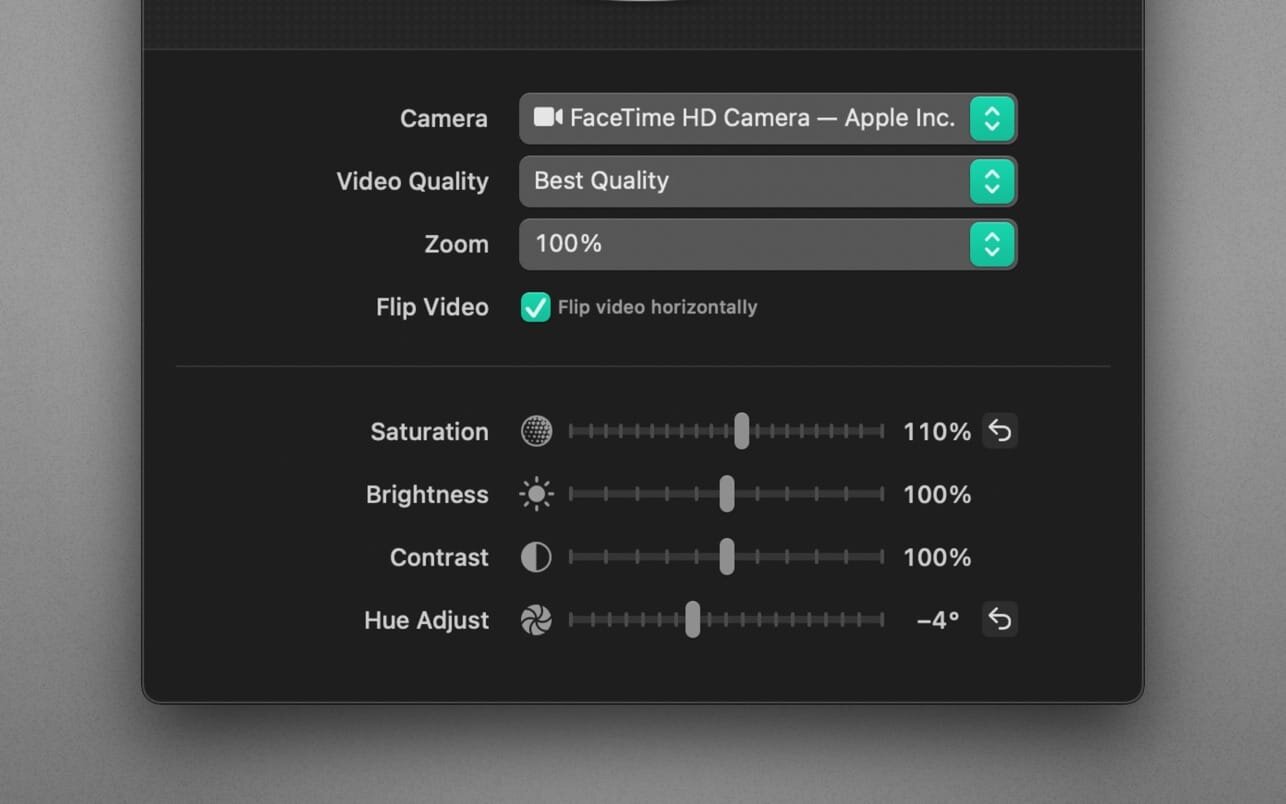
- Fine-grained video adjustments: saturation, brightness, contrast, hue, quality, zoom factor
- Customizable looks: shape, aspect ratio, orientation, size, border, shadow, opacity
- Intelligent and configurable opacity and blur on mouse hover
- Multi-monitor support
- Shortcut support
- Quick toggle: Use a global hot key or option-click the app icon
- Autostart: Launch the app automatically on login
- Optimized for macOS 11 (Big Sur) and macOS 12 (Monterey)
- Optimized for Mac with M1, M1 Pro and M1 Max (Apple Silicon)
Version 1.3
- This update contains improvements and minor bug fixes.
Frequently asked questions
How do I install the app?
Mount the image, drag the app into the "Applications" folder and launch it. If the system blocks the launch, allow it in "System Settings → Privacy & Security".
The app is damaged or won't launch
Reinstalling from a fresh image usually helps. Make sure your macOS version matches the one listed in the compatibility specs.
How do I update?
Download the new version from the site and install it over the current one — your settings will be preserved.
The download link doesn't work
Try a mirror or a download manager. For large files the browser often drops the connection.
How do I completely remove the app?
Use an uninstaller utility — it cleans up the service files that remain after moving the app to the trash.




Choose a download source
Mirror Magnet 1.3 · 16.82 MB