Mirror for Grundig TV 3.6


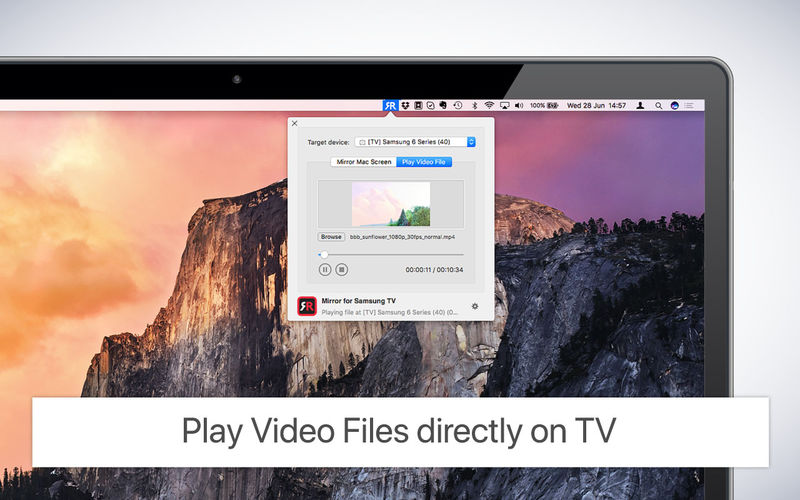
Screen Mirroring Mac to Grundig TV. Cast to TV from your MacOS device in less than 5 minutes. Display videos and photos wirelessly with AirBeamTV mirror apps.
Connect your Mac to Grundig TV Today!
Looking to cast from Mac to Grundig Smart TV? You don’t need expensive hardware, like an Apple TV or AirPlay to watch shows, movies, and video on the big screen. Screen Mirroring apps, like AirBeamTV’s “Mirror for Grundig TV”, will display your MacBook apps and video on your Grundig TV wirelessly, no extra equipment needed.
Watch Your Mac on the Big Screen
You may already watch shows or videos from your MacBook Pro or MacBook Air. But why settle for the small screen? To mirror your Mac to a Grundig Smart TV is possible with the “Mirror for Grundig TV” app. Cast the screen of your laptop to your television set, cable-free.
For the highest quality viewing, AirBeamTV’s “Mirror for Grundig TV” stands out as an advanced Screen Mirroring app to cast your Mac to Grundig TV, including the Grundig Android TV models. Simply download the app on your MacBook and “Start Mirroring”.
Cast Mac Screen to TV
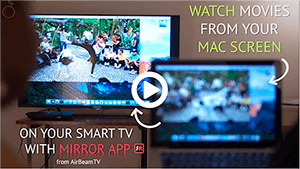
Mirror your Mac to Grundig Smart TVs instantly with AirBeamTV. Now everyone can watch shows and movies on the big screen!
Download the Mirror for Grundig TV app then cast your Mac screen instantly on your TV. Your screen will appear “live” on your television, without the need for expensive hardware.
Stream Movies & Videos
Stream all of your favorite movies and videos on your Grundig TV. AirBeamTV works with popular streaming platforms, like Hulu, YouTube and Netflix, so you can watch videos, shows, and movies from your Grundig TV with one click. Just download the app on your MacBook, click “Start Mirroring” and your laptop screen will display on your TV in high definition.
Show Presentations on TV
You can cast presentations by screencasting your Mac to Grundig TV wirelessly. Share work presentations or show your friends and family a photo slideshow of your recent holiday. Screen Mirroring for Mac also casts Zoom meetings and conference calls, so everyone in the room can join in.
Frequently asked questions
How do I install the app?
Mount the image, drag the app into the "Applications" folder and launch it. If the system blocks the launch, allow it in "System Settings → Privacy & Security".
The app is damaged or won't launch
Reinstalling from a fresh image usually helps. Make sure your macOS version matches the one listed in the compatibility specs.
How do I update?
Download the new version from the site and install it over the current one — your settings will be preserved.
The download link doesn't work
Try a mirror or a download manager. For large files the browser often drops the connection.
How do I completely remove the app?
Use an uninstaller utility — it cleans up the service files that remain after moving the app to the trash.
Choose a download source
Mirror for Grundig TV 3.6 · 14.18 MB
Previous versions
Mirror for Grundig TV 3.6
Previous versions are available to registered users.