AN PDF 4.1
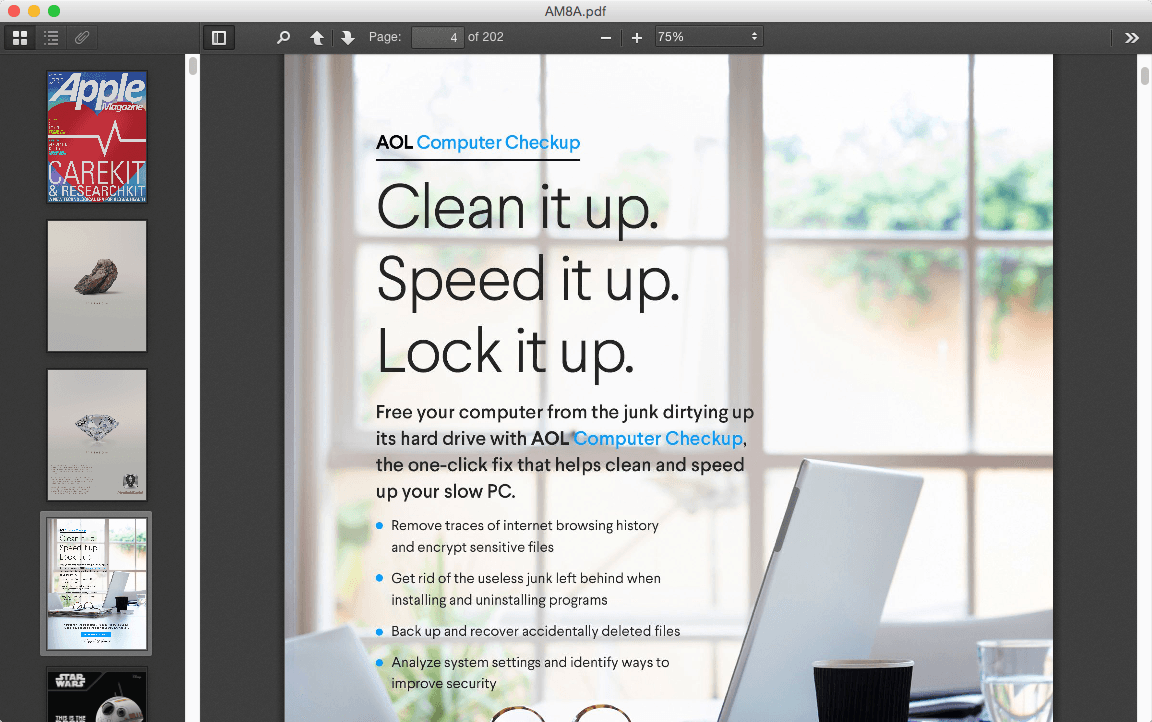
"AN PDF" is a very powerful instant preview Portable Document Format (PDF) file applications.
PDF: The way people share important business documents.
In the spring of 1991, Adobe cofounder John Warnock launched the paper-to-digital revolution with an idea he called The Camelot Project. Camelot’s goal was to give organizations the tools needed to “capture documents from any application, send electronic versions of these documents anywhere, and view and print these documents on any machines.”
By the fall of 1992, Camelot had developed into PDF. And more than 20 years later, it is the format trusted by businesses around the world because PDF files:
- Look just the way you intend them to across platforms and devices
- Meet ISO 32000 standards for electronic document exchange, including special-purpose PDF standards
- Can be electronically signed by anyone using free Adobe Acrobat Reader DC software or the Acrobat DC mobile app
- Can be password-protected to prevent copying and editing
- Can be redacted to permanently delete sensitive information
- Preserve all source file information, even when text, graphics, audio, 3D maps, and more are combined in a single file
- Are easy to search, including scanned text that was converted using optical character recognition (OCR) technology
- Work with assistive technologies, making PDF files more accessible to people with disabilities such as low vision or blindness
WHAT’S NEW
Version 4.1
- FIXED: Core Engine
Screenshots
Frequently asked questions
How do I install the app?
Mount the image, drag the app into the "Applications" folder and launch it. If the system blocks the launch, allow it in "System Settings → Privacy & Security".
The app is damaged or won't launch
Reinstalling from a fresh image usually helps. Make sure your macOS version matches the one listed in the compatibility specs.
How do I update?
Download the new version from the site and install it over the current one — your settings will be preserved.
The download link doesn't work
Try a mirror or a download manager. For large files the browser often drops the connection.
How do I completely remove the app?
Use an uninstaller utility — it cleans up the service files that remain after moving the app to the trash.
VersionAN PDF 4.1
DeveloperSUN ZHI FENG
CompatibilityOS X 10.7 or later, 64-bit processor
LanguageMultilanguage
IncludesPre-K'ed



Information
Visitors in the group Guests cannot leave comments on this publication.
Choose a download source
AN PDF 4.1 · 3.5 MB