DotPass 1.5.5
Different passwords for all your accounts using one graphical patterns for you to remember, with nothing stored that can be lost or stolen.
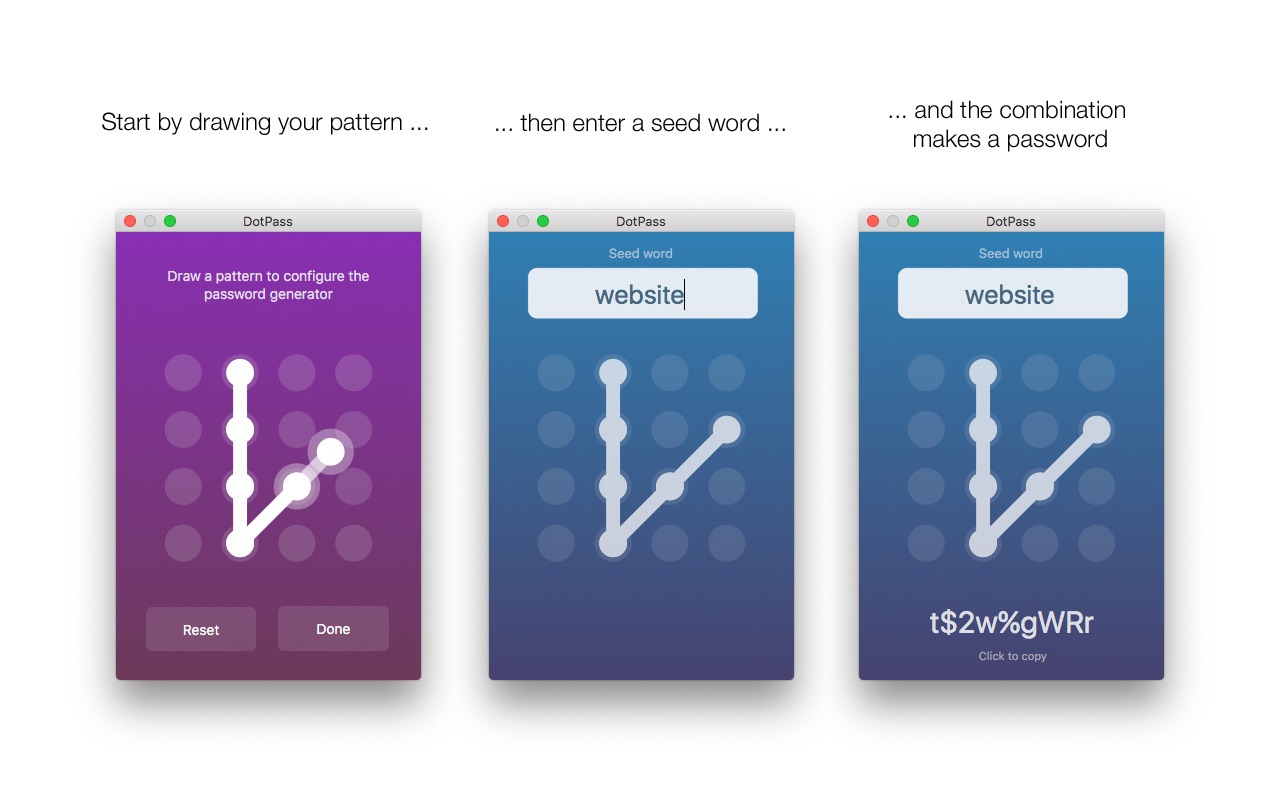
DotPass is an app for generating and retrieving passwords. You enter a graphical pattern in a dot grid and a plain text seed word (like "facebook", "work email" or whatever makes sense to you), and the app then generates a password based on this unique combination.
Tap the password to copy it, and then past it into whatever login form you need it for.
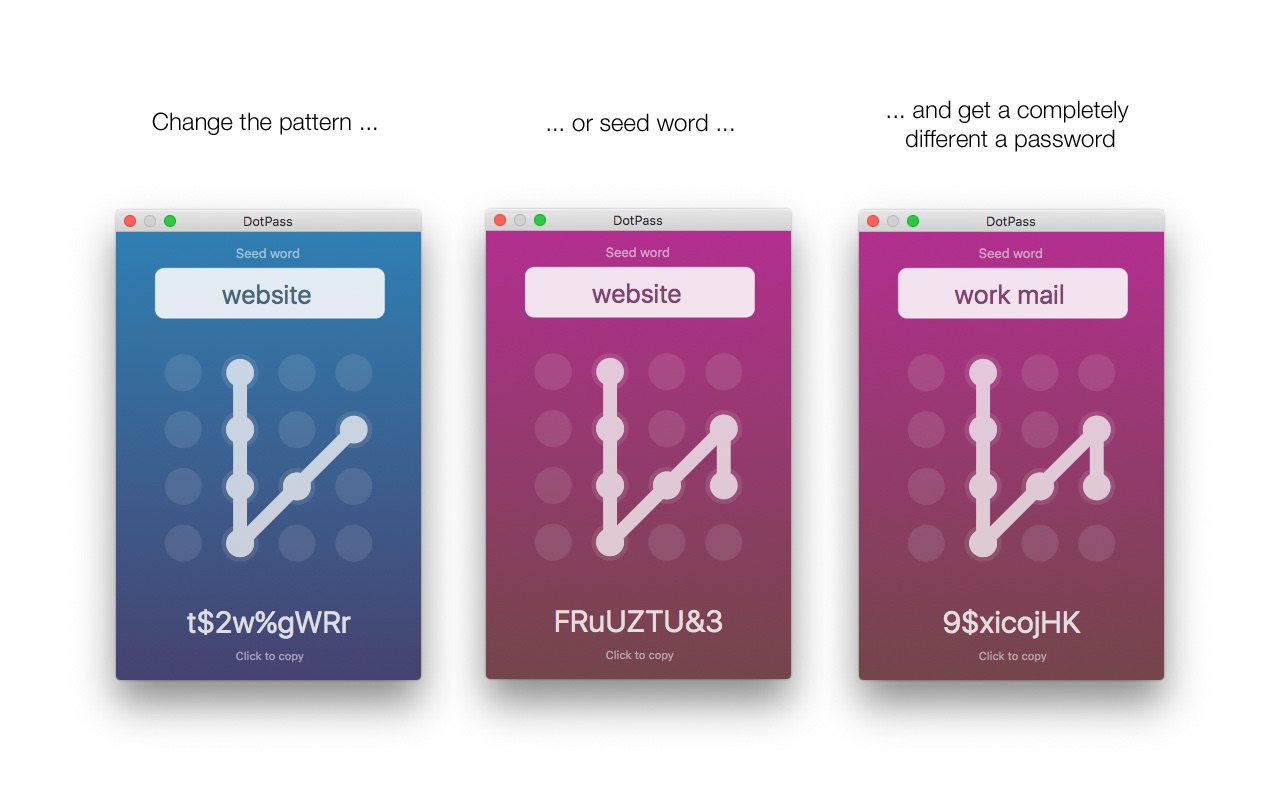
The idea is that a graphic pattern and plain seed words are much easier to remember than strong passwords. Any change in either pattern or seed word results in a completely different password. So you can decide on one pattern and reuse together with different seed words for different accounts, and get good different passwords for each account.
As long as you remember the pattern you've chosen and the plain text seed words for your accounts, you can get your passwords back. But unlike other solutions your passwords are never stored on your device or sent into the "cloud", so there is no password information in the app that can be stolen or lost.
- All generated passwords contain numbers, uppercase and lowercase letters to fulfill common password criteria.
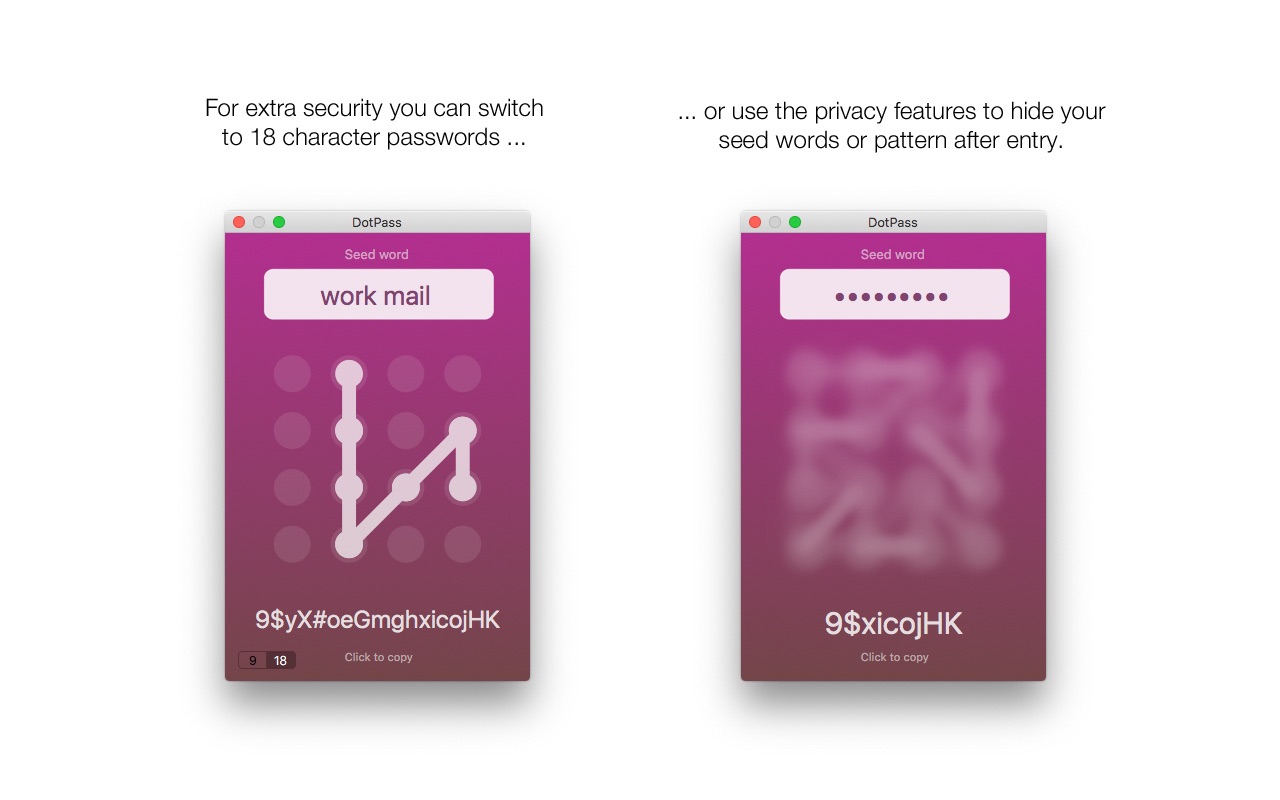
- Select either 9 or 18 character passwords
- For security app resets and clears any copied passwords from the pasteboard after use.
There is also an iOS version of DotPass available in the iOS App Store. So you can easily access the same passwords on your phone/pad as well.
To make these passwords secure you must of course keep your pattern and seed words secret, just as you would with your password. If you are worried about someone looking over your shoulder you can use the extra privacy features in the app to hide the pattern, seed or password after entry. For added security the app automatically resets if left in the background more than a minute.
Version 1.5.5
- Added Edit menu item to copy password.
- Added Edit menu item to copy password without special characters, useful if you encounter a site that doesn't allow special characters in passwords.
Frequently asked questions
How do I install the app?
Mount the image, drag the app into the "Applications" folder and launch it. If the system blocks the launch, allow it in "System Settings → Privacy & Security".
The app is damaged or won't launch
Reinstalling from a fresh image usually helps. Make sure your macOS version matches the one listed in the compatibility specs.
How do I update?
Download the new version from the site and install it over the current one — your settings will be preserved.
The download link doesn't work
Try a mirror or a download manager. For large files the browser often drops the connection.
How do I completely remove the app?
Use an uninstaller utility — it cleans up the service files that remain after moving the app to the trash.


Choose a download source
DotPass 1.5.5 · 2.62 MB