
Priime Styles 1.0
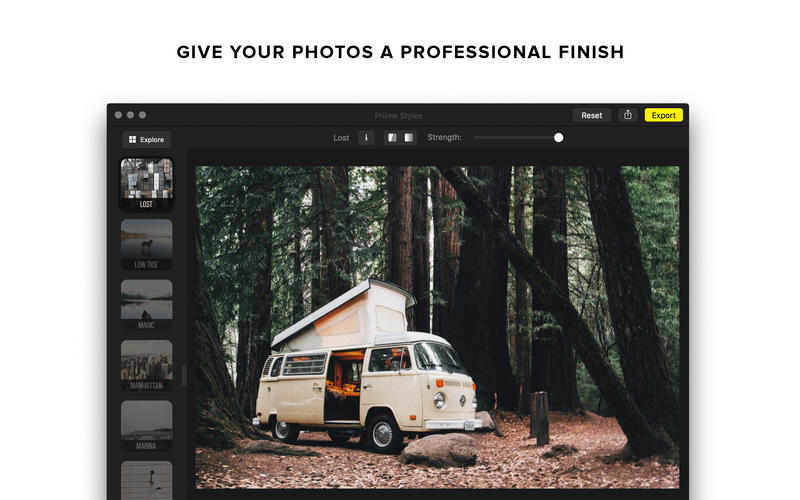
Apply professional photo presets created and used by the world’s best modern day photographers.
Priime's key features:
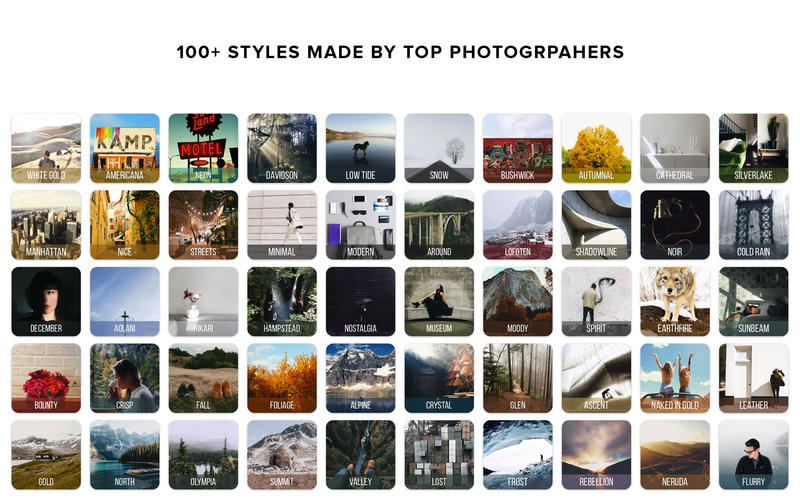
- Featuring over 100 photo styles: Apply professional-grade photo styles (also known as presets or filters), which are created in collaboration with the world’s top photographers in the form of their photographic styles. All styles are already bundled with the app purchase!
- Full pixel resolution / max quality photo saving
- Standalone: Works without requiring any other programs to add a style to one or many photos all at once.
- Photos.app: Elegant integration into the Photos.app’s editing flow, saving back non-destructive max resolution photos. Happily works with iCloud as well.
- Lightroom: Total integration with Lightroom photo catalogs. Edit any type of supported photo using your existing catalog, straight from Lightroom. Priime isn't simply a preset, but a whole new powerful tool that integrates into the flow of Lightroom as an external editor, while maintaining the organization of your Lightroom catalog.
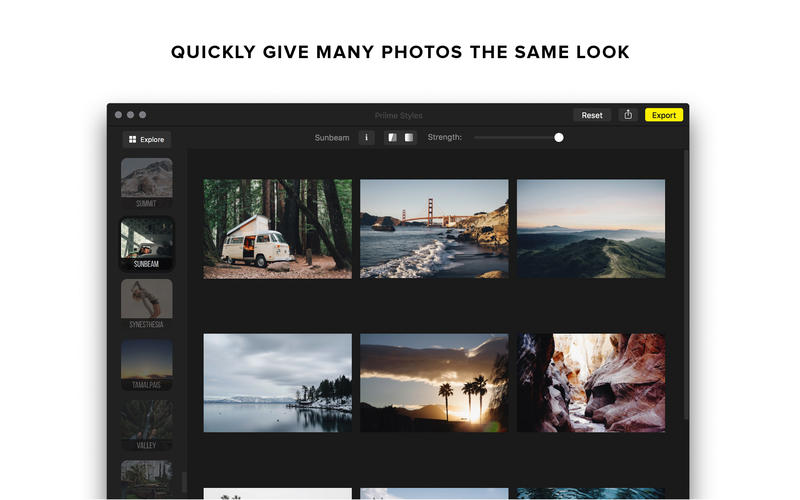
- Batch editing: To create a consistent style across your photos, editing multiple photos in a batch is available to quickly apply styles to any number of different photos all at once, whether as a standalone app or by selecting multiple photos within a Lightroom catalog and using Priime as an integrated external editor.
- Big picture workflow: The explore feature of the app allows you to preview your photo as a grid, already pre-edited with all the styles. This new workflow allows you to easily select the look you want, without having to tap through every single option.
Supported photo formats:
- TIFF
- JPG
- PNG
- ARW - Sony
- CRW - Canon
- CR2 - Canon
- NEF - Nikon RAW
- ORF - Olympus RAW
- RAF - Fuji RAW
- MRW - Minolta RAW
- DCR - Kodak RAW
- DNG - Adobe / Leica RAW
- MOS, KDC, FPX/FPIX, EXR, PSD, QTI/QTIF, HDR, SGI, SRF, TARGA/TGA, CUR, XBM, PTNG, PNT, MAC, and more
Screenshots
Frequently asked questions
How do I install the app?
Mount the image, drag the app into the "Applications" folder and launch it. If the system blocks the launch, allow it in "System Settings → Privacy & Security".
The app is damaged or won't launch
Reinstalling from a fresh image usually helps. Make sure your macOS version matches the one listed in the compatibility specs.
How do I update?
Download the new version from the site and install it over the current one — your settings will be preserved.
The download link doesn't work
Try a mirror or a download manager. For large files the browser often drops the connection.
How do I completely remove the app?
Use an uninstaller utility — it cleans up the service files that remain after moving the app to the trash.
VersionPriime Styles 1.0
DeveloperPriime, Inc.
CompatibilityOS X 10.11 or later, 64-bit processor
LanguageEnglish
IncludesPre-K'ed



Information
Visitors in the group Guests cannot leave comments on this publication.
Choose a download source
Priime Styles 1.0