
Apeaksoft iPhone Eraser 1.0.20
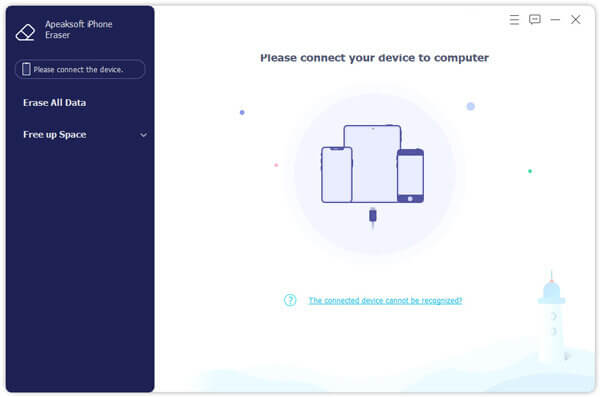
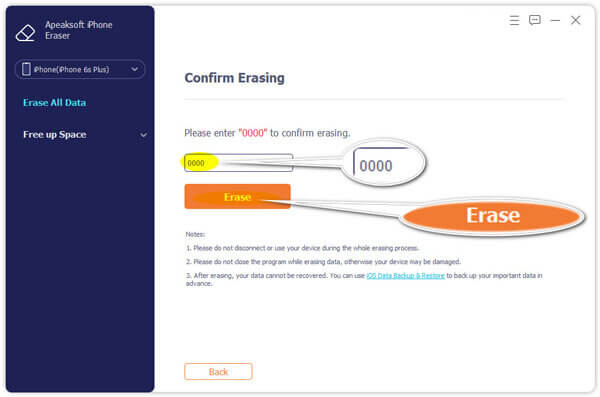
Apeaksoft iPhone Eraser is the most useful utility to erase all content and settings permanently and thoroughly from iPhone iPad or iPod. In addition, you are able to erase more than one iOS device simultaneously.
Erase All Content and Settings on iOS Devices Permanently
The program offers 100% promise to securely erase all data on your iPhone/iPad/iPod, including contacts, SMS, account information, photos, browser history, videos, songs, games, weather, notes, mails, apps, voice memos, calendars, Apple Maps, Reminders, voicemails, downloads, etc. Moreover, settings made on your device will also be clean to get a "new" device.
Clean iPhone Safely to Secure Your Privacy
As one of the professional phone data erasing tools, iPhone Eraser guards your private information. It provides 100% promise to securely remove all the data and settings from your device safely. No personal information will be tracked after you sell your phone. iPhone Eraser guards your private information and protects your personal data from data criminals.
Delete Device with Different Erasing Levels
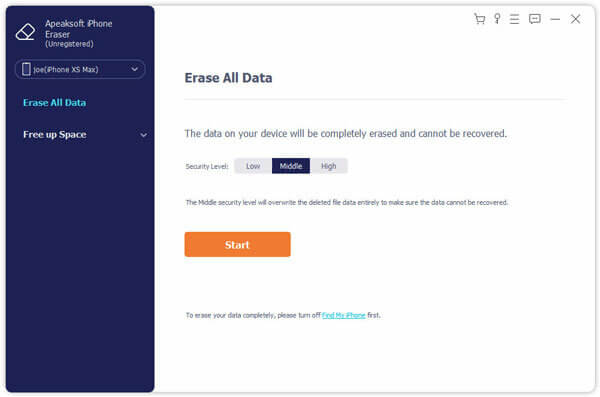
This professional software provides you three modes to clear your iPhone iPad or iPod data. Whether you want to wipe out confidential documents on your job, or erase data for selling the device, you can choose one of the erasing levels to move on.
- Low level: Erase data quickly with overwriting only one time, which can save you time for plenty of data files.
- Medium level: Completely erase all data with overwriting the device for twice, remaining no trace. Nobody will know the data on your device is erased.
- High level: Destroy data thoroughly with overwriting data for three times, which is the safest and most radical way to get your device started with a clean slate.
Version 1.0.20:
- Release notes were unavailable when this listing was updated.
Frequently asked questions
How do I install the app?
Mount the image, drag the app into the "Applications" folder and launch it. If the system blocks the launch, allow it in "System Settings → Privacy & Security".
The app is damaged or won't launch
Reinstalling from a fresh image usually helps. Make sure your macOS version matches the one listed in the compatibility specs.
How do I update?
Download the new version from the site and install it over the current one — your settings will be preserved.
The download link doesn't work
Try a mirror or a download manager. For large files the browser often drops the connection.
How do I completely remove the app?
Use an uninstaller utility — it cleans up the service files that remain after moving the app to the trash.




Choose a download source
Apeaksoft iPhone Eraser 1.0.20 · 32.23 MB
Previous versions
Apeaksoft iPhone Eraser 1.0.20
Previous versions are available to registered users.