
Video Snapshot&Collage 2.8
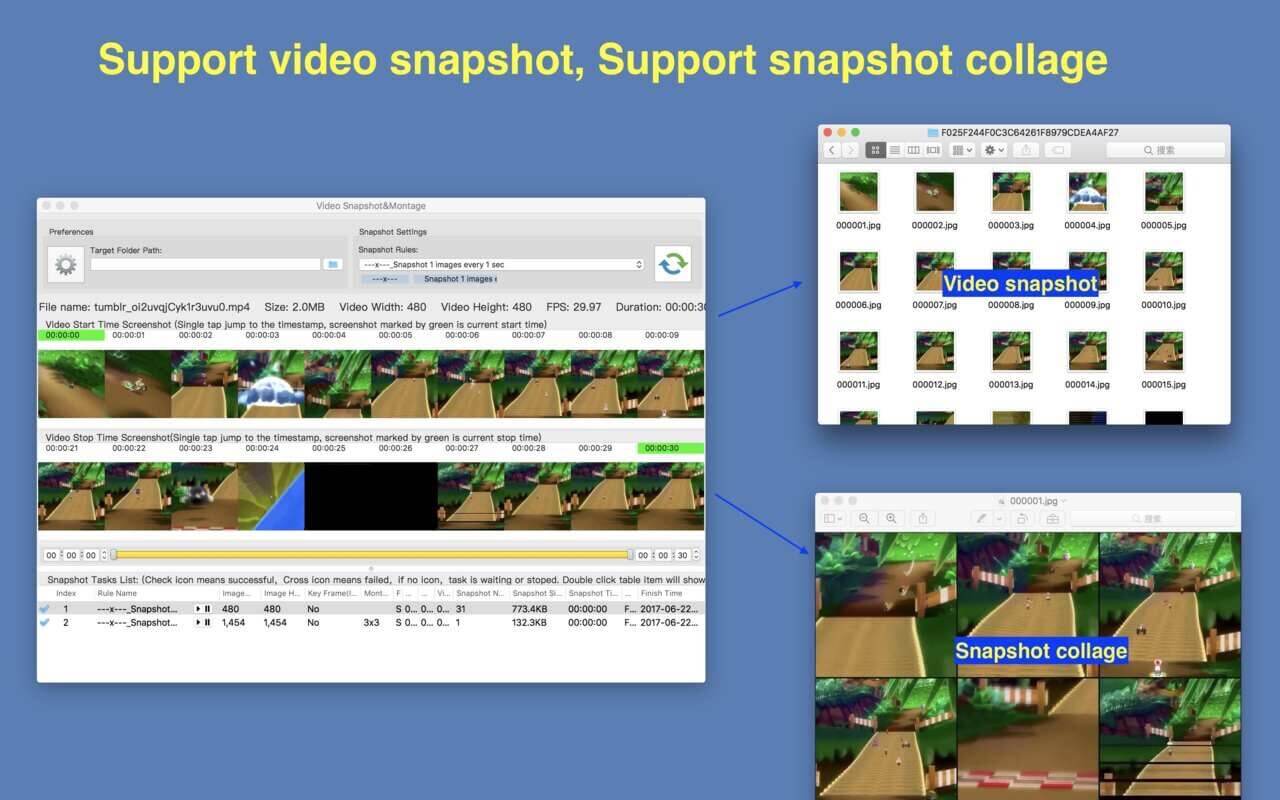
A handy, high quality and easy to use video snapshot&montage tool.
Key Feature
- Base on FFmpeg, support all popular video formats.
- Powerful and accurate video clips selection, you won't miss any wonderful moment.
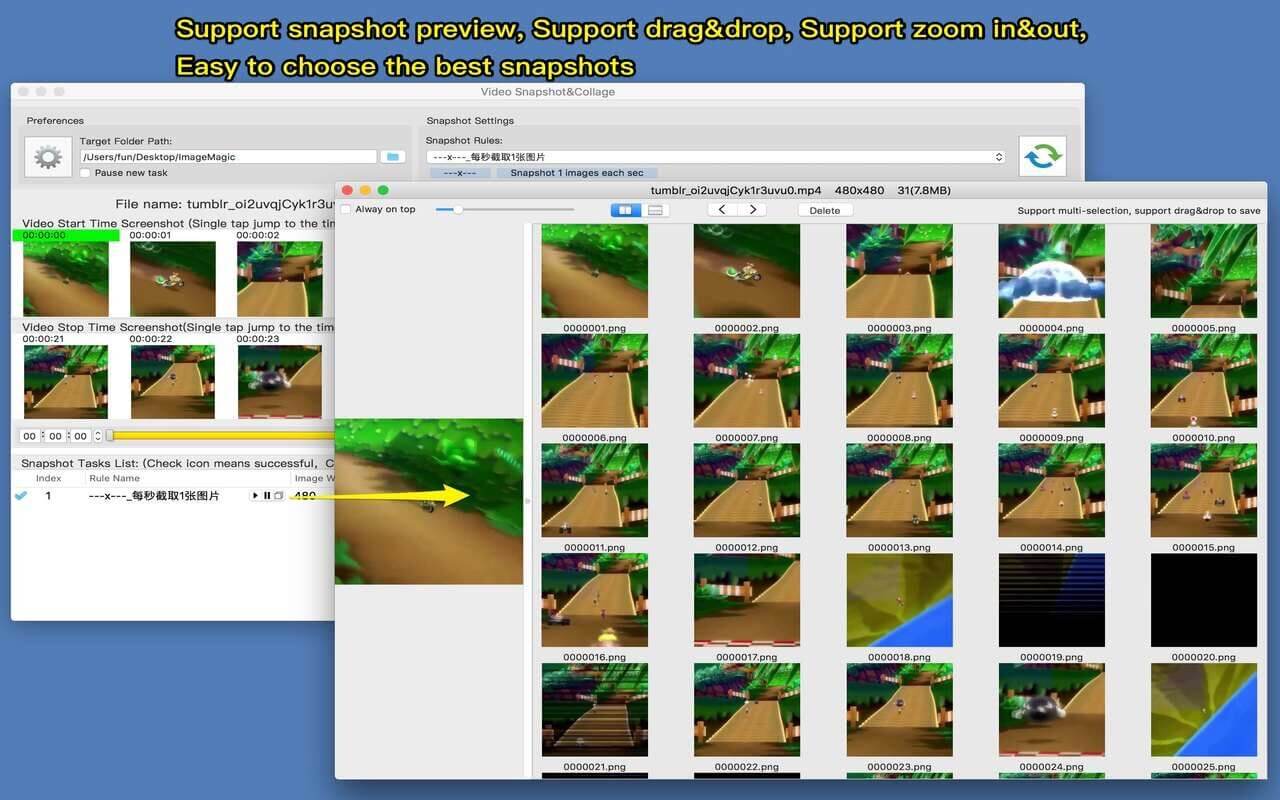
- Rich snapshot option, help to extract the most interesting video frame, and support snapshot preview, help to choose the best snapshot.
- Support collage several video snapshots into one image.
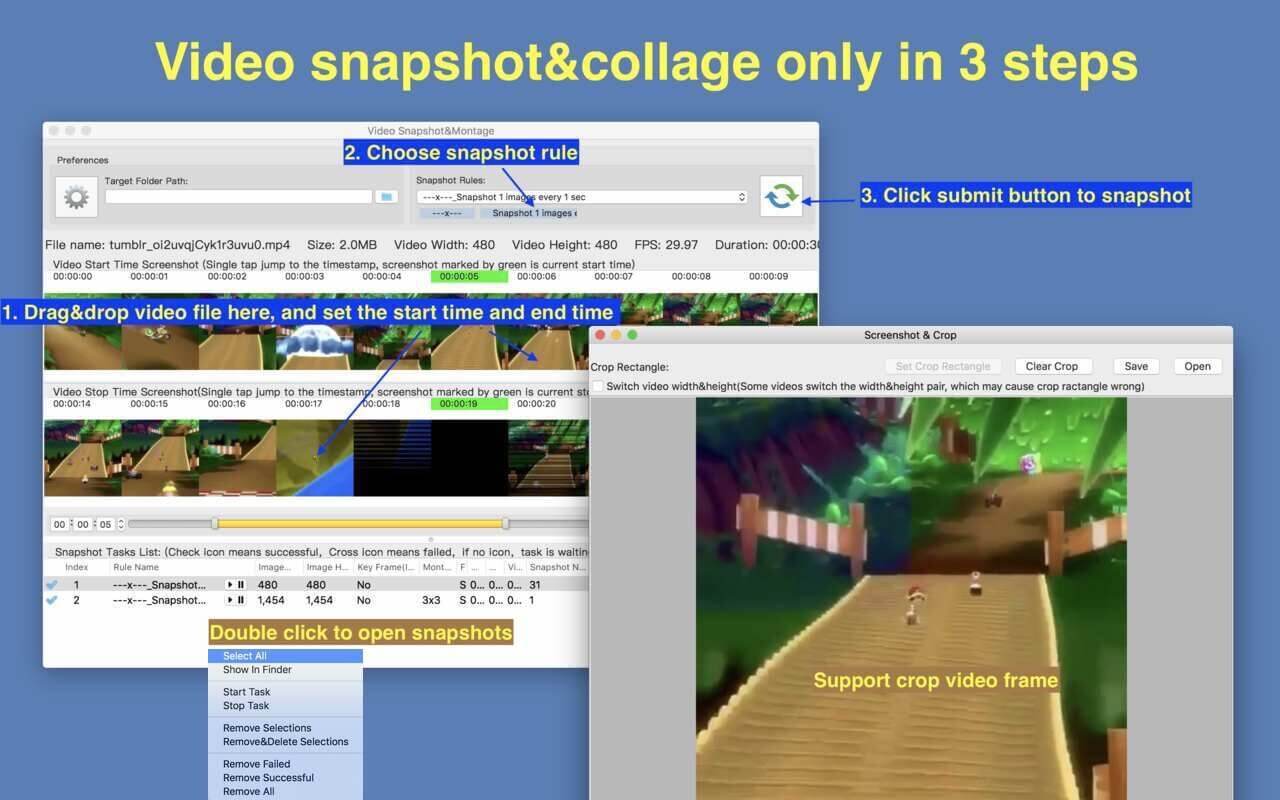
- Support video image crop, users can eliminate useless part of the video frame to reduce file size greatly.
- Support custom output image size, image number and etc
- Support iCloud sync.
- Emed FFplay, right click can play video from snapshot's timestamp, help select video clips more accurate
How To Use it
- Step1: Drag&drop video file into the app
- Step2: Mark the start time and end time of interested video clip
- Step3: Choose snapshot rule and start to snapshot
FAQs
1. How to select video clip?
Answer: There are 5 way to select video clips:
- Drag the time slides
- Change the start&end time text field, and press ENTER key
- Click start&end time text field and click the steppers to change each field
- Click the start&end screenshot, it will jump to the correspond timestamp
- From the menu or use shortcuts.
2. How to use the embed FFplay?
A:the embed ffplay is a powerful and efficient video player.
- Left/Right Arrow: Move Backward/Forward
- Q key: quit the player
- S: Step frame
- Space key: Pause replay
- Mouse right click: video jump to the click point
Please goole "FFPlay" for more more shortcuts
[Copyright]
This App use binaries from FFMpeg binary, thanks very much to the great FFMpeg project and
the developers for the great job!
Version 2.8
* support to create custom crop box in crop window.
The format is x:y:w:h:ratioW:ratioH.For example:
- 10:20:100:200. Create a cropping box with a length of 100 and a width of 200, using (10, 20) as the coordinate origin.
- 10:20:100:0:16:9. Create a cropping box with a width of 100 and an aspect ratio of 16:9, using (10, 20) as the coordinate origin. The height of the cropping box is calculated as 100/(16/9).
Frequently asked questions
How do I install the app?
Mount the image, drag the app into the "Applications" folder and launch it. If the system blocks the launch, allow it in "System Settings → Privacy & Security".
The app is damaged or won't launch
Reinstalling from a fresh image usually helps. Make sure your macOS version matches the one listed in the compatibility specs.
How do I update?
Download the new version from the site and install it over the current one — your settings will be preserved.
The download link doesn't work
Try a mirror or a download manager. For large files the browser often drops the connection.
How do I completely remove the app?
Use an uninstaller utility — it cleans up the service files that remain after moving the app to the trash.





Choose a download source
Video Snapshot&Collage 2.8 · 161.07 MB