
Gestimer 1.2.8

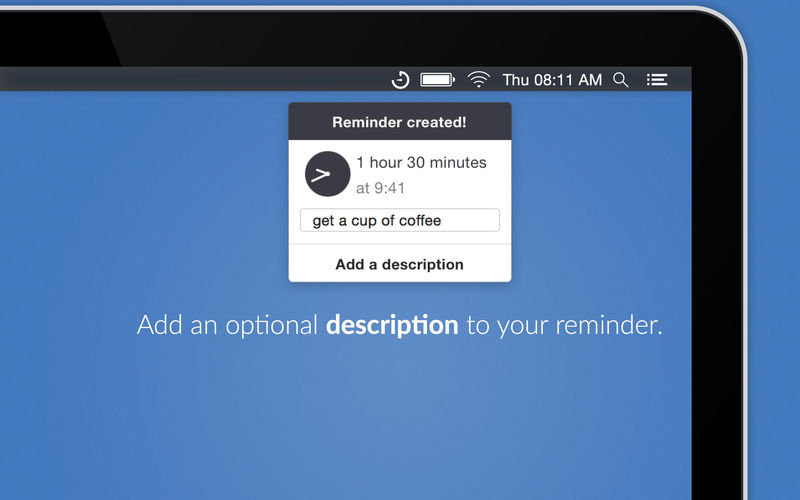
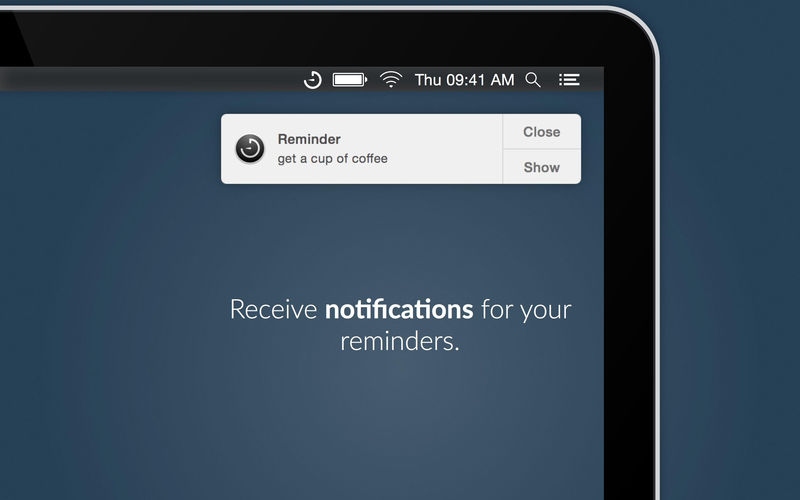
Gestimer is a beautiful Mac menu bar app for those little reminders during the day. Simply drag the Gestimer menu bar icon onto the screen to create your reminder.
Check out a 10s clip here: maddin.io/gestimer
Do you constantly check the time while using your Mac because you don't want to forget to leave the house in 10 minutes, to pick up the kids at 4pm, or to turn off the stove in 3 minutes? With Gestimer you can create such short-term reminders quickly and easily.
- Drag & drop a quick reminder with this beautifully designed Mac menu bar app
- Quickly add descriptions to your reminders
- Receive a notification for your reminders
Version 1.2.8
- Fixed an issue where the window asking for permissions to access Apple Reminders did not get presented.
Frequently asked questions
How do I install the app?
Mount the image, drag the app into the "Applications" folder and launch it. If the system blocks the launch, allow it in "System Settings → Privacy & Security".
The app is damaged or won't launch
Reinstalling from a fresh image usually helps. Make sure your macOS version matches the one listed in the compatibility specs.
How do I update?
Download the new version from the site and install it over the current one — your settings will be preserved.
The download link doesn't work
Try a mirror or a download manager. For large files the browser often drops the connection.
How do I completely remove the app?
Use an uninstaller utility — it cleans up the service files that remain after moving the app to the trash.




Choose a download source
Gestimer 1.2.8 · 10.78 MB
Previous versions
Gestimer 1.2.8
Previous versions are available to registered users.