Feeder 4.9.1
Feeder — podcast publishing software for podcasts, RSS feeds, and appcasts
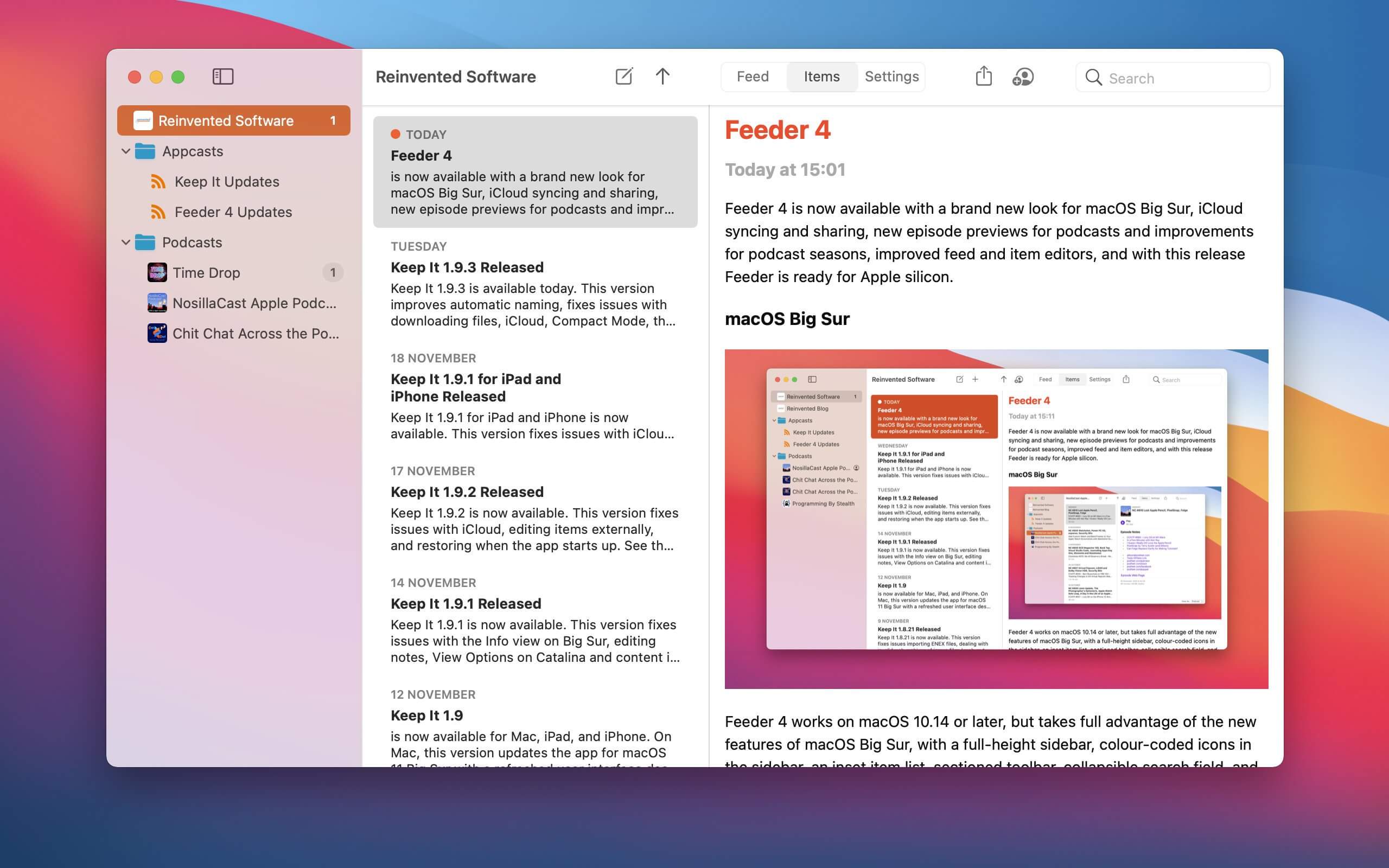
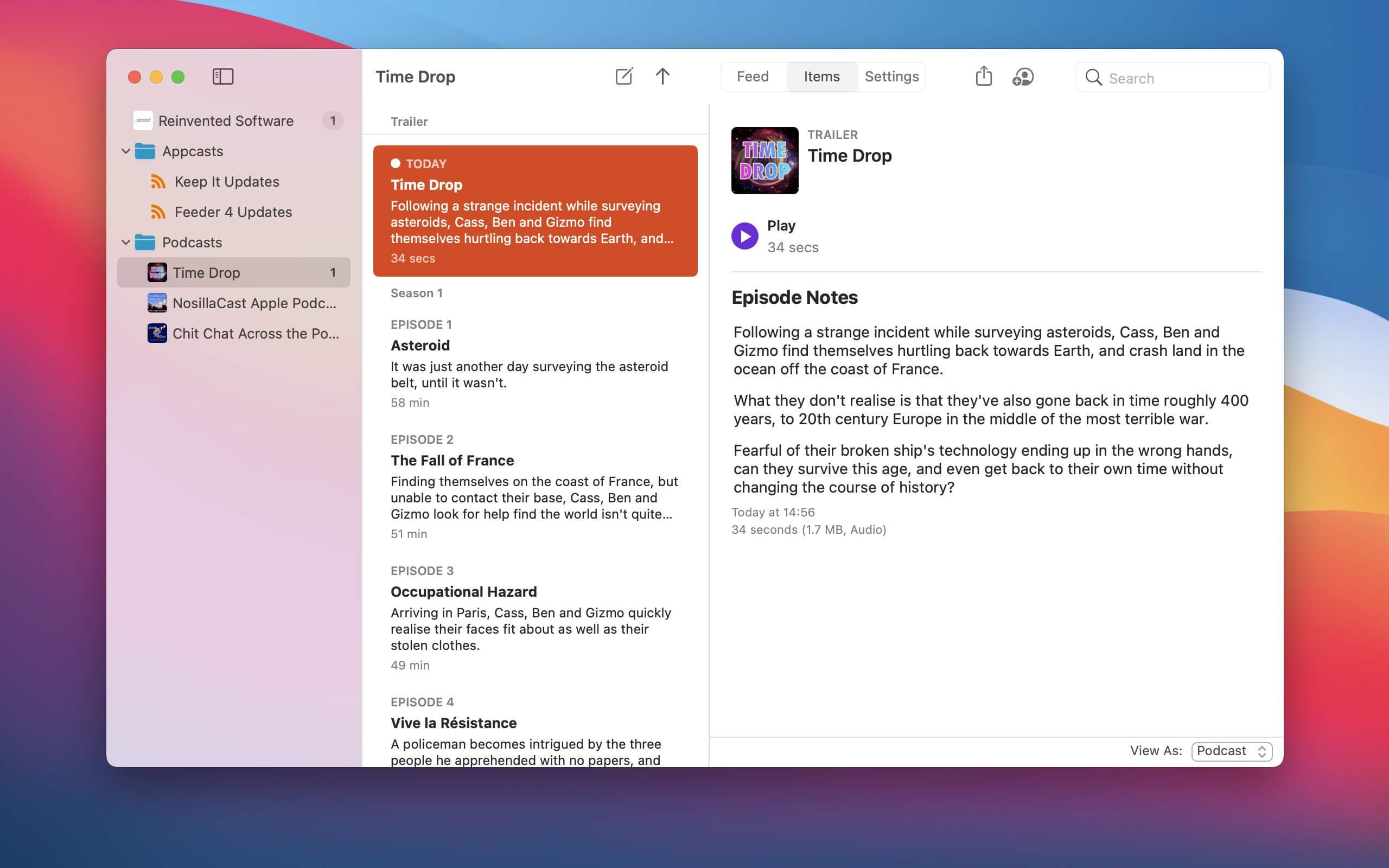
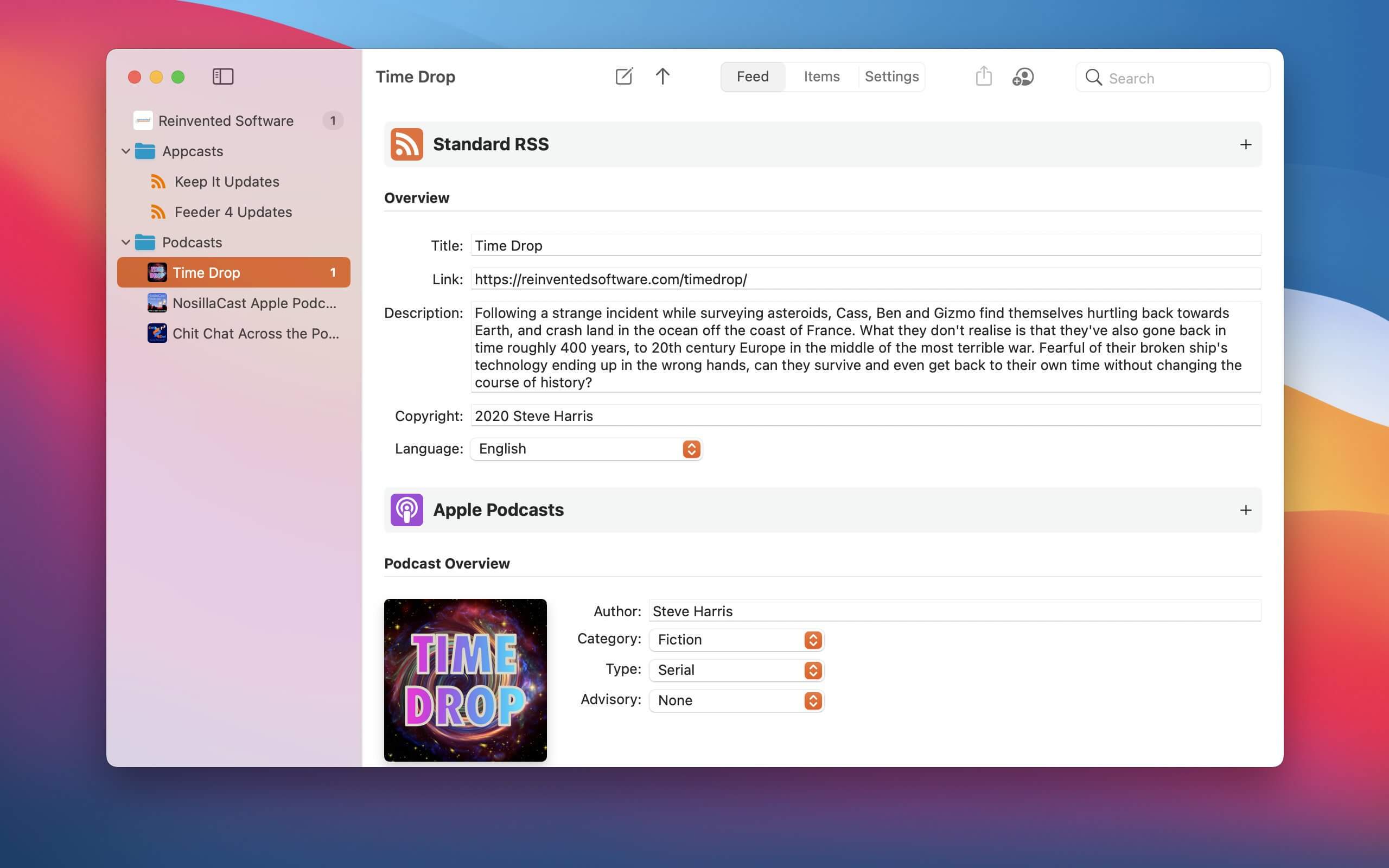
Self-publish podcasts, appcasts, and standard RSS feeds with Feeder.
FOR PODCASTERS:
- Feeder makes it easy to create and update your podcast, and ensures everything meets the Apple Podcasts requirements
- Preview podcast episodes as they’ll appear in the Podcasts app
- See serials listed by season and episode, along with trailers and bonuses, as in the Podcasts app
- Publish feeds and media files to different servers with a single click
- Redirect media file URLs through your preferred analytics service
- Download your existing feed to move to Feeder
- No lock-in: if you control your feed, you can use the service providers that suit you, and always move to another without losing subscribers
FOR EVERYONE:
- Edit your feeds on all your Macs with iCloud
- Collaborate on feeds with other Feeder users with iCloud
- Schedule items to be published
- HTML editing and preview
- Write descriptions using Markdown
- Templates and auto-completion to save time
- Feeder can publish using FTP, SFTP, Amazon S3, WebDAV and file export
- Search the items in the feed, including by date
- Cross-post items to a blog when publishing
- Feeder 4 is completely updated for macOS Big Sur and built for Apple silicon
FOR APP DEVELOPERS AND ADVANCED USERS:
- Create Sparkle appcasts that automatically generate DSA and edDSA signatures
- Preview release notes as they’ll appear in the Sparkle update panel
- Feeder is fully scriptable for creating, editing and publishing feeds, and can run a script or Automator workflow after a feed is published
Version 4.9.1
- Fixed an issue that could prevent some podcast feeds from being stored in iCloud.
Frequently asked questions
How do I install the app?
Mount the image, drag the app into the "Applications" folder and launch it. If the system blocks the launch, allow it in "System Settings → Privacy & Security".
The app is damaged or won't launch
Reinstalling from a fresh image usually helps. Make sure your macOS version matches the one listed in the compatibility specs.
How do I update?
Download the new version from the site and install it over the current one — your settings will be preserved.
The download link doesn't work
Try a mirror or a download manager. For large files the browser often drops the connection.
How do I completely remove the app?
Use an uninstaller utility — it cleans up the service files that remain after moving the app to the trash.




Choose a download source
Feeder 4.9.1 · 16.03 MB
Previous versions
Feeder 4.9.1
Previous versions are available to registered users.