
TunePat Spotify Converter 1.6.4

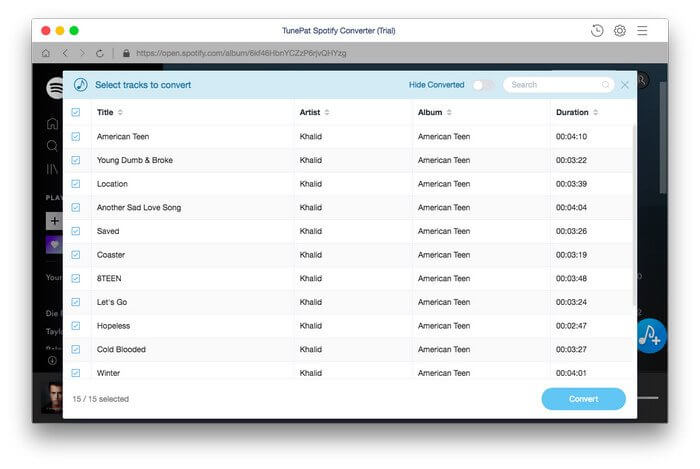
TunePat Spotify Converter is dedicated to helping Spotify users to download and convert Spotify songs to a common format with no need to install the Spotify app. With it, both Spotify Free and Premium users can transfer Spotify songs to any of their devices for streaming offline.
Get Spotify Songs Download
It’s known to us all that it’s impossible to directly save Spotify songs as local files, no matter you are a Spotify Free user or Spotify Premium subscriber, since all the songs on Spotify are protected in an encoded format.
TunePat Spotify Converter – a 100% clean program with no need to install any extra software including the Spotify app, is designed for downloading songs, albums and playlists from Spotify so that you can listen to Spotify songs offline or transfer them to other devices for enjoying.
Convert Spotify to MP3/AAC/WAV/FLAC
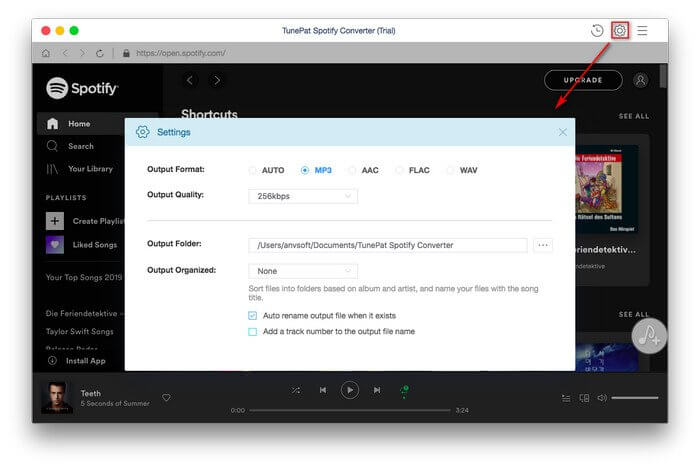
To enable you to enjoy Spotify songs on more devices, TunePat Spotify Converter supports converting Spotify songs, albums and playlists to the most popular formats, including MP3, AAC, WAV or FLAC format.
With TunePat Spotify Converter, you can easily listen to your Spotify songs with more multimedia players. And you can export them to a USB, sync them to your MP3 player, import them to your iPhone, etc.
Convert at 10X Speed with Lossless Quality
TunePat Spotify Converter is a fast Spotify music downloader. By adopting an innovative technology, it is able to convert Spotify songs at up to 10X faster speed.
In addition, the program keeps lossless output quality after conversion. You can listen to your Spotify songs offline with original audio quality.
Keep ID3 tags after Conversion
For convenience, most people would care whether the tag info of the downloaded Spotify songs can be retained after conversion. TunePat Spotify Converter is able to keep ID3 tags such as Title, Artist, Artwork, Album, Track Number and more after conversion.
Besides, the program enables you to sort out the converted files by Artist, Album, Artist/Album, Album/Artist or simply save all the songs under the same folder.
Version 1.5.0:
- Optimize the interface and functions of the program.
- Remove the After Converting option in the settings.
Frequently asked questions
How do I install the app?
Mount the image, drag the app into the "Applications" folder and launch it. If the system blocks the launch, allow it in "System Settings → Privacy & Security".
The app is damaged or won't launch
Reinstalling from a fresh image usually helps. Make sure your macOS version matches the one listed in the compatibility specs.
How do I update?
Download the new version from the site and install it over the current one — your settings will be preserved.
The download link doesn't work
Try a mirror or a download manager. For large files the browser often drops the connection.
How do I completely remove the app?
Use an uninstaller utility — it cleans up the service files that remain after moving the app to the trash.
Related posts



Choose a download source
TunePat Spotify Converter 1.6.4 · 171.69 MB