Particulars 33
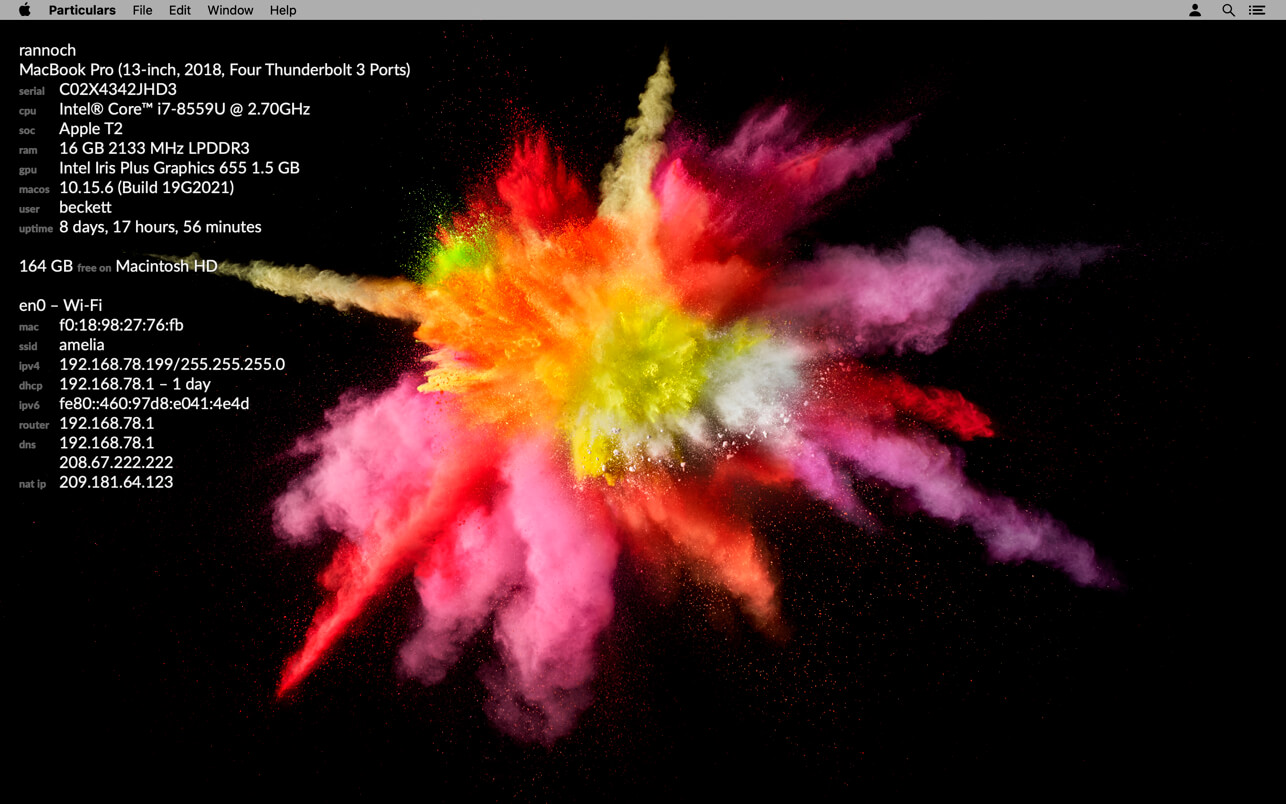
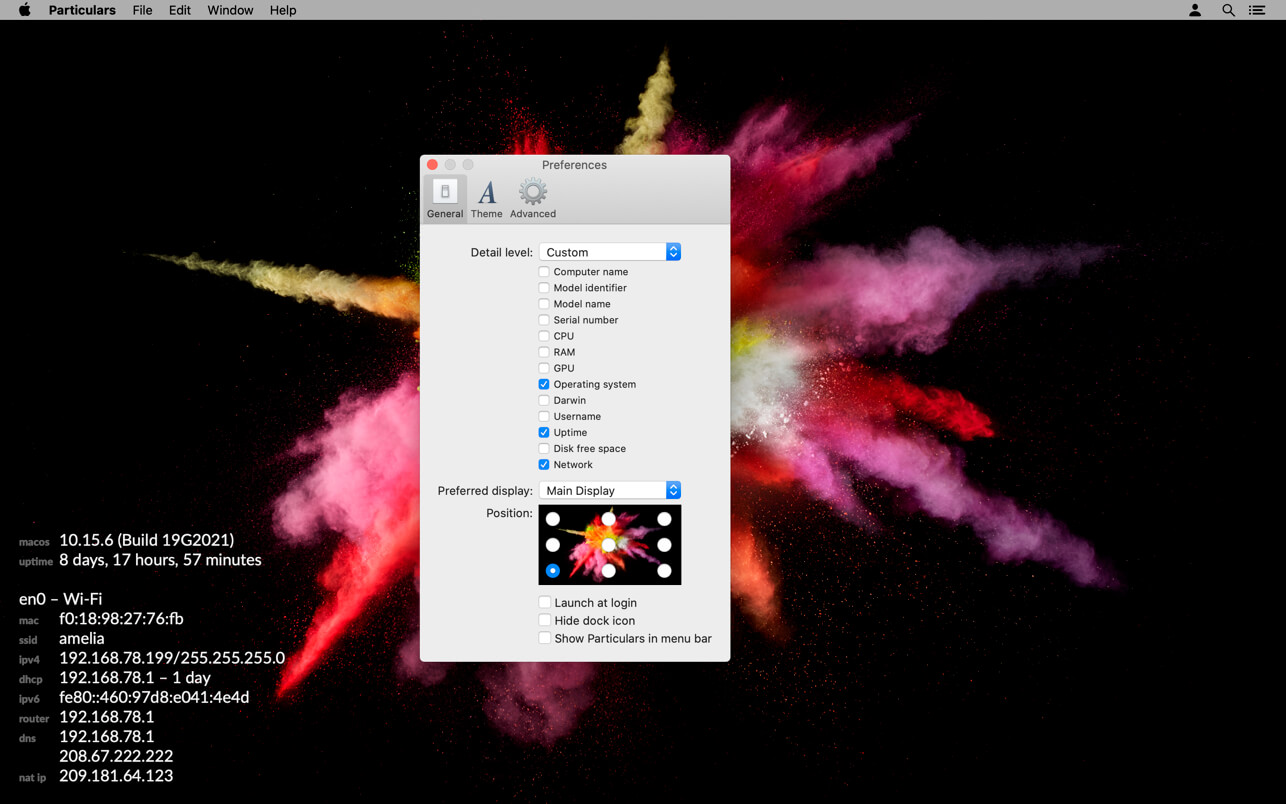
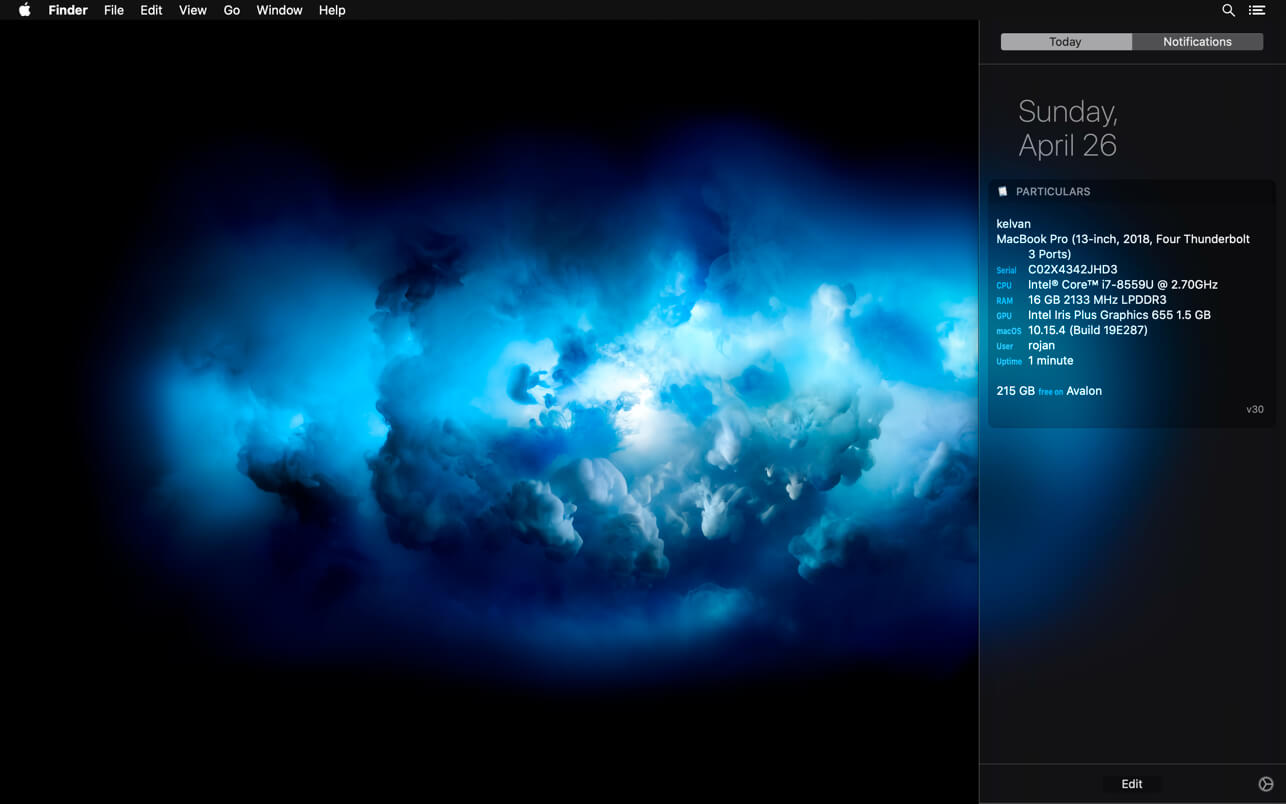
Particulars displays system information about your Mac. It shows computer name, model name, serial number, CPU, RAM, GPU, OS version, Server version, current user, uptime, disk space, and network configuration. It can be used in 3 modes: on your desktop, as a Today Extension, or at the command line.
Particulars provides up-to-date information and dynamically changes when your system changes. For instance, if you switch Wi-Fi networks, Particulars shows the new network configuration immediately.
Particulars does not replace your desktop background image and is responsive to changes in your screen or space layout. It does not require any scripts or need any complex setup.
Particulars supports many disparate network configurations including IPv6, manual addressing, multiple addresses, captive portals, PPPoE, and VPNs.
Particulars has a special 'lab mode' to ease deployment in computer labs and datacenters. See the help book for more information.
Version 33
- Support for macOS Big Sur 11
- Minor update to Lato font
- Updated crash reporter
Frequently asked questions
How do I install the app?
Mount the image, drag the app into the "Applications" folder and launch it. If the system blocks the launch, allow it in "System Settings → Privacy & Security".
The app is damaged or won't launch
Reinstalling from a fresh image usually helps. Make sure your macOS version matches the one listed in the compatibility specs.
How do I update?
Download the new version from the site and install it over the current one — your settings will be preserved.
The download link doesn't work
Try a mirror or a download manager. For large files the browser often drops the connection.
How do I completely remove the app?
Use an uninstaller utility — it cleans up the service files that remain after moving the app to the trash.
VersionParticulars 33
DeveloperFraser Hess
CompatibilitymacOS 10.13.4 or later, 64-bit processor
LanguageEnglish
IncludesK'ed by HCiSO




Information
Visitors in the group Guests cannot leave comments on this publication.
Choose a download source
Particulars 33 · 3.14 MB