Rhythmic Robot Steampunk KONTAKT
Across the grimy, smog-stained rooftops of the city, dodging between belching chimneypots and arcing Tesla coils, an evil genius in a clanking mechanical exoskeleton grimly pursues a dashing young woman whose only crime has been to dare to dream of becoming an aeronaut. Now, that dream will be crushed out of her in the dark, solitary confines of Newgate Gaol – unless, of course, she can reach her prototype gyrocopter in time.
ALT-VICTORIAN GOTHIC EXCESS
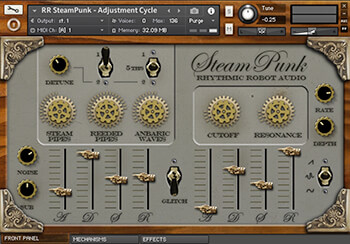
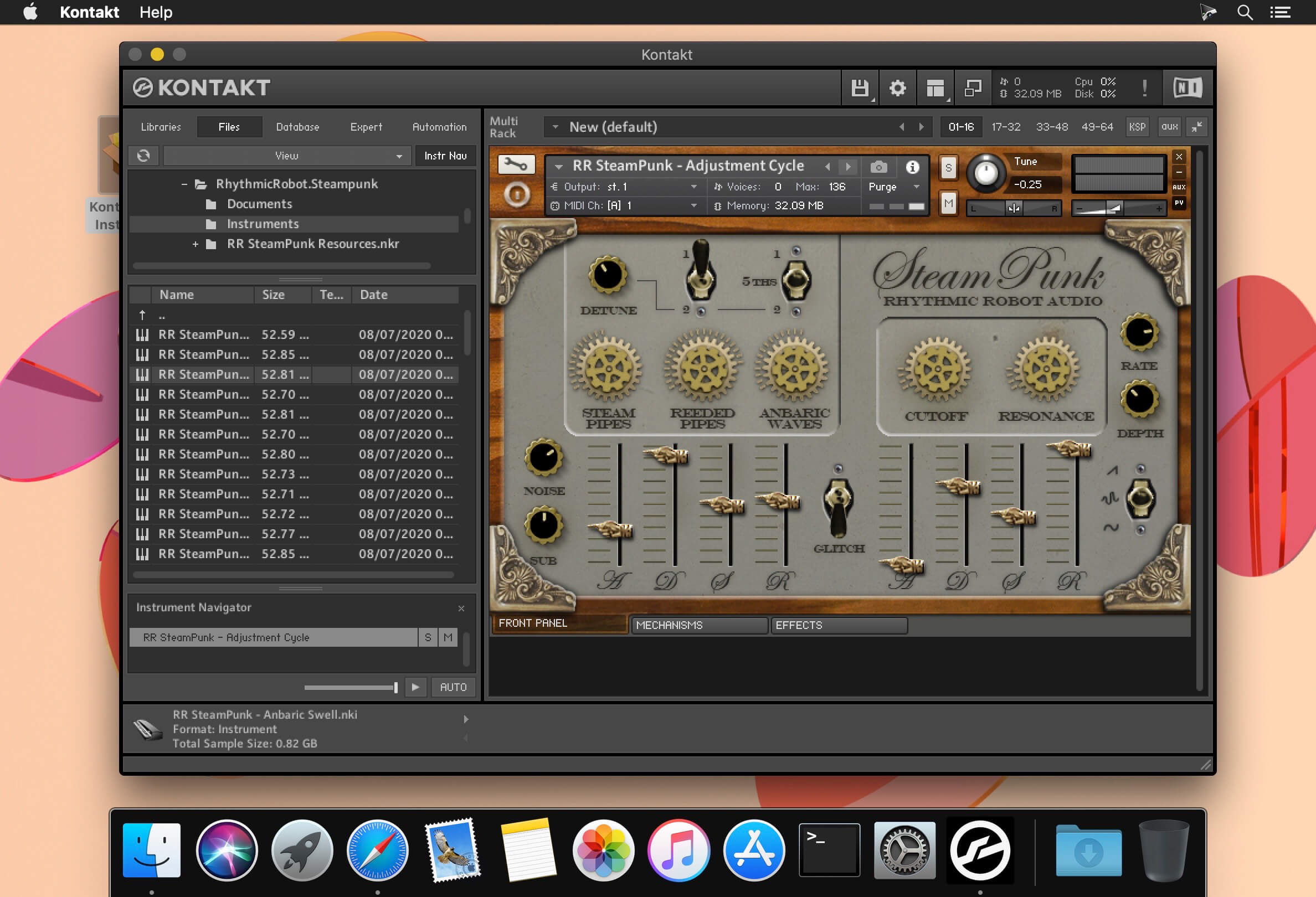
Drawing its inspiration from alternative universes and alt-Victorian gothic excesses (with a bit of H G Wells thrown in for good measure), SteamPunk is a Frankenstinian mashup of barrel organ, steam machine and electrical synthesiser – the perfect instrument for serenading the night-ghouls of Paris as you drift safely above them in the gondola of your hot-air balloon. Or something like that. However you choose to use it, it sounds pretty cool.
SteamPunk is based around three sound engines: the Steam Pipes are wooden organ-style pipes with a breathy, flutey presence; the Reeded Pipes are sourced from our 37-note Suzuki Melodica, and introduce a buzzier and more harmonically dense tonality; while the Anbaric Waves access a crusty, electrically-generated set of oscillators driven through malfunctioning paper-cone speakers and prone to overload and breakup. In addition, Sub and Noise waves can be welded into the mix to broaden the sonic palette still further.
PRODUCT OVERVIEW
- Strange and unusual alternative universe sound generator
- Bellows-driven pipes, reeded tubes and anbaric circuits all working in harmony
- Powerful uncertainty controls ensure that every note is unique
- Customisable mechanical noises for user-defined creaks, wheezes, groans and chiffs
- This is what synthesisers would sound like in a parallel-wormholed Dickensian London
Frequently asked questions
How do I install the app?
Mount the image, drag the app into the "Applications" folder and launch it. If the system blocks the launch, allow it in "System Settings → Privacy & Security".
The app is damaged or won't launch
Reinstalling from a fresh image usually helps. Make sure your macOS version matches the one listed in the compatibility specs.
How do I update?
Download the new version from the site and install it over the current one — your settings will be preserved.
The download link doesn't work
Try a mirror or a download manager. For large files the browser often drops the connection.
How do I completely remove the app?
Use an uninstaller utility — it cleans up the service files that remain after moving the app to the trash.
VersionRhythmic Robot Steampunk KONTAKT
DeveloperRhythmic Robot Audio
CompatibilityKONTAKT 6.1.1 +
LanguageEnglish




Information
Visitors in the group Guests cannot leave comments on this publication.
Choose a download source
Rhythmic Robot Steampunk KONTAKT · 815.14 MB