
JixiPix Kyoobik Photo 1.34

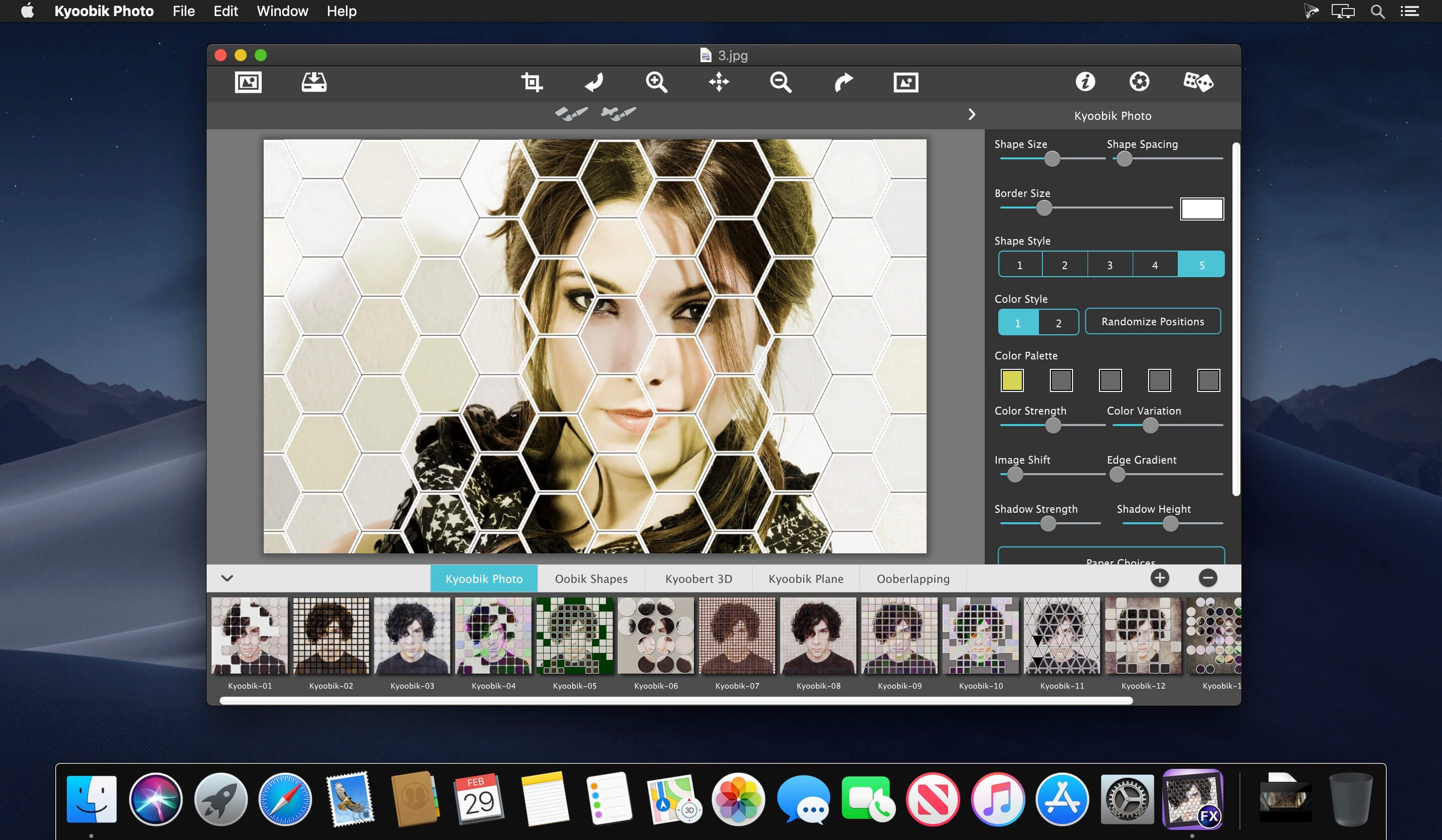
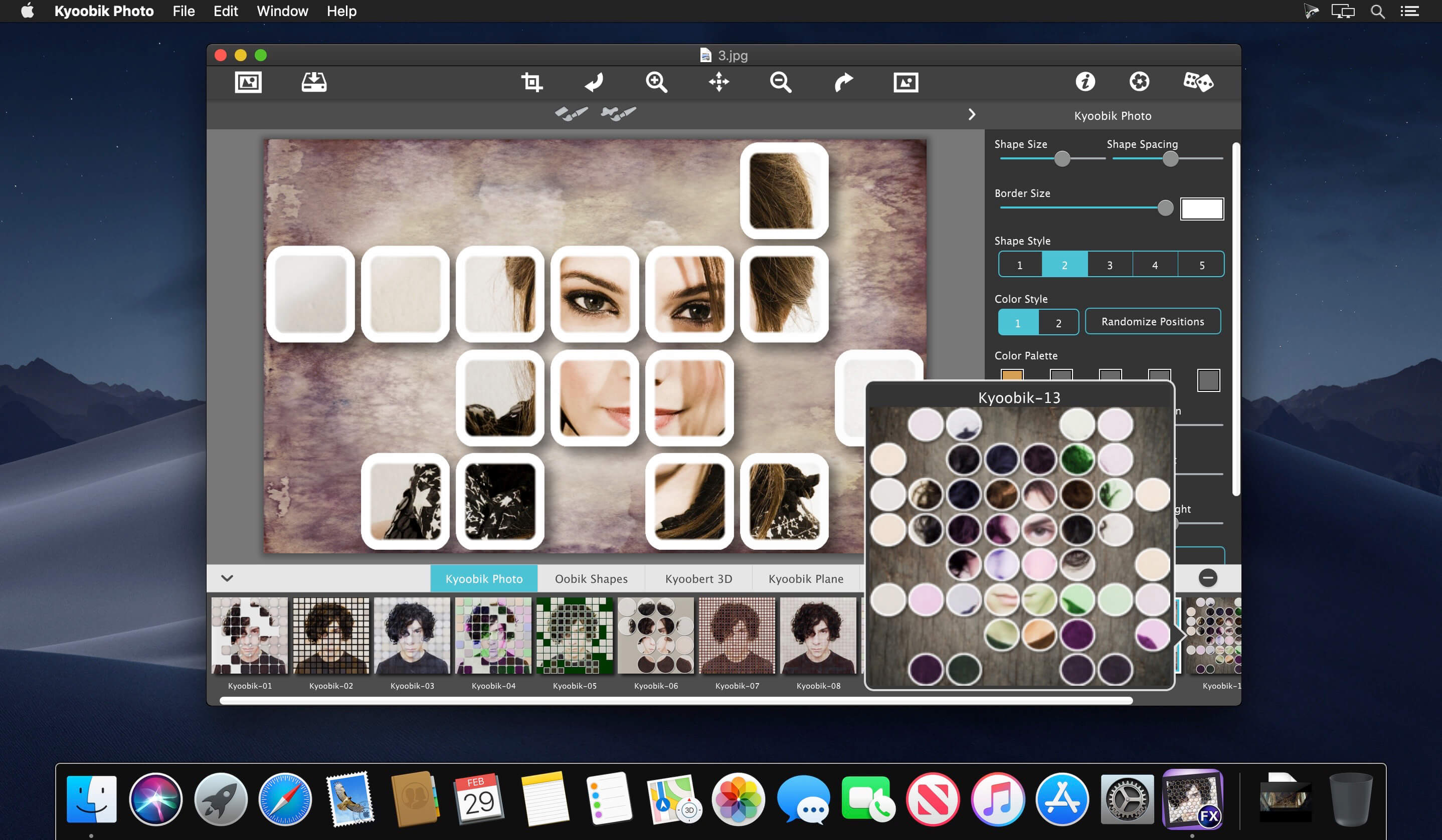
The exploration into photo editing has led you to Kyoobik Photo (pronounced cubic), the photo app that turns your mundane photo into a geometric gridded tiled image. Gridded image? Sounds straight to the point, but the amazing turns and slides you can take with this app will not only turn your photo into a custom work of art but will also can take you back to the 1960's with its pop-art attitude style.
This app you goes way beyond the columns and rows of a grid. The effect will immediately grid your image with a simple click. However, you can opt to take it to the next level and break out of four walls! Choose a framework for your image with spheres, triangles, or even hexagons. Everything can be controlled from here on out with a simple sliders.
KYOOBIK PHOTO Includes
- 5 Different geometric styles
- Tile toning using one color or a kaleidoscope of colors
- Gutter spacing and shape resizing using simple controls
- Tools to remove tiles or add them back in for an artistic touch
- Image shifting inside the shape for an inconsistent alignment
- Drop shadows with adjustable strength and height
- 30 backgrounds for displaying shapes against with options for transparency. For transparent background save the file as .png or .tif
- 66 One-touch settings
Version 1.34:
- Release notes were unavailable when this listing was updated.
Frequently asked questions
How do I install the app?
Mount the image, drag the app into the "Applications" folder and launch it. If the system blocks the launch, allow it in "System Settings → Privacy & Security".
The app is damaged or won't launch
Reinstalling from a fresh image usually helps. Make sure your macOS version matches the one listed in the compatibility specs.
How do I update?
Download the new version from the site and install it over the current one — your settings will be preserved.
The download link doesn't work
Try a mirror or a download manager. For large files the browser often drops the connection.
How do I completely remove the app?
Use an uninstaller utility — it cleans up the service files that remain after moving the app to the trash.
VersionJixiPix Kyoobik Photo 1.34
DeveloperJixiPix Software, LLC
CompatibilityOS X 10.10 or later, 64-bit processor
LanguageEnglish
IncludesK'ed by TNT



Information
Visitors in the group Guests cannot leave comments on this publication.
Choose a download source
JixiPix Kyoobik Photo 1.34 · 56.28 MB