
Word Count Popup 2.55
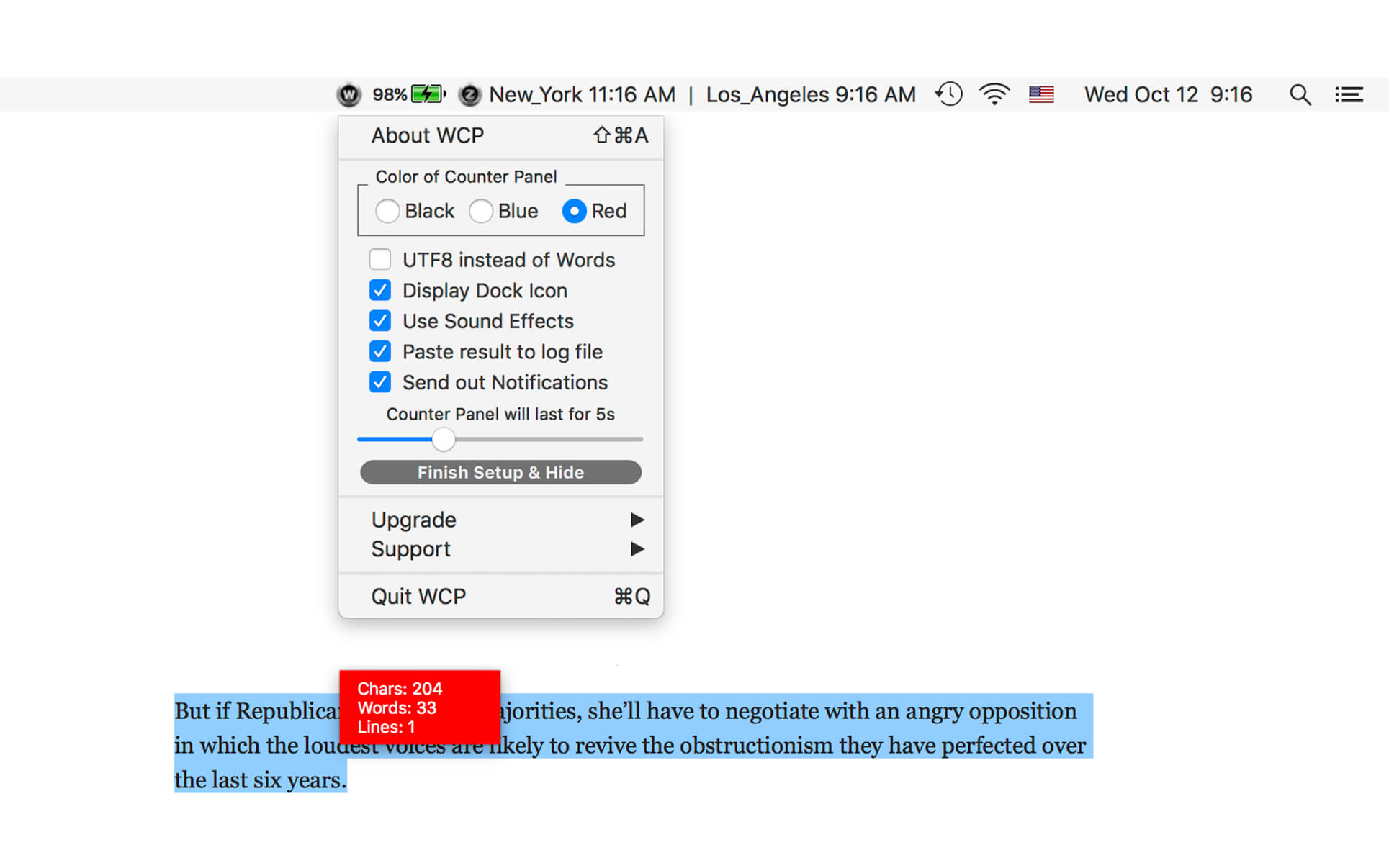
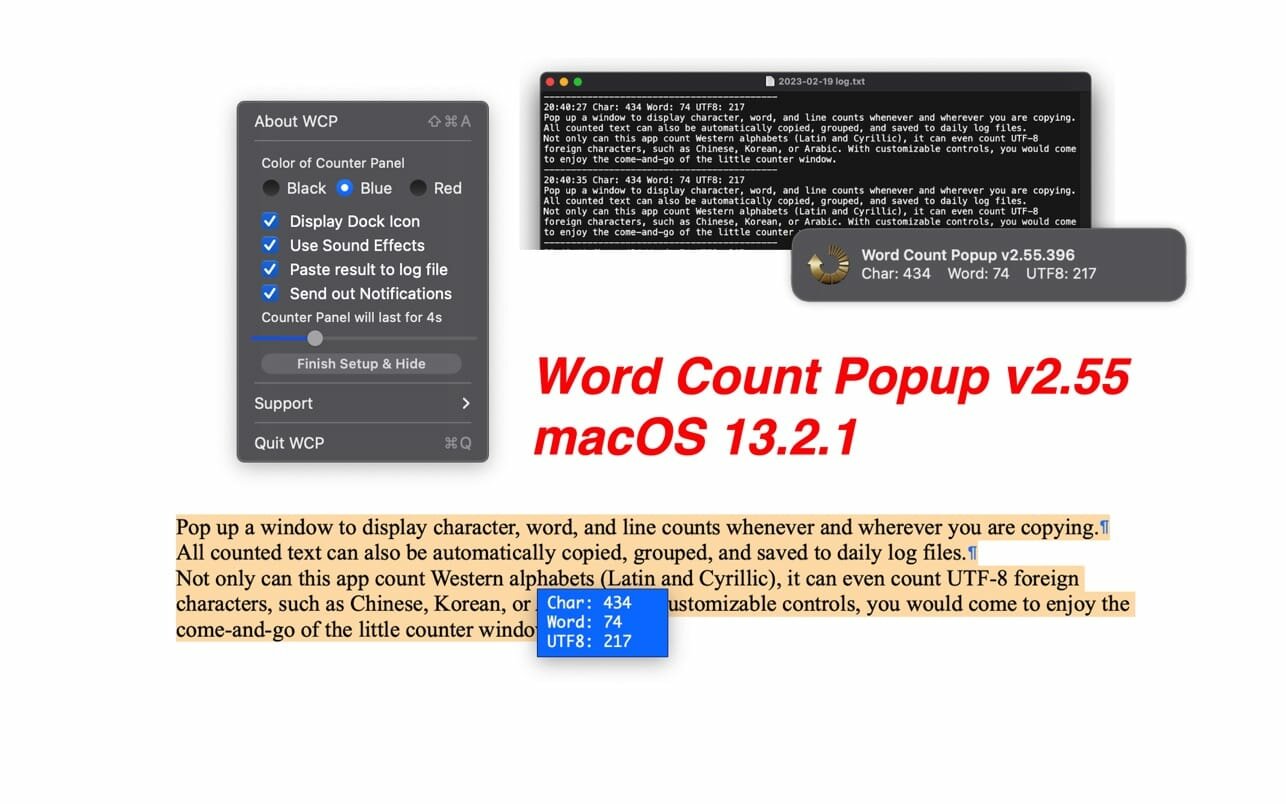
Pop up a window to display character, word, and line counts whenever and wherever you are copying.
All counted text can also be automatically copied, grouped and saved to daily log files.
Not only can this app count Western alphabets (Latin and Cyrillic), it can even count UTF-8 foreign characters, such as Chinese, Korean or Arabic. With customizable controls, you would come enjoy the come and go of the little counter window.
Yes, it works with all browsers, apps, and even PDF files. Actually, it works anywhere as long you can select and copy!
Version v2.55
- user notification updated, all deprecated code rewritten
- status menu bar icon changed
- dark mode supported
- status menu bar icon matches not only macOS dark mode but also the wallpaper light/dark setting
- display control panel added to dock menu and main menu
- More by dragonBTV menu updated
Frequently asked questions
How do I install the app?
Mount the image, drag the app into the "Applications" folder and launch it. If the system blocks the launch, allow it in "System Settings → Privacy & Security".
The app is damaged or won't launch
Reinstalling from a fresh image usually helps. Make sure your macOS version matches the one listed in the compatibility specs.
How do I update?
Download the new version from the site and install it over the current one — your settings will be preserved.
The download link doesn't work
Try a mirror or a download manager. For large files the browser often drops the connection.
How do I completely remove the app?
Use an uninstaller utility — it cleans up the service files that remain after moving the app to the trash.




Choose a download source
Word Count Popup 2.55 · 3.13 MB
Previous versions
Word Count Popup 2.55
Previous versions are available to registered users.