JixiPix Moku Hanga 1.45
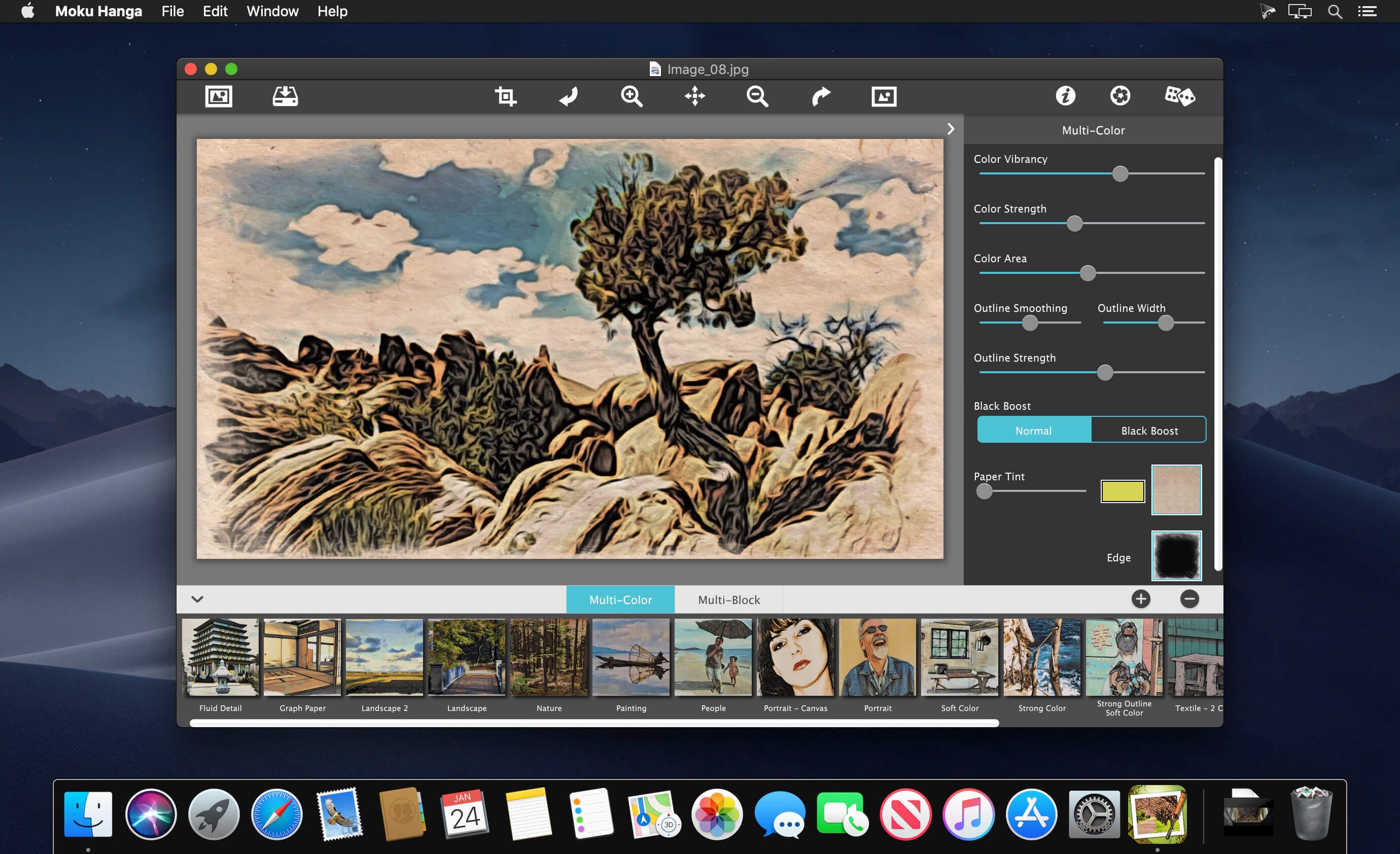


You have discovered the fascinating art of Moku Hanga, the Japanese method of wood-block printing. Breathtaking landscapes, beautiful women, and busy cityscapes can all be transformed into this exotic art form known for its flowing hand-chiseled outlines and brushed on color.
The Moku Hanga app, Moku the Japanese word for 'wood' and hanga known as 'print', allows you to create an artistic wood-block print from any picture or snapshot—no need for time consuming carving—the artists from JixiPix do all the work for you! With the power to fully customize your Moku Hanga, you can create a masterpiece artistic enough be part of printmaking history!
MOKU HANGA INCLUDES
- Two wood block printing styles
- Adjustable outline width and strength with control over how smooth or fluid the chiseled outline appears
- Customizable color using vibrancy, strength and color area sliders
- 18 Artistic Edges
- 60 Papers
- 40 One-touch paint styles
Version 1.45:
- Release notes were unavailable when this listing was updated.
Frequently asked questions
How do I install the app?
Mount the image, drag the app into the "Applications" folder and launch it. If the system blocks the launch, allow it in "System Settings → Privacy & Security".
The app is damaged or won't launch
Reinstalling from a fresh image usually helps. Make sure your macOS version matches the one listed in the compatibility specs.
How do I update?
Download the new version from the site and install it over the current one — your settings will be preserved.
The download link doesn't work
Try a mirror or a download manager. For large files the browser often drops the connection.
How do I completely remove the app?
Use an uninstaller utility — it cleans up the service files that remain after moving the app to the trash.
VersionJixiPix Moku Hanga 1.45
DeveloperJixiPix Software, LLC.
CompatibilityOS X 10.9 or later, 64-bit processor
LanguageEnglish
IncludesK'ed by TNT





Information
Visitors in the group Guests cannot leave comments on this publication.
Choose a download source
JixiPix Moku Hanga 1.45 · 39.06 MB