Autodesk Flame 2027.1
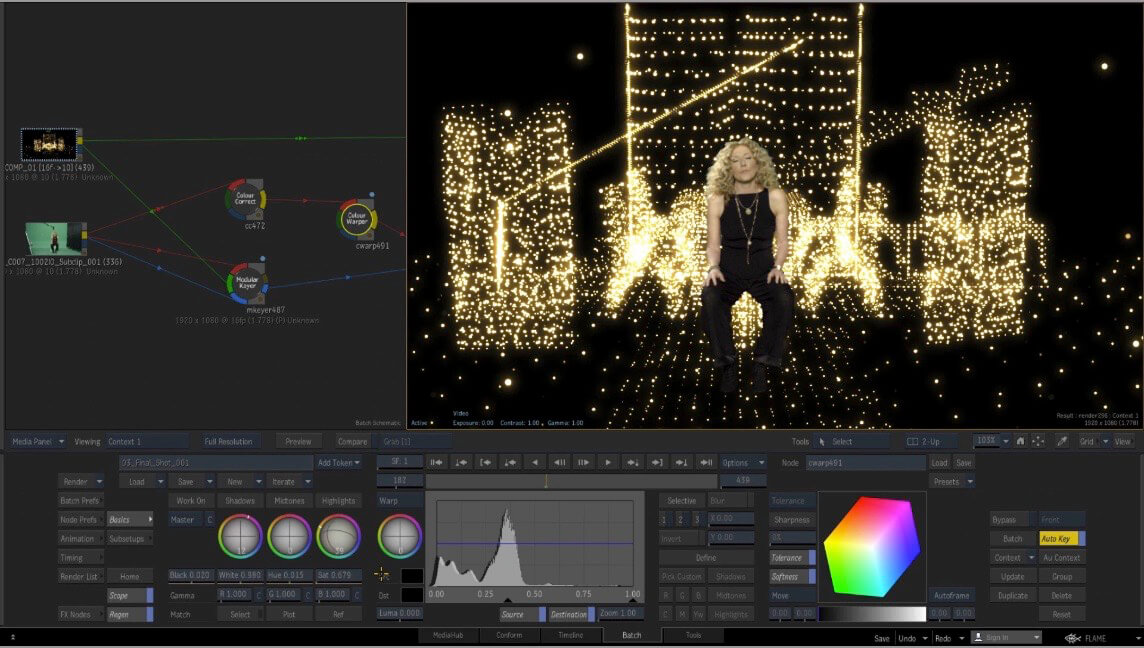
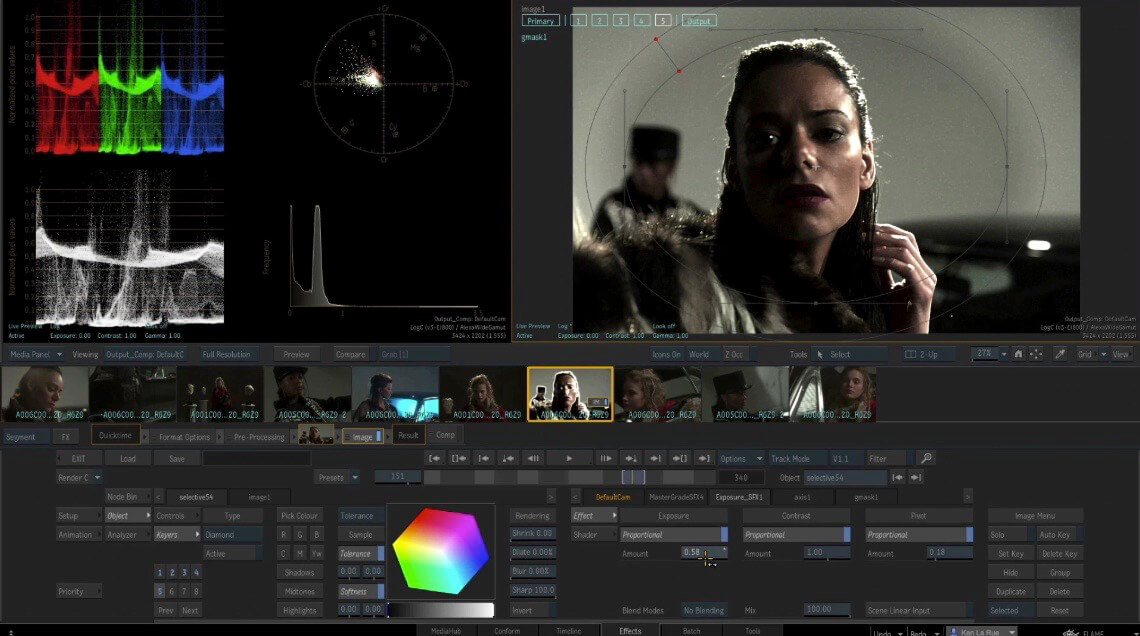
Autodesk Flame is a professional solution for visual effects and video content finishing, specifically designed for working with stereoscopic 3D projects. The software integrates a comprehensive set of tools for compositing, color correction, editing, and post-production, enabling artists and VFX specialists to create high-quality visual effects with minimal system resource consumption.
Core Functionality
Flame provides a comprehensive toolset for:
- Adding 3D effects to video material
- Finishing and conforming video sequences
- Synthesizing and composing various video files
- Final editing and color correction
- Collaborative teamwork through cloud storage with built-in access for all subscription users
The optimized architecture allows the software to work seamlessly alongside resource-intensive applications (3D Max and similar tools) without system overload.
Key Features
Machine Learning Technologies
- Real-time scene depth recovery — frame analysis and processing with automatic color correction and effect application based on camera distance
- 3D surface relief map creation with orientation for precise color grading and retouching
3D Compositing and Visual Effects
- Combination of interactive 2D compositing speed with powerful 3D capabilities
- 3D material refraction — objects can refract real materials and distort background elements based on surface physical properties
- WYSIWYG preview for artists working in real-time during sessions
- Node-based procedural Batch environment integrated with the timeline for efficient iterative 2D and 3D element composition
Color Correction and Grading
- MasterGrade — universal Creative Color tool with three specialized modes for working with video, logarithmic, and linear color spaces
- Integrated suite of color correction, beauty work, and creative transformation tools
- Color space information tracking for each clip — from source to final output
Editing and Assembly
- Full-featured timeline for project management, creating consistent imagery, and correctly matching VFX with editorial goals
- Connected Conform — unified media management workflow for sharing, sorting, and synchronizing content across multiple sequences
- Batch editing of colors and animation
Additional Features
- Support for crypto objects, assets, and materials without re-rendering
- Automatic playback caching (available in Linux Flame 2020)
- Effects tab with frame-by-frame navigation and extensive filter library
- Script handler for working with external rendering environments
- Extended format support and advanced data exchange
Frequently asked questions
How do I install the app?
Mount the image, drag the app into the "Applications" folder and launch it. If the system blocks the launch, allow it in "System Settings → Privacy & Security".
The app is damaged or won't launch
Reinstalling from a fresh image usually helps. Make sure your macOS version matches the one listed in the compatibility specs.
How do I update?
Download the new version from the site and install it over the current one — your settings will be preserved.
The download link doesn't work
Try a mirror or a download manager. For large files the browser often drops the connection.
How do I completely remove the app?
Use an uninstaller utility — it cleans up the service files that remain after moving the app to the trash.

Choose a download source
Autodesk Flame 2027.1 · 8.45 GB