
DaVinci Resolve Studio 12.5.5
Professional non-linear editing and color correction!
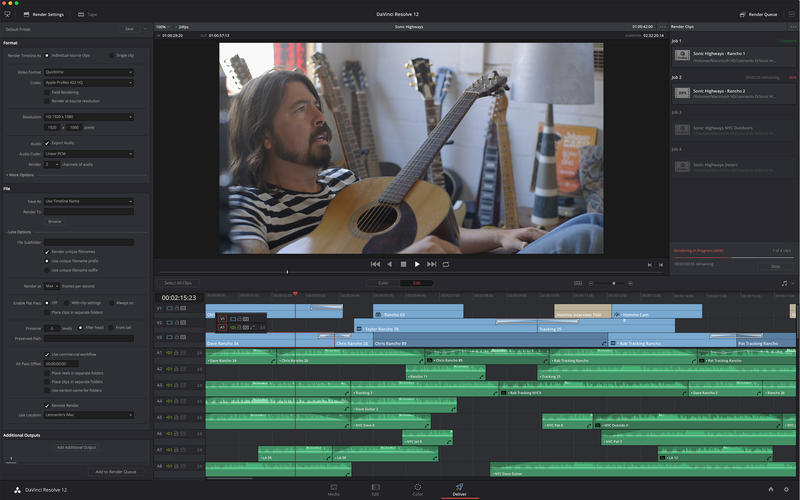
DaVinci Resolve 12 combines professional editing and advanced color correction so you can edit and grade all in one application! This is the same tool used by professional Hollywood editors and colorists. If you want to work on cutting edge films, TV shows, and commercials, then DaVinci Resolve 12 is the software you need to learn!
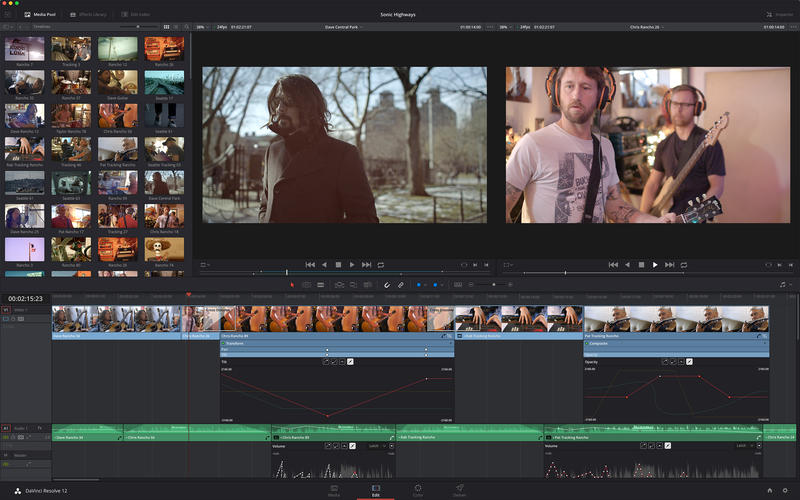
DaVinci Resolve 12 includes over 80 new features like multi-cam, advanced trimming, high performance audio and more. You get context sensitive editing and trimming tools along with titling, transitions, effects, and animation. DaVinci Resolve 12 features sample accurate audio, tape style scrubbing, fader automation, an on screen mixer and plugins. The familiar multi-track timeline, customizable interface and keyboard shortcuts make DaVinci Resolve 12 fast to learn!
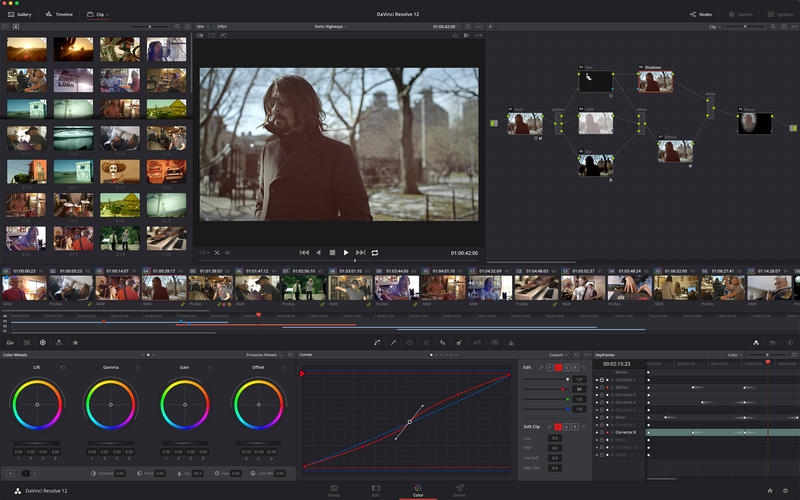
DaVinci is the world’s most trusted name in color and is used on virtually all Hollywood feature films, TV commercials, episodic programs and more! You get ultra wide dynamic range 32-bit float YRGB image processing and GPU acceleration for producing beautiful images that no other system can match!
EDITING FEATURES
- Familiar multi-track timeline
- Separate bins for media & timelines
- Searchable metadata & edit index
- Insert, Overwrite, Fit to Fill, Superimpose, Add, Extend & Trim edits
- 2 & 3-point edits, split a/v edits, J- & L-cuts
- Context sensitive Ripple, Roll, Slip & Slide trim tools
- JKL Dynamic asymmetric & symmetric trimming
- Multi Camera editing
- Match frame & reverse match frame
- Mouse or keyboard editing with programmable shortcuts
- 2-up & 4-up displays for editing & trimming
- Track targeting & locking
- Flags & markers
- Optical flow speed changes & time remapping
- Keyframe inspector & curve editor in timeline
- Copy & Paste attributes
- Through-edit indicators & join edit command
- Editable transitions with curves
- Sub-clipping
- Sample accurate audio editing
- Support for VST and Audio Unit plug-ins
- Track and clip level audio effects
- On-screen mixer and waveforms
- Drag and drop support to import files from Finder
- On-screen animation controls
- Rich Text titling with professional typography controls
- Customizable stroke, background, outlines & shadows on titles
COLOR CORRECTION FEATURES
- Unlimited grades with intuitive node based workflow
- Primary correction with wheels, YRGB sliders, RGB Mixer & log grading
- Enhanced curve editor
- Complete RAW controls including highlight & shadow recovery
- Color Match auto balancing using standard color charts
- Unlimited Secondary corrections to isolate specific parts of image
- 3D Keyer with despoil and matte finesse controls for precise qualifications
- Power Windows™ with basic shapes & custom shape tools
- Professional video scopes & monitors
- 3D multipoint tracking
- 3D multipoint stabilization
- Internal & external key/matte support
- Gallery to store frames, grades and preset “looks"
- Clip, group, or entire timeline grading
- Keyframes for animating changes over time
- Node clean up and organization tools
- Ripple grades to multiple clips
- ACES 1.0 and DaVinci Color Management
- 1D & 3D LUT support
- Split-screen for comparing shots
- Copy & paste grades
- Dirt & dust correction tools
NTEROPERABILITY & COMPATIBILITY
- FCP 7, FCP X & Premiere Pro XML import/export
- AVID AAF & ALE support
- Export to ProTools
- Automatic XML, AAF & EDL conforming
- ASC CDLs (Color Decision List) import & export
- Native RAW for ARRI, RED, Sony, Canon, CinemaDNG & Panasonic files
- Uncompressed RGB & YUV
- H.264, HDV, DVCPRO, DVCPROHD, XDCAM & DV
- DPX, Cineon, TIFF & multi-layer OpenEXR
- Avid DNxHR support as both MXF & QuickTime
- Full ProRes support
WHAT’S NEW
Version 12.5.5
- Added support for the DaVinci Resolve Mini Panel
- Added support for the DaVinci Resolve Micro Panel
- Added support for URSA Mini Pro 4.6K media
- Added support for Cintel Reader
- Added support for adaptive scanning speed for Cintel when disk I/O is slow
- Improved playback and seek performance of MXF OP1a and OP1b files
- Added support for channel level fine tuning with ARRI SDK debayer
- Added support for track names in ProTools AAF export
- Addressed an issue with Compound Nodes on Stereoscopic 3D projects
- Addressed an issue with adding a flag to multiple clips in the Color Page
- Dragging a node from a Still to the node graph now follows the gallery keyframe setting
- General performance and stability improvements
Screenshots
Frequently asked questions
How do I install the app?
Mount the image, drag the app into the "Applications" folder and launch it. If the system blocks the launch, allow it in "System Settings → Privacy & Security".
The app is damaged or won't launch
Reinstalling from a fresh image usually helps. Make sure your macOS version matches the one listed in the compatibility specs.
How do I update?
Download the new version from the site and install it over the current one — your settings will be preserved.
The download link doesn't work
Try a mirror or a download manager. For large files the browser often drops the connection.
How do I completely remove the app?
Use an uninstaller utility — it cleans up the service files that remain after moving the app to the trash.
VersionDaVinci Resolve Studio 12.5.5 + easyDCP CR2
DeveloperBlackmagic Design Inc
CompatibilityOS X 10.9.5 or later, 64-bit processor
LanguageEnglish
IncludesPre-K'ed

Information
Visitors in the group Guests cannot leave comments on this publication.
Choose a download source
DaVinci Resolve Studio 12.5.5 · 226.47 MB