
OCRKit Pro 16.11.3
Screenshots
Click to enlarge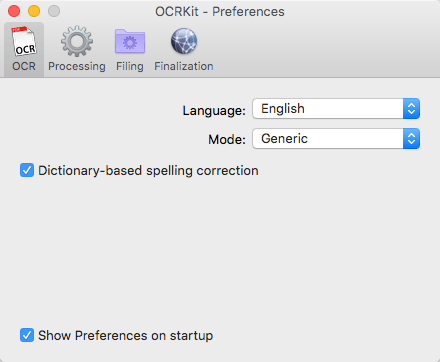

Description
Convert any PDF or graphic file into searchable PDF, RTF, HTML and TXT with the fastest OCR for Mac! OCRKit is a simple and streamlined Mac application, that features advanced Optical Character Recognition technology, allowing you to convert scanned or printed documents into searchable and editable text.
You need to extract information from a scanned document in an email or created by DTP applications? It can be a great help for everyone: home users, corporate users at work, translators and educational institutions.
Simply run OCRKit on the document, and copy and paste the result where you need it. Stop retyping everything manually and save time and money by increasing the efficiency and effectiveness of your workflow.
OCRKit is fast and accurate, ensuring the document's content remains intact while saving time as well.
Key Features:
- Fastest OCR made for Mac
- High text recognition accuracy
- Instant content searchable thru Spotlight
- Highly compressed PDF
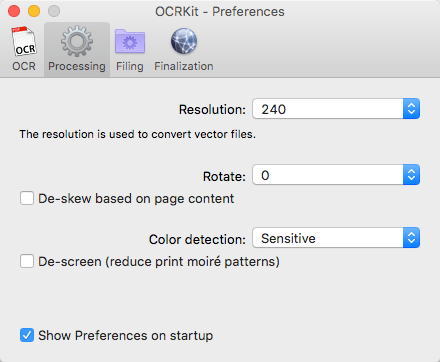
- Automatic rotation and de-skew
- Color detection
- Multi page processing without page limits
- Drag and drop functionality
- AppleScript support
- Many supported recognition languages
File formats that can be imported:
PDF, TIFF, JPEG, JPEG2000, PNG, PNM, BMP, PCX, GIF as well as OpenEXR.
File formats that can be saved:
PDF (Portable Document Format), HTML (HyperText Markup Language), RTF (Rich Text Format) and TXT (UTF-8 encoded plain text).
The OCR engine recognizes the following languages:
Bulgarian, Croatian, Czech, Danish, Dutch, English, Estonian, Finnish, French, German, Hungarian, Italian, Latvian, Lithuanian, Polish, Portuguese, Rumanian, Russian, Serbian, Slovenian, Spanish, Swedish, Turkish, Ukrainian, and Norwegian.
What is new in OCRKit 16.11?
- Improved compatibility with macOS Sierra
- Fixed processing certain JPEG files
- Various other improvements
Comments
No comments yet. Be the first.
Information
Visitors in the group Guests cannot leave comments on this publication.