
SILKYPIX Developer Studio 11.1.12.1
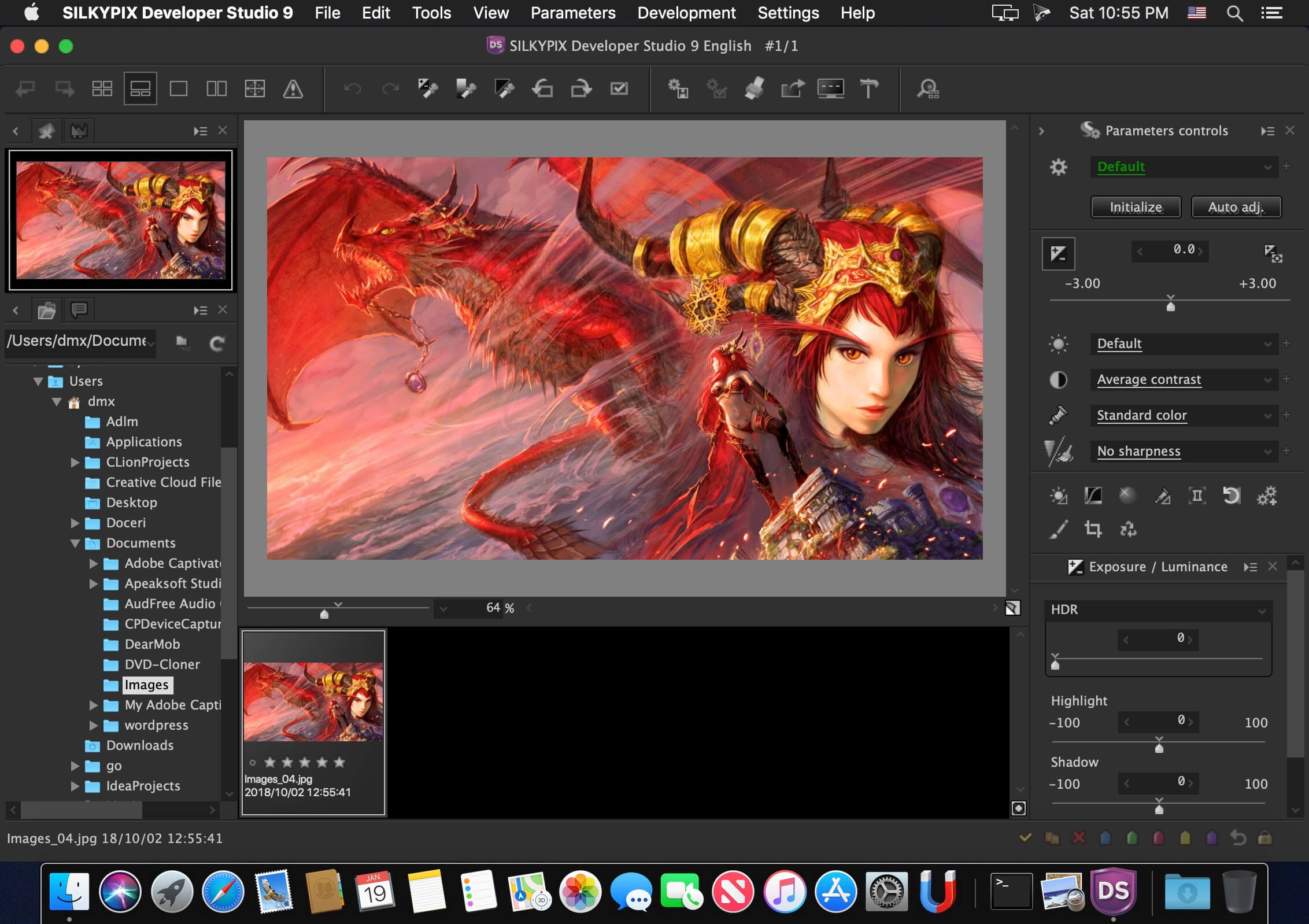
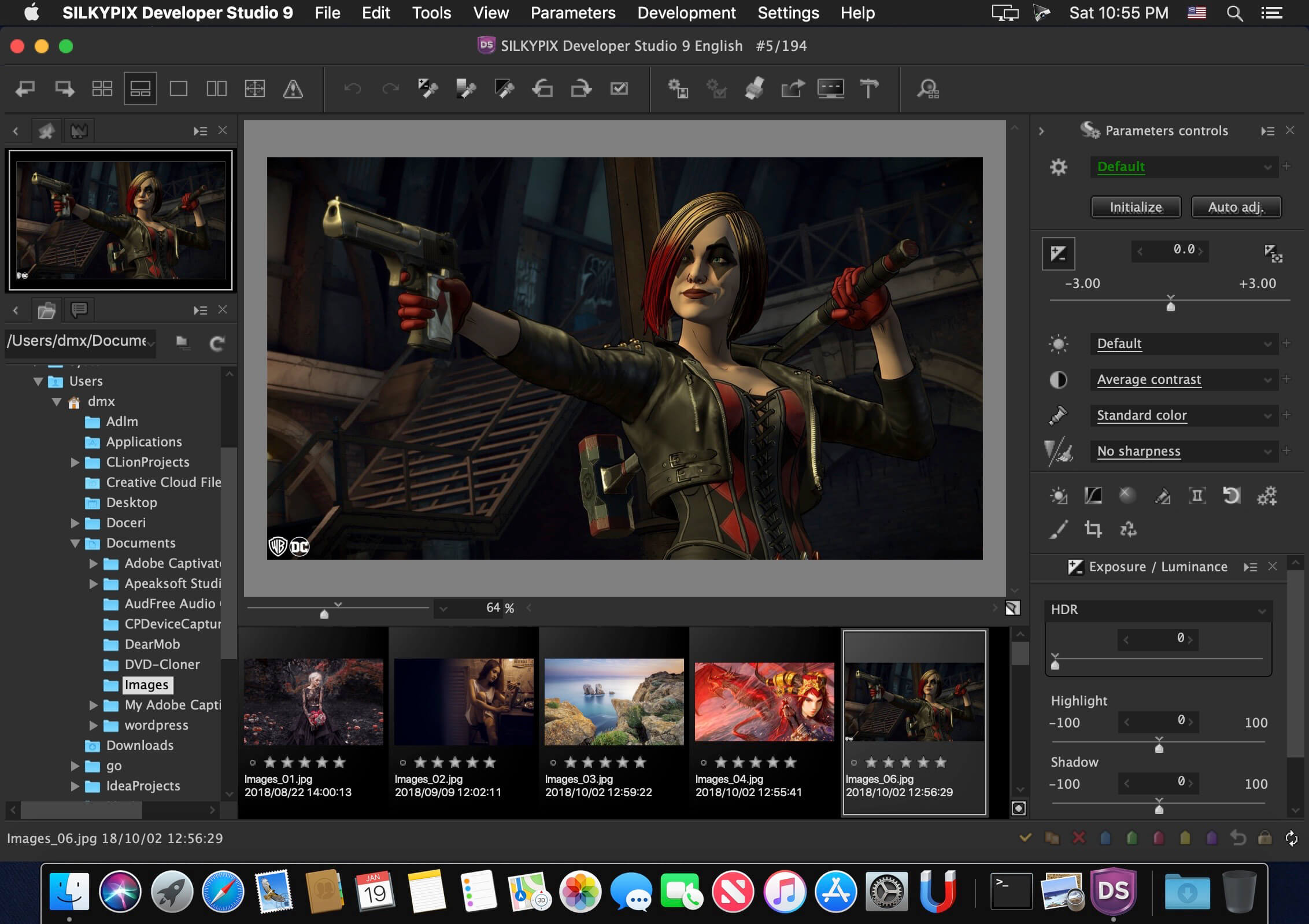
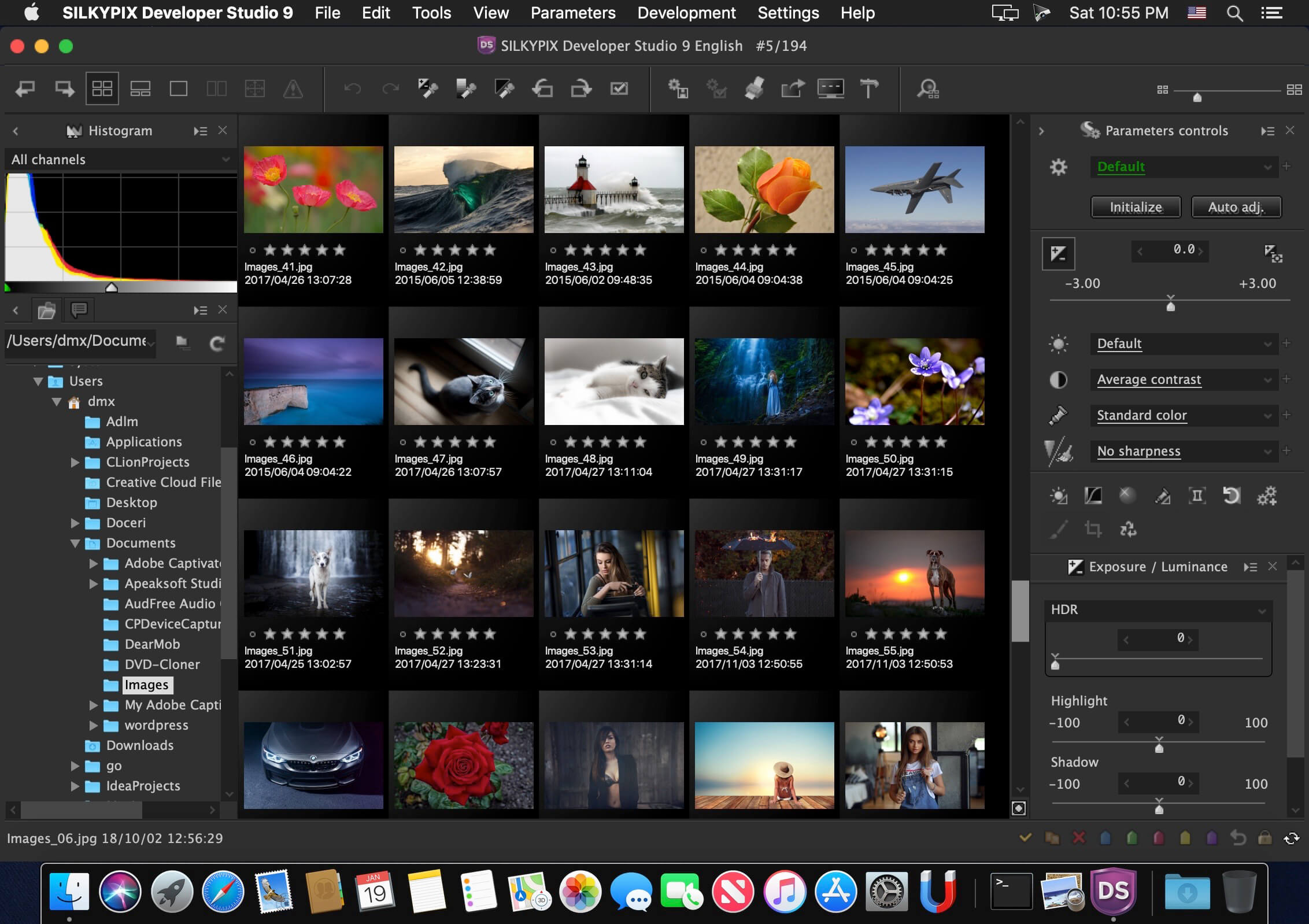
"SILKYPIX Developer Studio 9" has not only basic adjustment functions such as exposure, white balance, contrast, but also a full correction function such as dust removal function, clarity adjustment, lens profile function corresponding to lens aberration correction.
It is a standard version of SILKYPIX series recommended for people of a wide range, from people who are going to start Raw development and those looking for new RAW development software.
Version 11.1.12.1:
- Fixed a problem that some RAWs shot with Panasonic DC-G9M2, DC-GH6, DC-S5M2, and DC-S5M2X were not displayed correctly when opened.
Frequently asked questions
How do I install the app?
Mount the image, drag the app into the "Applications" folder and launch it. If the system blocks the launch, allow it in "System Settings → Privacy & Security".
The app is damaged or won't launch
Reinstalling from a fresh image usually helps. Make sure your macOS version matches the one listed in the compatibility specs.
How do I update?
Download the new version from the site and install it over the current one — your settings will be preserved.
The download link doesn't work
Try a mirror or a download manager. For large files the browser often drops the connection.
How do I completely remove the app?
Use an uninstaller utility — it cleans up the service files that remain after moving the app to the trash.
Related posts
-
 SILKYPIX JPEG Photography 10E 10.2.20.0
Photography89.71 MB
SILKYPIX JPEG Photography 10E 10.2.20.0
Photography89.71 MB
-
 SILKYPIX Developer Studio Pro 9E 9.0.16.0
Photography392.57 MB
SILKYPIX Developer Studio Pro 9E 9.0.16.0
Photography392.57 MB
-
 SILKYPIX Developer Studio 8E 8.1.27
Developer Tools366.72 MB
SILKYPIX Developer Studio 8E 8.1.27
Developer Tools366.72 MB
-
 SILKYPIX Developer Studio Pro 11.0.18.0
Mac Apps1.83 GB
SILKYPIX Developer Studio Pro 11.0.18.0
Mac Apps1.83 GB
-
 SILKYPIX Developer Studio Pro 8E 8.0.27
Graphic Design367.03 MB
SILKYPIX Developer Studio Pro 8E 8.0.27
Graphic Design367.03 MB
Choose a download source
SILKYPIX Developer Studio 11.1.12.1 · 855.62 MB