
Moom 3.2.27 - resizing windows and their position

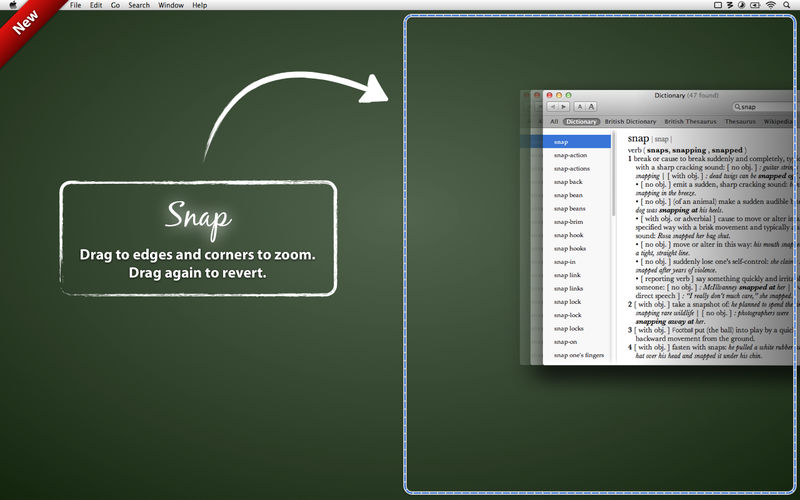
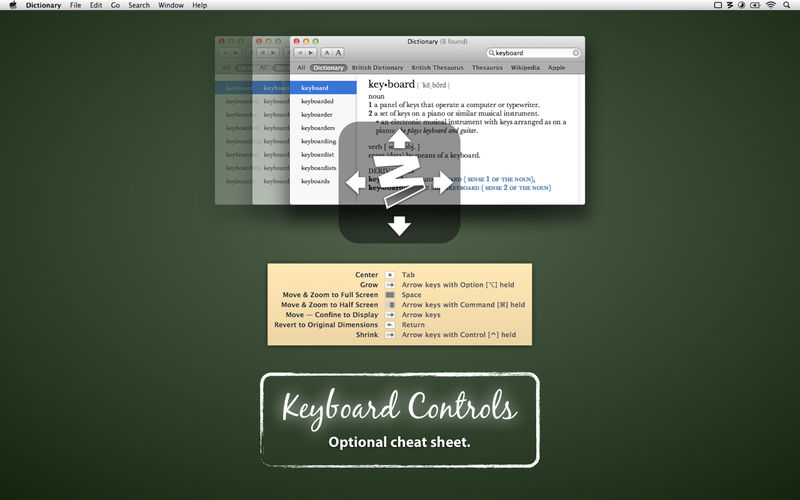
Moom allows you to easily move and zoom windows—on one display, or to another display—using either the mouse or the keyboard. Moom lets you...
- Hover over the green button and choose from five preset size/location options in a pop-up palette
- Use a grid to 'draw' a window's desired size and location
- Define custom controls to move and zoom, move to other display, center, resize, and more
- Chain custom controls together to execute complex window management tasks
- Save window layouts to easily recreate a desired window arrangement at any time
- Automatically activate saved window layouts on changes in monitor layout, as in when you disconnect from your work display and then open your laptop at home
- Use keyboard mode to do all of this, and more, without ever touching a mouse
Once you've tried Mooming your windows, you'll never go back to simply moving and zooming them again.
Version 3.2.27:
- Worked around an issue in macOS 14.5 that caused slowdowns for some users, primarily when using keyboard mode.
Frequently asked questions
How do I install the app?
Mount the image, drag the app into the "Applications" folder and launch it. If the system blocks the launch, allow it in "System Settings → Privacy & Security".
The app is damaged or won't launch
Reinstalling from a fresh image usually helps. Make sure your macOS version matches the one listed in the compatibility specs.
How do I update?
Download the new version from the site and install it over the current one — your settings will be preserved.
The download link doesn't work
Try a mirror or a download manager. For large files the browser often drops the connection.
How do I completely remove the app?
Use an uninstaller utility — it cleans up the service files that remain after moving the app to the trash.




Choose a download source
Moom 3.2.27 - resizing windows and their position · 9.09 MB
Previous versions
Moom 3.2.27 - resizing windows and their position
Previous versions are available to registered users.