Movavi Video Converter 8 Premium 8.3.1

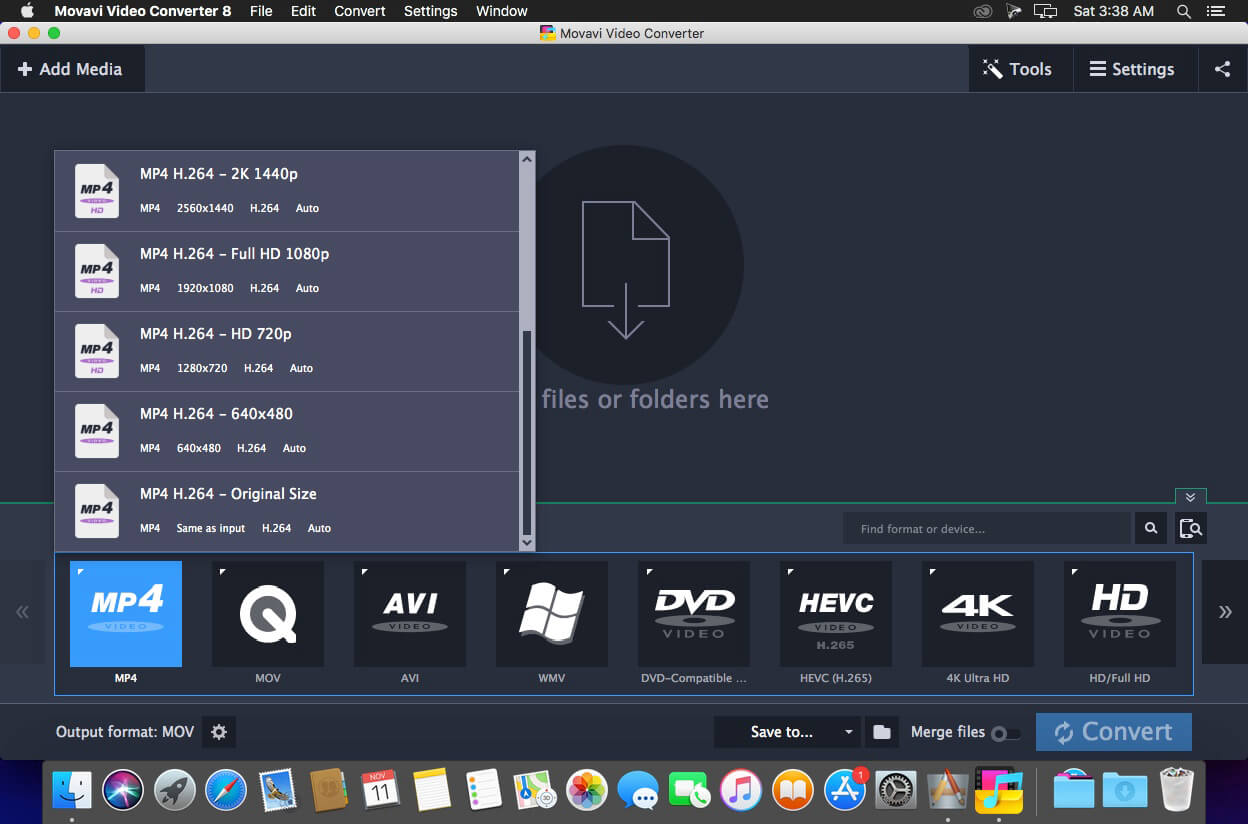
The Number ONE video converter in your language! Video Converter Movavi is a powerful yet easy-to-use video and audio file converter that’s specifically designed for the Mac. It’s the perfect tool for fast multimedia conversion between popular formats and has no negative impact on the quality.
- Convert video between hundreds of popular formats, including HD
- Do minor editing: trim, join, crop, rotate, stabilize, enhance, add captions and watermarks, synchronize subtitles with video
- Extract soundtracks and convert between audio formats
- Adjust sound volume and normalize sound in video clips
- Convert between image formats and convert video to GIF
- Grab screenshots from video and save them in popular graphics formats
- Convert files in seconds with ZERO quality loss – the revolutionary SuperSpeed Mode is up to 81x faster than regular conversion
- Automate the conversion process with the handy Watch Folder feature
- Export multimedia for viewing on mobile devices using smart presets and resize options
- Transfer converted files to your iTunes gallery
Smart format and device conversion presets speed up the process even more. Plus, you can batch-convert your media, and choose different parts of your videos to convert if you don't need the entire file encoded. With Video Converter Movavi, you can select any part of the video to convert. The conversion will be completed even faster, and the video or audio fragment will be saved as a separate file.
Convert video, including DVD, HD and AVCHD, and audio between most popular formats, including AVI, MPEG-1,2, MP4, 3GP, Flash (FLV), MOV, MKV, WMV, MP3, WAV, OGG, AAC, FLAC, and more.
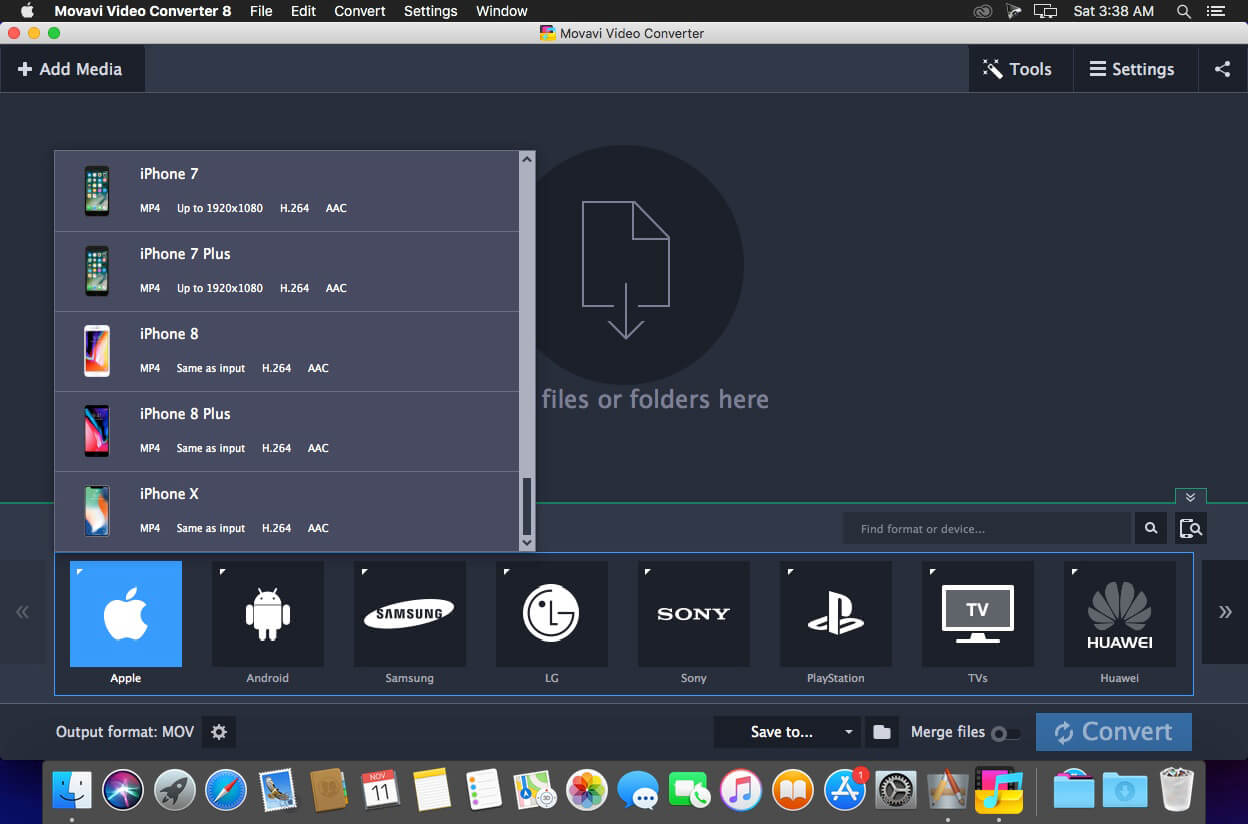
Video Converter Movavi also enables you to convert video and audio for many popular mobile devices with just one click. The program supports iPod, iPad, iPhone, Sony PlayStation, HTC, BlackBerry, LG, Samsung, Nokia, Huawei, Xiaomi, and more. Just plug the device into your computer, click a button, and the converter will automatically recommend the appropriate settings for saving.
Video formats:
- 3GPP (.3gp), 3GPP2 (.3g2) – Read / Write
- ASF – Read Only
- AVI – Read / Write
- DivX – Read Only
- DVD – Read Only
- FLV – Read / Write
- HD Video (.m2ts, .mkv, .mov, .mp4, .mpg, .wmv) – Read / Write
- HD, AVCHD Video (.m2t, .mts, .ts) – Read Only
- MKV – Read / Write
- M2TS – Read / Write
- TS, MTS, M2T – Read Only
- MPG, VOB – Read / Write
- MPEG, MPE, M1V, DAT, MOD, TOD, VRO – Read Only
- MP4 – Read / Write
- MXF – Read Only
- M4V – Read Only
- OGV – Read / Write
- MOV – Read / Write
- QT – Read Only
- RM, RMVB – Read Only
- SWF – Read / Write
- WebM – Read / Write
- WMV – Read / Write
- WTV – Read Only
Audio formats:
- AAC – Read / Write
- AIF, AIFF – Read Only
- APE – Read Only
- AU, SND – Read Only
- FLAC – Read / Write
- MP3 – Read / Write
- M4A – Read / Write
- M4B – Read Only
- OGG (Vorbis codec) – Read / Write
- Opus – Read Only
- WAV (PCM codec) – Read / Write
- WMA – Read / Write
Supported devices:
- iPhone
- iPod
- iPad
- Apple TV
- BlackBerry
- Sony
- Samsung
- LG
- Motorola
- HTC
- Nokia
- Google Nexus
- Amazon Kindle
- Android devices
Version 8.0:
- Support for H.265 codec when converting to MP4 and MKV formats.
- Now you can apply the “No audio” option to all video files in the list – can be very helpful if you shoot a lot on an action cam
- You can save multiple subtitle tracks; external subtitles stored in a folder along with your movie are automatically added to the converted file
- You can merge files instantly in the SuperSpeed mode, without re-encoding and loss of quality
- Presets for more devices
- Presets for more formats
- Instant file merging
Frequently asked questions
How do I install the app?
Mount the image, drag the app into the "Applications" folder and launch it. If the system blocks the launch, allow it in "System Settings → Privacy & Security".
The app is damaged or won't launch
Reinstalling from a fresh image usually helps. Make sure your macOS version matches the one listed in the compatibility specs.
How do I update?
Download the new version from the site and install it over the current one — your settings will be preserved.
The download link doesn't work
Try a mirror or a download manager. For large files the browser often drops the connection.
How do I completely remove the app?
Use an uninstaller utility — it cleans up the service files that remain after moving the app to the trash.
VersionMovavi Video Converter 8 Premium 8.3.1
DeveloperMovavi
CompatibilityOS X 10.7 or later, 64-bit processor
LanguageMultilangual
IncludesK'ed by TNT




Information
Visitors in the group Guests cannot leave comments on this publication.
Choose a download source
Movavi Video Converter 8 Premium 8.3.1 · 50.15 MB