Fission 2.9.5 - Universal аudio еditor
Fission: audio editor for fast lossless trimming and splitting
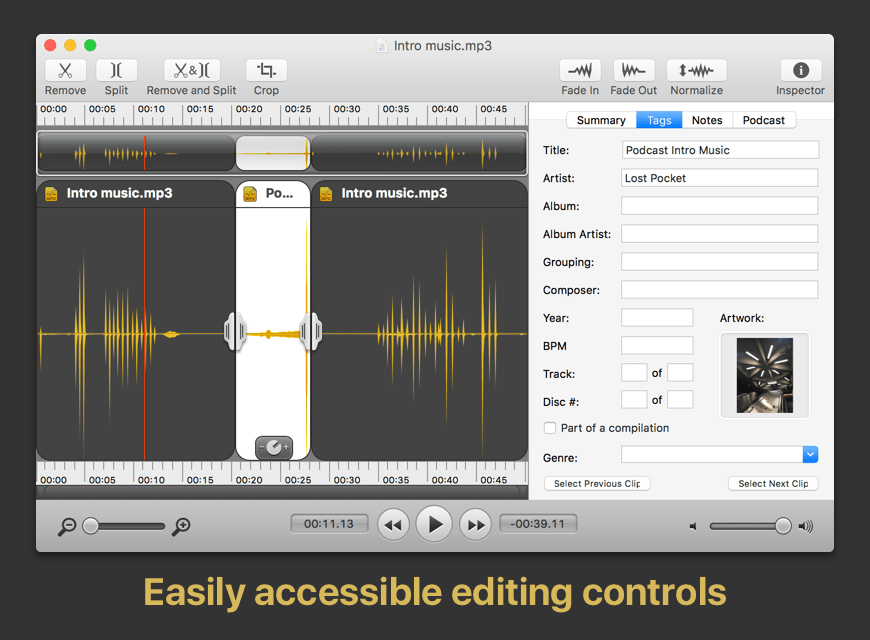
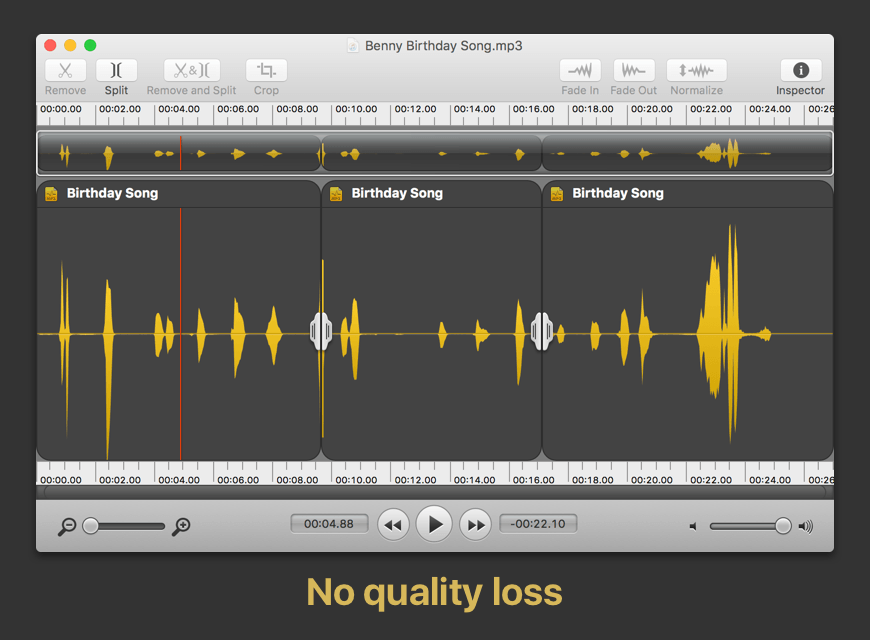
Fission can crop and trim audio, paste in or join files, or just rapidly split one long file into many. It's streamlined for fast editing. Plus, it works without the quality loss caused by other editors, so you can get perfect quality audio even when editing MP3 and AAC files.
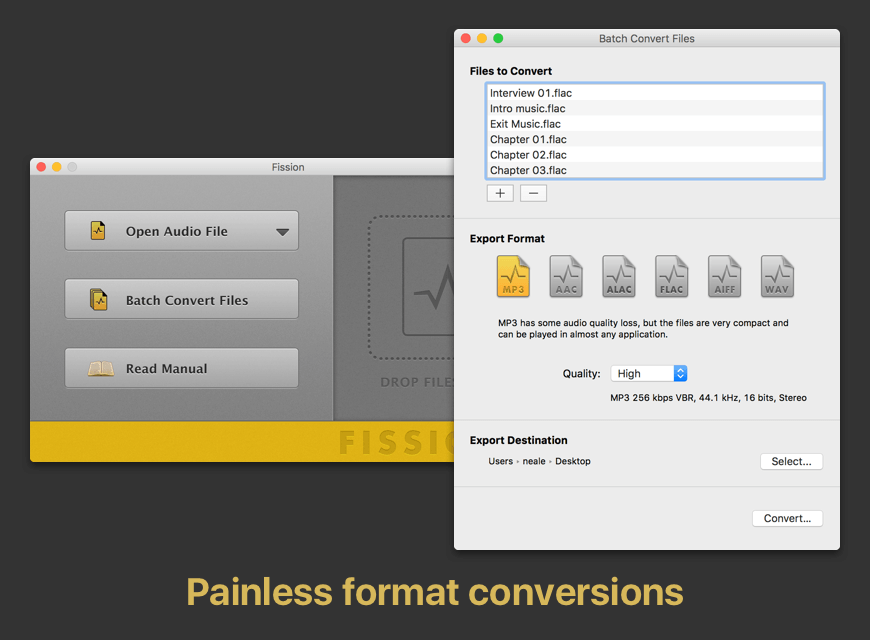
If you need to convert formats, Fission can do that too! You can rapidly export or batch convert files to the MP3, AAC, Apple Lossless, FLAC, AIFF, and WAV formats.
Key Features:
- Edit MP3, AAC, Apple Lossless, and AIFF files with no quality loss
- Quickly split a long audio file into smaller files
- Remove unwanted content, such as commercials, from your audio file
- Re-arrange audio in a single file, copy audio from one file to another, or merge with a quick drag and drop
- Create great-sounding MP3 or AAC ringtones for your cell phone.
Fission 2.9.5
Preliminary Support for MacOS 27 (Golden Gate) Betas:
- Fission no longer warns on launch when run on MacOS 27 (Golden Gate). There are no known issues on Golden Gate at present.
Do note that Apple’s betas remain in flux. We always encourage users to stick with official (non-beta) OS releases for the best experience.
Adjust Gain by Scrolling:
- When audio is selected in Fission, option-scrolling now acts just like the gain slider, adjusting the gain up or down. When these adjustments are in progress, the gain slider’s “dB” indicator will be highlighted.
Unobtrusive Update Notifications:
- Fission’s software update notifications have been modified to be less obtrusive, in the hopes of avoiding disruptions. When the timed automated check detects a newer version, it will no longer pop a dialog in front of your work. Instead, a small “Update Available” indicator will appear in Fission’s file windows, as well as the Start window. This change makes it easier for you to control when you update to newer versions.
- The backend `ffmpeg` component, used to handle importing audio, has been updated from a very old version 2.6.2 to version 8.1.2, to ensure outstanding flaws and bugs are addressed.
- Minor updates have been made to cue sheets. Saving a cue sheet will now just save the cue sheet, without requiring the entire audio file to be written as well. In addition, Fission also now uses REM GENRE for the genre field (but will read both GENRE and REM GENRE).
- Focusing on text labels in the “Summary” tab no longer incorrectly prevents keyboard-based control over audio playback.
Easier Access to Test Releases:
- It’s now easier to be notified about pre-release versions of Fission. In the “Settings” window, you can adjust the new “Check for” menu from its default “Official Releases” option to “Official and Test Releases”. More details on test releases can be found in this support article.
- This setting was previously found in the app’s hidden “Debugging” window. It has now been promoted to the main interface.
Frequently asked questions
How do I install the app?
Mount the image, drag the app into the "Applications" folder and launch it. If the system blocks the launch, allow it in "System Settings → Privacy & Security".
The app is damaged or won't launch
Reinstalling from a fresh image usually helps. Make sure your macOS version matches the one listed in the compatibility specs.
How do I update?
Download the new version from the site and install it over the current one — your settings will be preserved.
The download link doesn't work
Try a mirror or a download manager. For large files the browser often drops the connection.
How do I completely remove the app?
Use an uninstaller utility — it cleans up the service files that remain after moving the app to the trash.




Choose a download source
Fission 2.9.5 - Universal аudio еditor · 15.89 MB
Previous versions
Fission 2.9.5 - Universal аudio еditor
Previous versions are available to registered users.