
Adobe Photoshop Lightroom 6.12 CC for Mac
Screenshots
Click to enlarge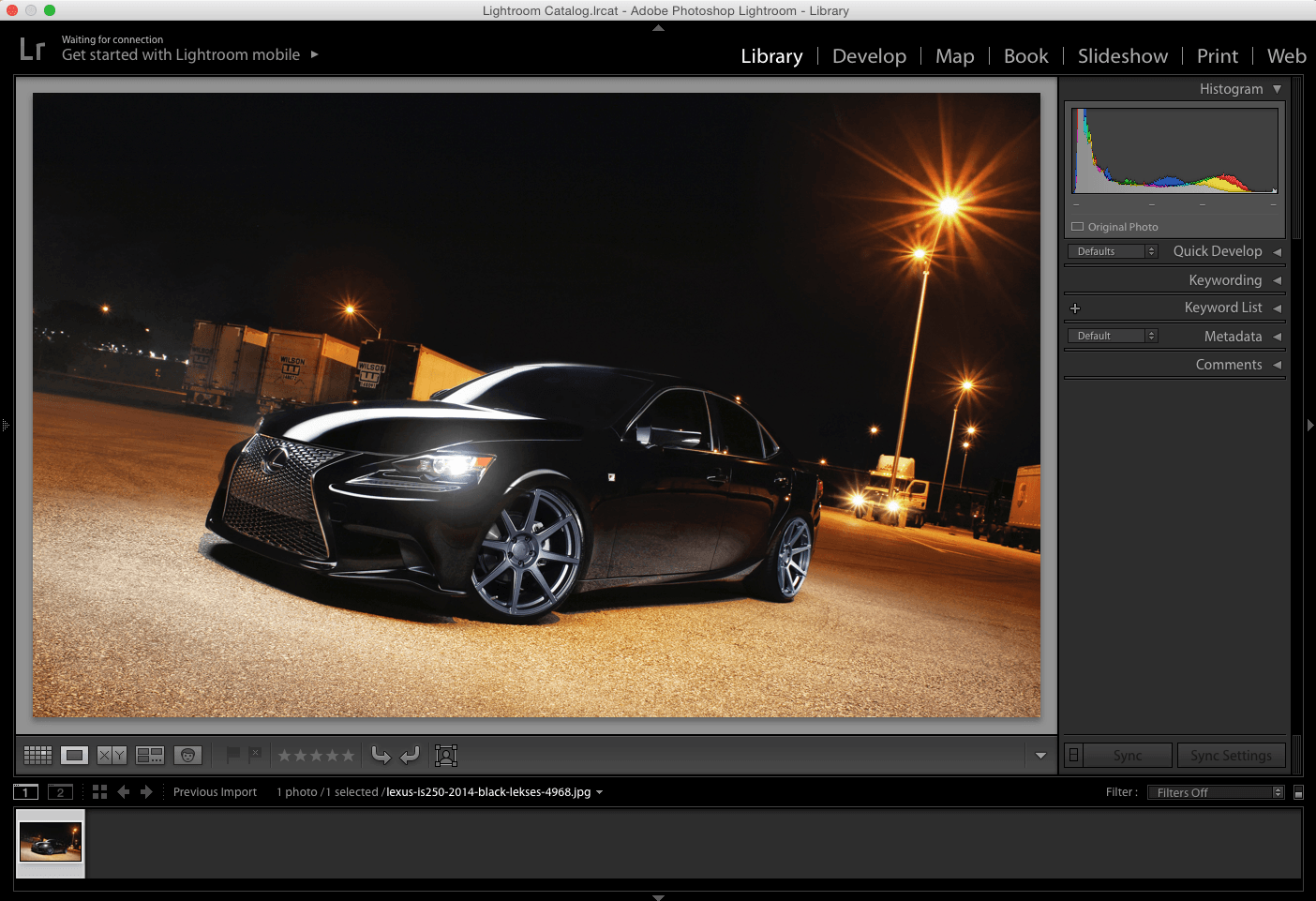
Adobe Lightroom software helps you bring out the best in your photographs, whether you’re perfecting one image, searching for ten, processing hundreds, or organizing thousands.
Create incredible images that move your audience. Experiment fearlessly with state-of-the-art nondestructive editing tools. Easily manage all your images. And showcase your work in elegant print layouts, slide shows, and Web galleries, as well as on popular photo-sharing sites. All from within one fast, intuitive application.
From first look to final image, Adobe Photoshop Lightroom makes everything about digital photography easier, faster, and more amazing. Perfect your shots with powerful new adjustment tools like the Advanced Healing Brush. Efficiently organize all your photos and share them almost anywhere.
New Camera Support
Customer Reported Issues Resolved
GPU Issues
- Canon EOS 6D Mark II
- Canon EOS 200D(EOS Kiss X9, EOS Rebel SL2)
- Leica TL2
- Nikon D7500
- Olympus Tough TG-5
- New Lens Profile Support
- Mount - Name
- Canon EF - Venus Optics Laowa 12mm f2.8 Zero-D
- Canon EF-S - Canon EF-S 18-55mm f/4-5.6 IS STM
- Fujifilm X - Fujifilm WCL-X100 Wide-Angle Conversion Lens
- Fujifilm X - Fujifilm WCL-X100II Wide-Angle Conversion Lens
- Fujifilm X - Fujifilm TCL-X100II Tele Conversion Lens
- Nikon F - Venus Optics Laowa 12mm f2.8 Zero-D
- Pentax K - Venus Optics Laowa 12mm f2.8 Zero-D
- Pentax K - Venus Optics Laowa 105mm f2 (T3.2) Smooth Trans Focus
- Sony A - TAMRON SP 15-30mm F/2.8 Di VC USD A012S
- Sony A - TAMRON SP 35mm F/1.8 Di VC USD F012S
- Sony A - TAMRON SP 45mm F/1.8 Di VC USD F013S
- Sony A - TAMRON SP 90mm F/2.8 Di MACRO 1:1 VC USD F017S
- Sony FE - Sony FE 12-24mm F4 G
- Sony FE - Sony FE 16-35mm F2.8 GM
- Sony FE - Venus Optics Laowa 12mm f2.8 Zero-D
- New Color Matching Camera Profiles
- Nikon 1 V3: 5 Color profiles + Monochrome + Green, Orange, Red, Yellow Monochrome filter effects
- Nikon D3400: Green, Orange, Red, Yellow filter Monochrome filter effects
- Nikon D5: Green, Orange, Red, Yellow filter Monochrome filter effects
- Nikon D500: Green, Orange, Red, Yellow filter Monochrome filter effects
- Nikon D5600: Green, Orange, Red, Yellow filter Monochrome filter effects
- Nikon D610: Monochrome + Green, Orange, Red, Yellow Monochrome filter effects
- Nikon D7200: Green, Orange, Red, Yellow filter Monochrome filter effects
- Nikon D750: Green, Orange, Red, Yellow filter Monochrome filter effects
- Nikon D810: Green, Orange, Red, Yellow filter Monochrome filter effects
- Nikon D810A: Green, Orange, Red, Yellow filter Monochrome filter effects
- Nikon Df : Monochrome + Green, Orange, Red, Yellow Monochrome filter effect
- Panasonic LUMIX DC-FZ80: Color and Monochrome profiles
- Panasonic LUMIX DC-GF9: Color and Monochrome profiles
- Panasonic LUMIX DMC-G7: Color and Monochrome profiles
- Panasonic LUMIX DMC-G8: Color and Monochrome profiles
- Panasonic LUMIX DMC-GX8: Color and Monochrome profiles
- Panasonic LUMIX DMC-GX85: Color and Monochrome profiles
Customer Reported Issues Resolved
- Restriction on exporting a catalog with dots in the filename
- HSL Target Adjustment Tool erratic behavior
- Issue adding more than one line of text using identity plate in Print module
- Navigator preview pane shows wrong photo
- The inability to use larger sample sizes with the White Balance eyedropper tool
- Image "blinks" when toggling between "Before Only" and "After only" views in Develop module
- SDK LrDevelopController no longer works with ToneCurve PV 2012 Settings
- Export from DNG to JPG for Flickr results in an error
- GPS data from iPhone video not captured
- iPhone video capture time is shifted upon import
- Moving files causing erratic deletion of files
- Filmstrip covers/overlaps filter and breadcrumb bar
- Map module flashing "map offline"
GPU Issues
- Customers may still be experiencing crashing with earlier versions of AMD GPU drivers. Please update to the AMD Radeon Software Crimson ReLive Edition 17.7.1 to resolve this issue.
- HDR images made easy - Create natural-looking or surreal images from extremely high-contrast scenes. Using HDR Merge, you can easily combine multiple shots taken with different exposure settings into a single high dynamic range image.
- Stunning panoramas - Capture superwide fields of view and amazing detail. Photomerge technology lets you stitch together multiple images, including raw files, to create seamless panoramas.
- Faster performance - Import and perfect your photos faster than ever. Lightroom takes advantage of compatible graphics processors to boost its overall speed, especially when you’re enhancing images in the Develop module.
- Facial recognition - Quickly find images of family and friends, even without metadata tags. Select a face in one photo, and Lightroom searches for that person in all your other images. Categorize and group your photos based on faces.
- Advanced video slide shows - Create beautiful, polished slide shows using still images, video and music along with professional effects like pan and zoom.
- Improved web galleries - Showcase your work in more elegant, engaging and interactive web galleries. New HTML5-compatible gallery templates work with the widest range of desktop and mobile browsers.
- Better control of filters - Precisely control which parts of your image are affected by the Graduated or Radial filters. Now you can use a brush to edit the filter’s mask, adding or subtracting filter effects wherever you want.
- Easy photo sharing - Publish web galleries with Lightroom. Get feedback on your photos, start discussions and more - all from Lightroom on your mobile device or desktop.
- Support for more devices - Lightroom is now on Android devices. And just like on iPad and iPhone, all your edits sync back to your computer.
- Visual storytelling - Pull images from Lightroom into Adobe Voice and Slate on your iPad or iPhone to craft visual stories and animated videos.
- Copy-paste enhancements - On your iPad or iPhone, you can quickly copy adjustments from one photo and paste them onto another for ultra-fast processing.
- Perfect presentations - Use the new Presentation mode on your iPad or iPhone to show off photos without accidentally adjusting or editing them.
- Fast photo searching - The Segmented view on your iPad or iPhone helps you find favorite photos faster than ever.
- Quick composition adjustment - A redesigned cropping experience on iPad and iPhone lets you quickly adjust, align and auto-straighten your photos.
Comments3
Information
Visitors in the group Guests cannot leave comments on this publication.