Brochure Lab for Pages 1.2
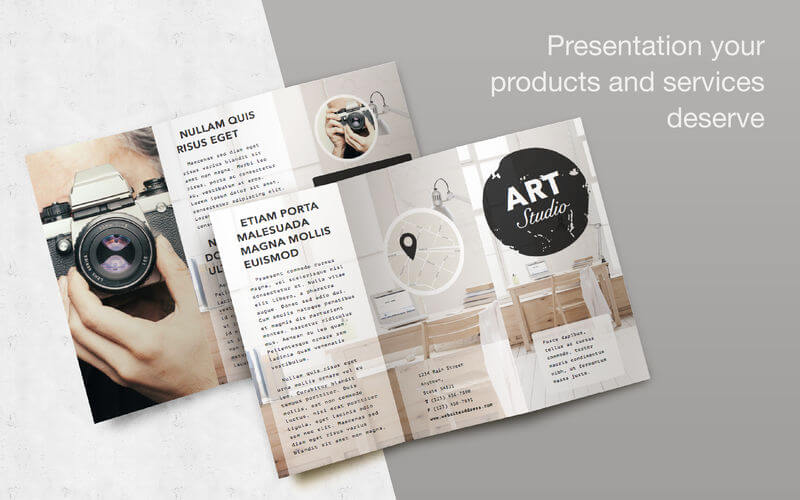

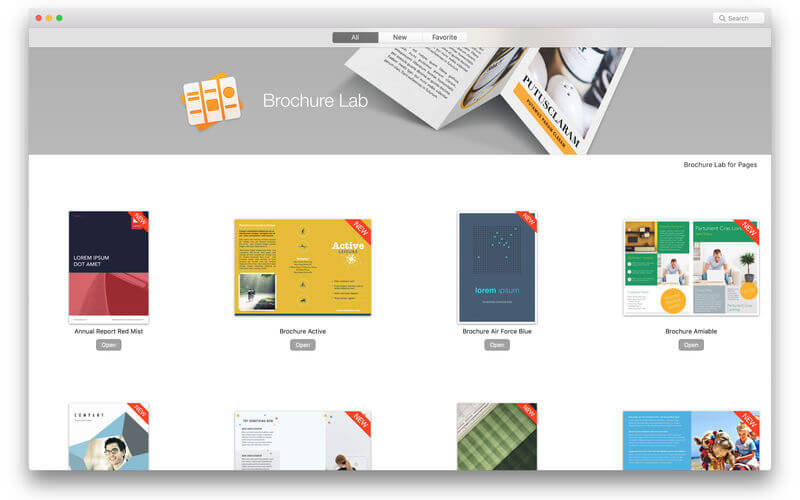
Boost the chemistry between your customer and you! Jumsoft’s Brochure Lab for Pages provides you a powerful collection of brochure templates to give your product or service a beautiful and professional presentation it truly deserves! With more than 150 fabulous templates, you will surely find the perfect match for your product or service to impress your partners, clients, or prospects with plenty of alternatives available at hand!
All templates are fully formatted in customizable sections for your convenience. Every object in the templates can be easily reshaped, moved, or removed, colors can be changed. Type or paste in your own text, add or remove text boxes, and choose the font to your liking - the power of customization is in your hands! Adding photos or pictures is as simple as dragging and dropping them onto the document! It’s the level of quality and ease of use you have grown to expect and love from Jumsoft!
* Requires Apple Pages 6.0 or later
Version 1.2
- Reduced the app's download size and footprint: content is now sourced from the cloud.
- 10 new Brochures.
Frequently asked questions
How do I install the app?
Mount the image, drag the app into the "Applications" folder and launch it. If the system blocks the launch, allow it in "System Settings → Privacy & Security".
The app is damaged or won't launch
Reinstalling from a fresh image usually helps. Make sure your macOS version matches the one listed in the compatibility specs.
How do I update?
Download the new version from the site and install it over the current one — your settings will be preserved.
The download link doesn't work
Try a mirror or a download manager. For large files the browser often drops the connection.
How do I completely remove the app?
Use an uninstaller utility — it cleans up the service files that remain after moving the app to the trash.
VersionBrochure Lab for Pages 1.2
DeveloperJumsoft
CompatibilityOS X 10.11 or later, 64-bit processor
LanguageEnglish, French, German, Italian, Japanese, Korean, Russian, Simplified Chinese, Spanish
IncludesK'ed by TNT


Information
Visitors in the group Guests cannot leave comments on this publication.
Choose a download source
Brochure Lab for Pages 1.2 · 524.21 MB