Publisher Lab - Templates 4.4.4
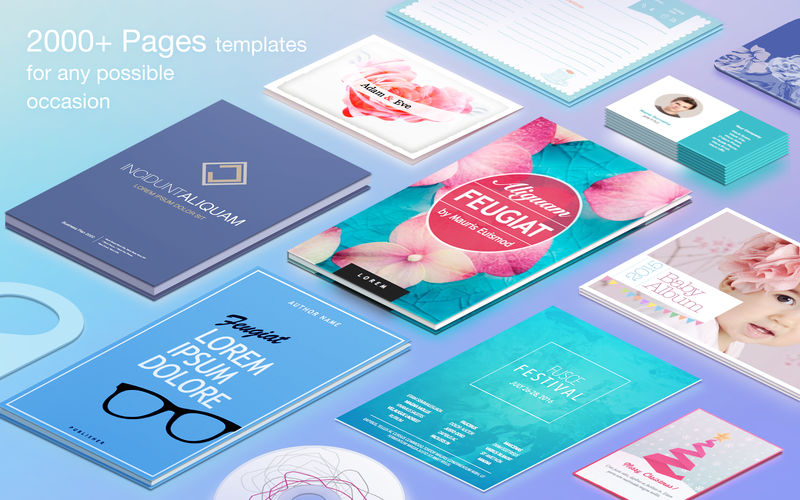
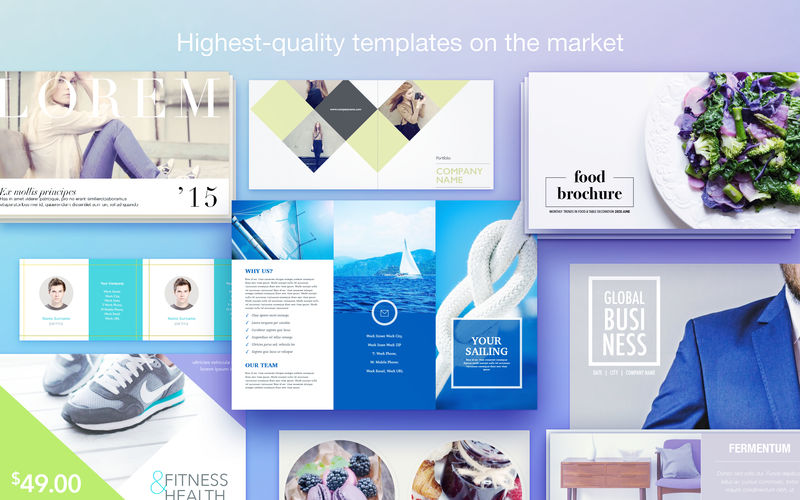

Jumsoft’s Publisher Lab for Pages is a powerful companion to supercharge your personal and business Pages documents! Make use of thousands of professionally-designed templates with limitless customization opportunities. Creating exceptional work with Pages has never been quicker and easier!
Publisher Lab for Pages offers a wide range of customizable and interchangeable template categories: Ads & Flyers, Books & Albums, Brochures & Catalogs, Business Cards, Cards & Invitations, Newsletters, Posters - just to name a few. As if it weren’t enough, our design team issues regular content updates to make sure that you never run out of the best template designs available on the market! Be prepared for anything with Publisher Lab for Pages.
Version 4.4
- macOS Mojave support;
- macOS Mojave Dark Mode integration;
- New, beautiful banners for all content categories;
- Content management improvements to speed up new content downloads.
Frequently asked questions
How do I install the app?
Mount the image, drag the app into the "Applications" folder and launch it. If the system blocks the launch, allow it in "System Settings → Privacy & Security".
The app is damaged or won't launch
Reinstalling from a fresh image usually helps. Make sure your macOS version matches the one listed in the compatibility specs.
How do I update?
Download the new version from the site and install it over the current one — your settings will be preserved.
The download link doesn't work
Try a mirror or a download manager. For large files the browser often drops the connection.
How do I completely remove the app?
Use an uninstaller utility — it cleans up the service files that remain after moving the app to the trash.
VersionPublisher Lab - Templates 4.4.4
DeveloperJumsoft
CompatibilityOS X 10.11 or later, 64-bit processor
LanguageMultilangual
IncludesK'ed by TNT


Information
Visitors in the group Guests cannot leave comments on this publication.
Choose a download source
Publisher Lab - Templates 4.4.4 · 87.67 MB
Previous versions
Publisher Lab - Templates 4.4.4
Previous versions are available to registered users.