
Print Lab - Templates for Pages 3.3.3
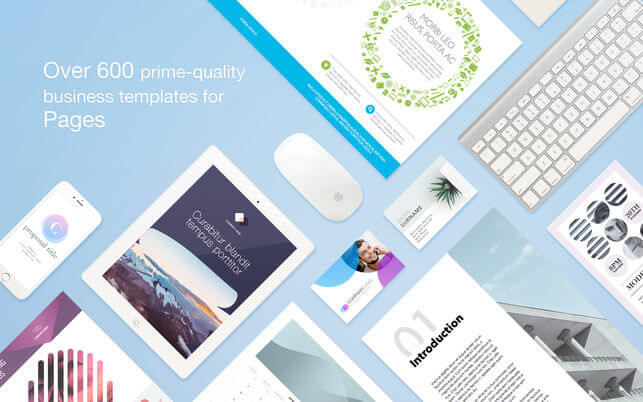

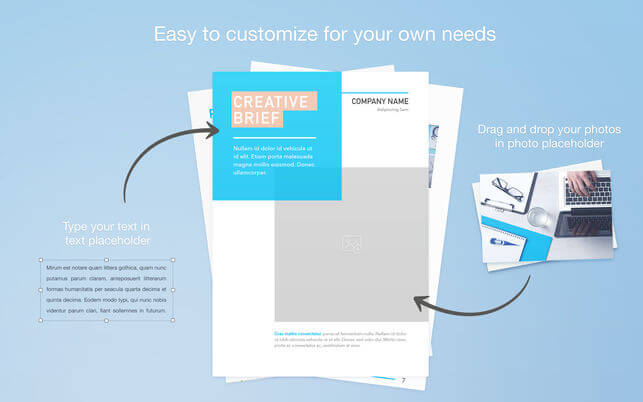
Convince your clients, impress your peers - Print Lab for Pages by Jumsoft makes creating gripping Pages documents easier and quicker than ever before! Hundreds of professional templates and near-infinite customization opportunities make it the most powerful tool available to unleash your creativity in business documents.
Print Lab for Pages offers a broad range of customizable and interchangeable template categories: Ads & Flyers, Brochures, Business Cards, Calendars, Planners, Cards, Invitations, Invoices, Forms, Document Templates, Labels, Organizational Charts - just to name a few. All your business document needs will be fulfilled! As if it weren’t enough, our design team issues regular content updates to make sure that you never run out of the best, most professional templates and document designs available on the market!
* Pages 6.0 or later recommended.
Version 3.3.3
- Under-the-hood improvements to make everything quicker and smoother.
Frequently asked questions
How do I install the app?
Mount the image, drag the app into the "Applications" folder and launch it. If the system blocks the launch, allow it in "System Settings → Privacy & Security".
The app is damaged or won't launch
Reinstalling from a fresh image usually helps. Make sure your macOS version matches the one listed in the compatibility specs.
How do I update?
Download the new version from the site and install it over the current one — your settings will be preserved.
The download link doesn't work
Try a mirror or a download manager. For large files the browser often drops the connection.
How do I completely remove the app?
Use an uninstaller utility — it cleans up the service files that remain after moving the app to the trash.
VersionPrint Lab - Templates for Pages 3.3.3
DeveloperJumsoft
CompatibilityOS X 10.11 or later, 64-bit processor
LanguageMultilangual
IncludesK'ed by TNT


Information
Visitors in the group Guests cannot leave comments on this publication.
Choose a download source
Print Lab - Templates for Pages 3.3.3 · 31.4 MB