
Stave'n'Tabs 3.6
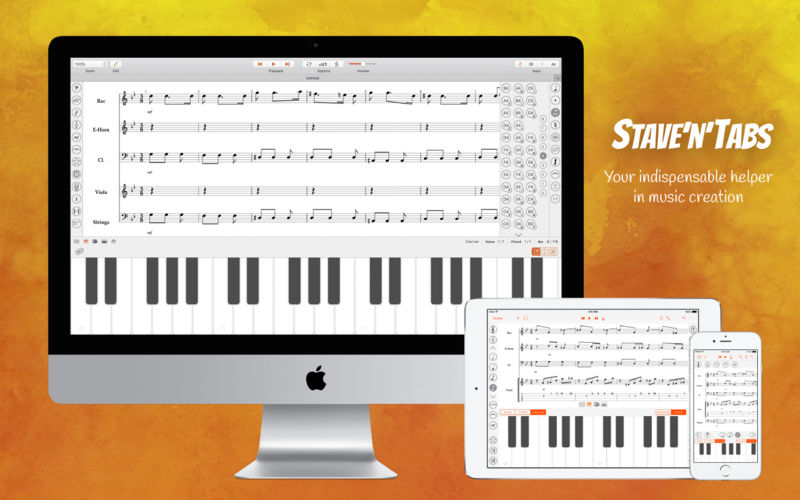
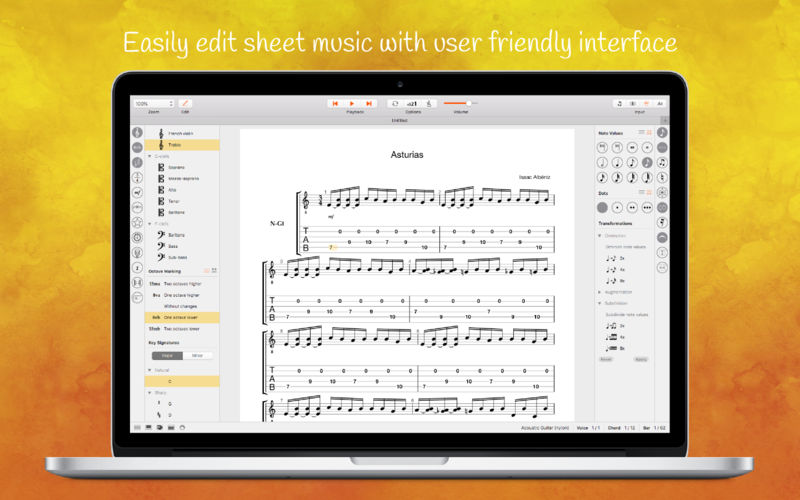
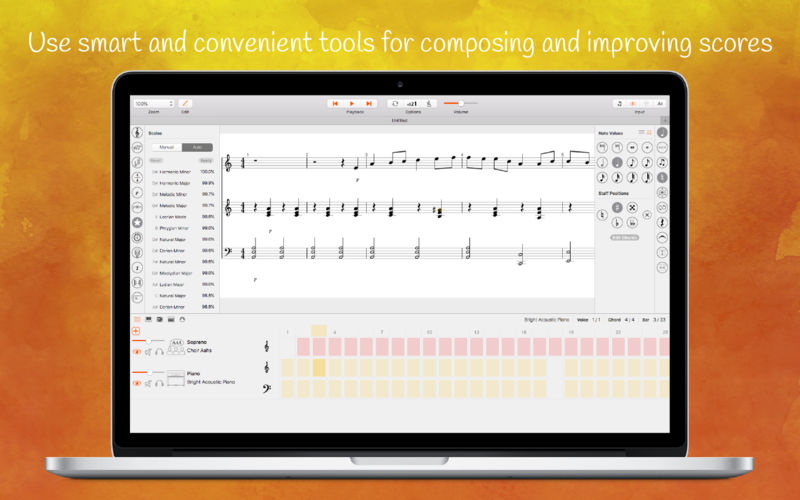
The well-known iPad, iPhone and iPod Touch notation and tab editor Stave’n’Tabs is now available on your Mac. Simple interface, fast files’ opening, smart and convenient tools let you feel the atmosphere of the majestic classical scores, dynamic rock ballads or good old jazz. Support of the main musical formats such as MIDI and MusicXML allows you to easily listen and practice your songs and compositions created earlier.
- Start your new score from the scratch or with one of the two dozen templates
- Get inspired by famous composers in the Library
- Listen sounding and choose instruments for your parts from the list with more than 150 items (keyboards, guitars, strings, drums, percussions, etc.)
- Connect your MIDI devices to Stave'n'Tabs
- Enter notes with intuitive instrument-independent interface, Virtual Piano Keyboard or computer keyboard
- Explore and edit your score with sophisticated Piano Roll and Drums Editor
- Modify notes with dots, tuplets and ties
- Customize clefs, key signatures and time signatures for bars
- Change dynamics
- Switch between enharmonic equivalents of the notes
- Use customizable voices
- Edit tabs with Virtual Fingerboard
- Setup tunings with the large value of presets
- Use Scientific or Helmholtz pitch notation when entering notes
- Edit tabs with keyboard
- Diminish, augment and subdivide note values
- Transpose pitches by semitones
- Make your music alive with lyrics
- Input notes by Staff Positions
- Navigate around the score with Tracks board
- Set the visibility for instrument parts in the score
- Select and customize horizontal, vertical or page layout for your score
- Find out information about the selected elements in the Status Panel at the bottom
- Save changes to PDF for Free
- Edit title and information about creators
- Play the whole composition or selected fragment
- Customize metronome clicking and countdown
- Loop the playback of the desired part
- Look at the keys on the virtual Piano keyboard
- Detect non-playable objects with red highlighting
- Use "Starred scales" to determine the chromatic scales most similar to the selected area
- Adjust the semitones of the selected area notes to the chromatic scale
- Customize the chromatic scale for adjustment
- snt - Stave’n’Tabs project
- xml - MusicXML
- mxl - Compressed MusicXML
- midi - MIDI
- kar - Karaoke files
- gp3, gp4, gp5, gpx - Guitar Pro files
- Stave’n’Tabs PRO (in-app purchase) removes all restrictions of the free version
- Saving to any supported format
- Editing of Music XML, MIDI, Karaoke and Guitar Pro files
- No watermarking
Version 3.6
- Ghost notes and dead notes
- Score display improvements
- Bug fixes
Frequently asked questions
How do I install the app?
Mount the image, drag the app into the "Applications" folder and launch it. If the system blocks the launch, allow it in "System Settings → Privacy & Security".
The app is damaged or won't launch
Reinstalling from a fresh image usually helps. Make sure your macOS version matches the one listed in the compatibility specs.
How do I update?
Download the new version from the site and install it over the current one — your settings will be preserved.
The download link doesn't work
Try a mirror or a download manager. For large files the browser often drops the connection.
How do I completely remove the app?
Use an uninstaller utility — it cleans up the service files that remain after moving the app to the trash.
VersionStave'n'Tabs 3.6
DeveloperIvan Korovin
CompatibilityOS X 10.11 or later
LanguageEnglish, French, Italian, Russian
IncludesK'ed by TNT




Information
Visitors in the group Guests cannot leave comments on this publication.
Choose a download source
Stave'n'Tabs 3.6