

Disk Graph 3.3.1
Disk Graph: disk space analyzer for finding large files fast
Screenshots
Click to enlarge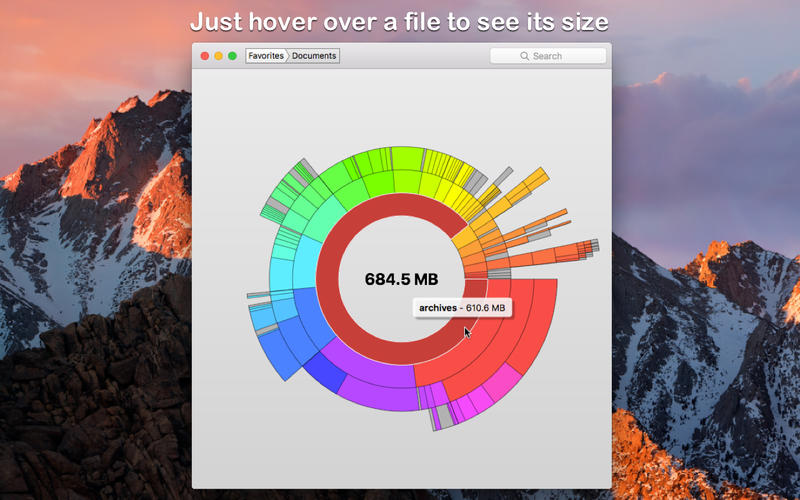
Disk Graph is a tool that allows you to inspect your disk and easily find the files that take away most of your disk space. With its beautiful interface and its pie-like graph, locating big files has never been easier.
Features of DiskGraph include:
- any directory reachable in the Finder (i.e. on your local machine, on an external drive or even on a remote server) can be selected and immediately analyzed
- freely navigate inside the subdirectories of an analyzed folder or device
- smooth animations manage the transitions between selected directories
- move the mouse over a file to see its name and size
- use the context menu to trash selected files
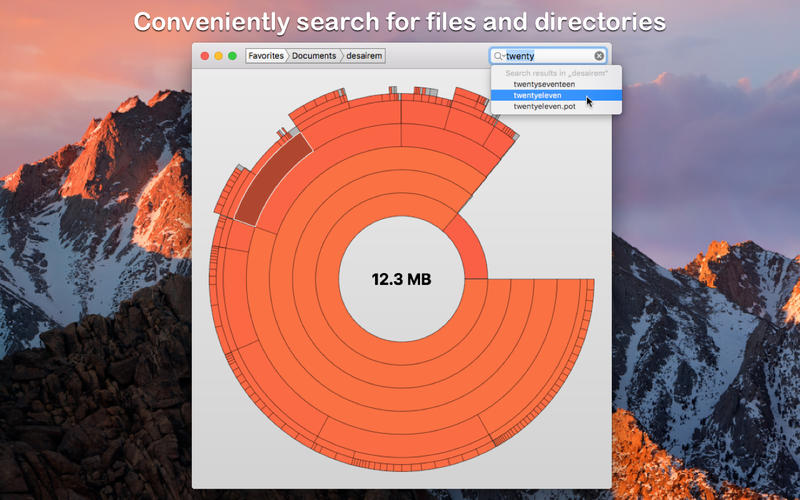
- quickly search for filenames
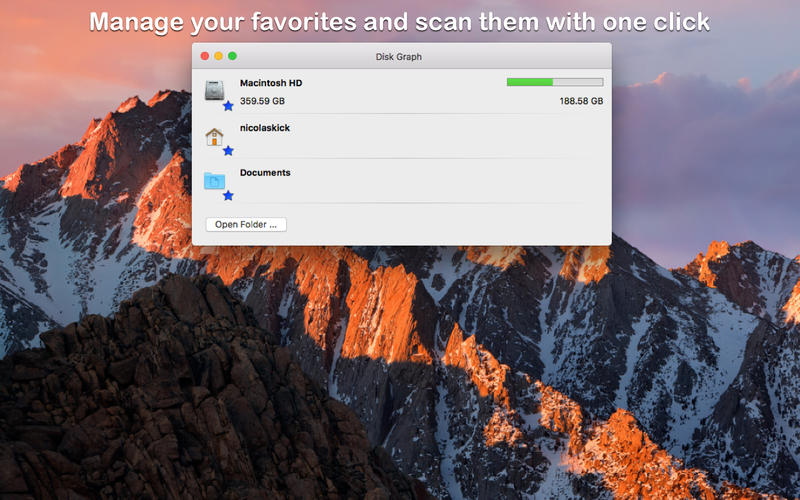
- save your favorite locations and access them with one click from the main window
- choose between two modes: File Size Mode (where section sizes are relative to the respective file size) and File Count Mode (where section sizes represent the number of contained files).
Version 3.3
- Improved compatibility with macOS 27.
Comments
No comments yet. Be the first.
Information
Visitors in the group Guests cannot leave comments on this publication.