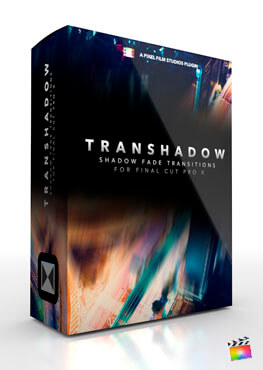
Pixel Film Studios - TranShadow: Shadow Fade Transitions for Final Cut Pro X
TranShadow from Pixel Film Studios gives FCPX users a whole entire new way of fading from one clip to another. TranShadow allows users to cross-fade with a color solid, while adding prism and blur effects. FCPX users can apply TranShadow presets allow quick and easy application between clips, saving valuable time for any editor. Each transition has added parallax options for more kinetic angles between shots.
Over 50 Transitions
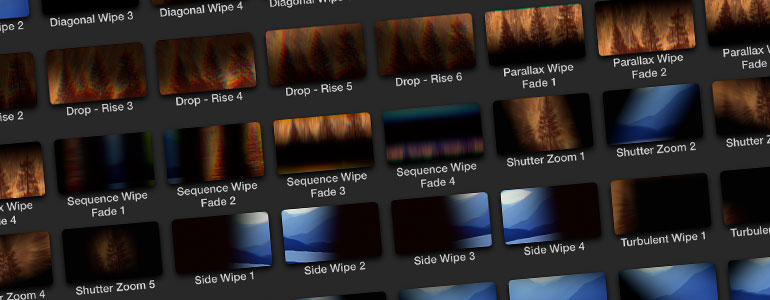
TranShadow for Final Cut Pro X comes with over 50 different drag & drop transition presets. Each preset contains a unique shadow fade that masks the first clip and reveals the second clip. TranShadow is an easy to use transition, designed with any skill level editor in mind.
Includes Channel Blur and Prism Effects
TranShadow contains Prism and Blur controls for exaggerated speed. TranShadow presets have the effect of being slow and elegant, or fast and chaotic depending on the users style. TranShadow’s flexible distortion and blur options add realism and style to any project.
Drag & Drop Transitions
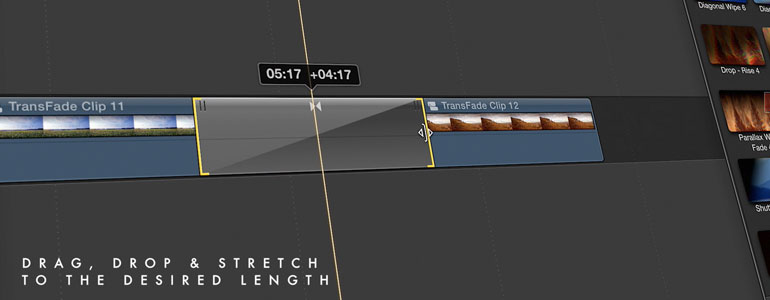
TranShadow for Final Cut Pro X is built as a set of Transition tools. FCPX users can apply each preset between the desired clips and adjust the duration accordingly. TranShadow is a simple tool that can be used in Video Projects, or Slide Shows with still Photos.
SCREENSHOTS

Frequently asked questions
How do I install the app?
Mount the image, drag the app into the "Applications" folder and launch it. If the system blocks the launch, allow it in "System Settings → Privacy & Security".
The app is damaged or won't launch
Reinstalling from a fresh image usually helps. Make sure your macOS version matches the one listed in the compatibility specs.
How do I update?
Download the new version from the site and install it over the current one — your settings will be preserved.
The download link doesn't work
Try a mirror or a download manager. For large files the browser often drops the connection.
How do I completely remove the app?
Use an uninstaller utility — it cleans up the service files that remain after moving the app to the trash.
VersionPixel Film Studios - TranShadow: Shadow Fade Transitions for Final Cut Pro X
DeveloperPixel Film Studios
CompatibilityFinalCut X 10.0.5 +
LanguageEnglish
IncludesPre-K'ed




Information
Visitors in the group Guests cannot leave comments on this publication.
Choose a download source
Pixel Film Studios - TranShadow: Shadow Fade Transitions for Final Cut Pro X · 28.72 MB