Simply HDR 3.2.6
Simply HDR is a powerful HDR tool that instantly creates stunning and mesmerizing imagery from otherwise bland subjects and compositions.
Have you ever looked at a well-executed HDR photo with a dramatic sky and wish you could take a shot like that? Now you can! With Simply HDR you can produce an outstanding picture with an extended range of dynamic light and detail. Gone are the days of combining multiple images, we do it for you! With Simply HDR you can create your own stunning imagery using our advanced built-in True HDR camera or choose a single picture from your photo library, the end result will be an outstanding picture that's captivating, mesmerizing, revealing and beautifully detailed. It is also user-friendly for both professional and amateur photographers.
Simply HDR also provides a built-in "brush", for times when your subjects are people or pets, that will gently smooth areas with too much detail; or corrects a halo where the sky meets the trees.
HDR Styles
- High Dynamic Range (HDR)
- HD Art
- Black & White HDR
- Contrasted HDR
- Shadows & Light
- Contrasted Light
HDR Includes
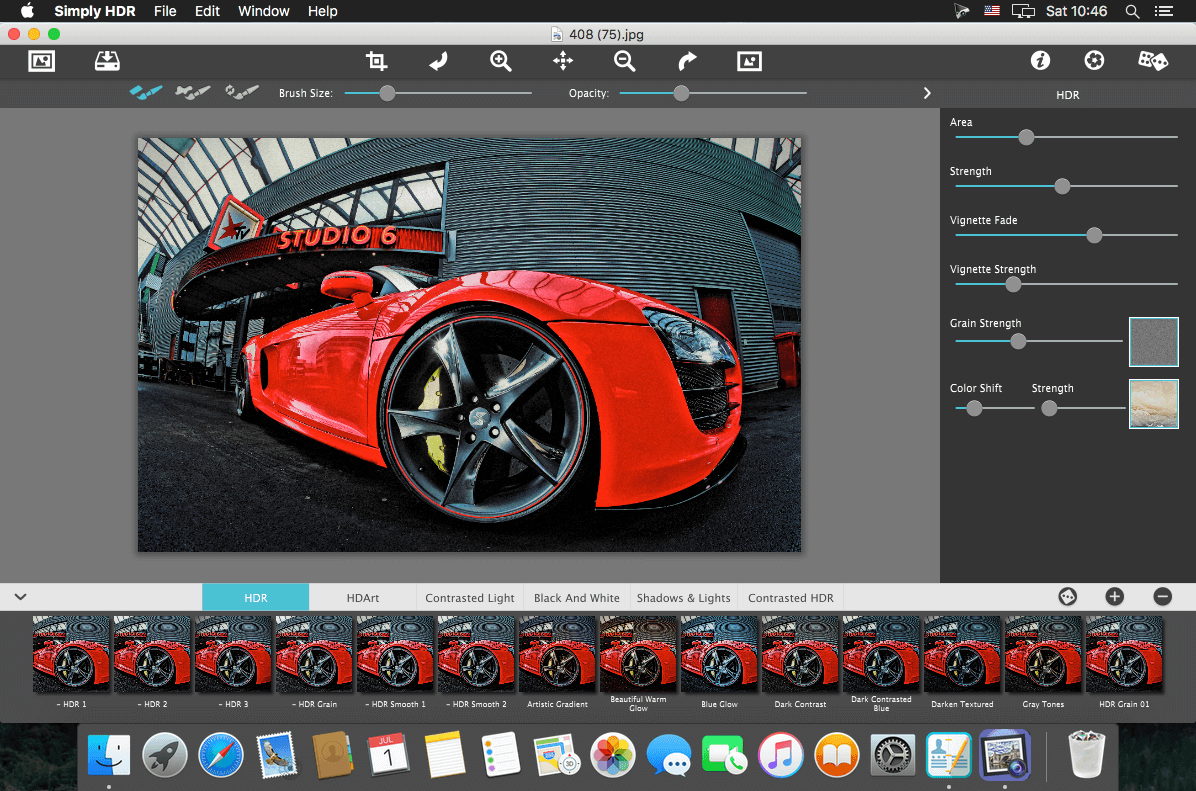
- Six High Dynamic Range (HDR) styles
- Control over detail area and strength
- Smoothing brush (desktop) or smoothing slider (mobile)
- Restore brush
- Adjustable vignette
- Film grain
- 45 color filters and gradients
- 70 artistic finishes for HD Art
- 100 One-touch settings
WHAT’S NEW
Version 3.2.6:
- Bug fixes and optimizations
SCREENSHOTS
Frequently asked questions
How do I install the app?
Mount the image, drag the app into the "Applications" folder and launch it. If the system blocks the launch, allow it in "System Settings → Privacy & Security".
The app is damaged or won't launch
Reinstalling from a fresh image usually helps. Make sure your macOS version matches the one listed in the compatibility specs.
How do I update?
Download the new version from the site and install it over the current one — your settings will be preserved.
The download link doesn't work
Try a mirror or a download manager. For large files the browser often drops the connection.
How do I completely remove the app?
Use an uninstaller utility — it cleans up the service files that remain after moving the app to the trash.
VersionSimply HDR 3.2.6
DeveloperJixiPix
CompatibilitymacOS 10.10 or later, 64-bit processor
LanguageEnglish
IncludesPre-K'ed




Information
Visitors in the group Guests cannot leave comments on this publication.
Choose a download source
Simply HDR 3.2.6 · 82.44 MB