
Inspire Finance 3.21
Use Inspire Finance for better control of your home finances. Save all of your expenses and income. Plan your budget to start saving money.
The entered transactions can be filtered and sorted according to your needs. The use of categories will guarantee higher transparency of your budget and the schedule will allow you to instantly enter your payment timetable.
Most important features of the program:
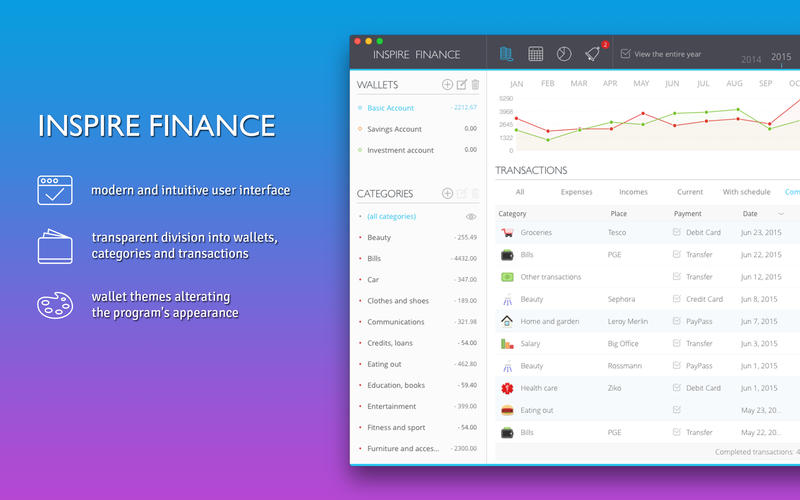
- modern and intuitive user interface
- transparent division into wallets, categories and transactions
- wallet themes alterating the program's appearance
- over 120 category icons
- viewing transactions with monthly or annual division
- transaction filtering and sorting
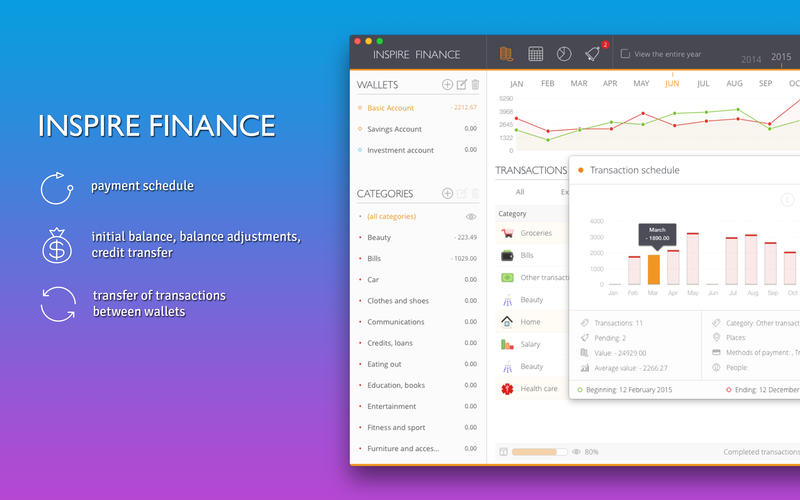
- initial balance, balance adjustments, credit transfer
- transfer of transactions between wallets
- payment schedule
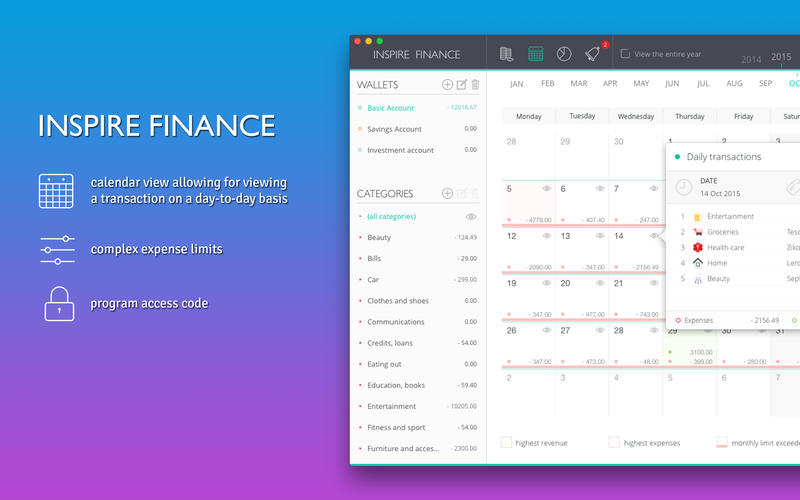
- calendar view allowing for viewing a transaction on a day-to-day basis
- numerous charts and statistics
- event view for pending and belated transactions
- complex expense limits
- built-in mini calculator
- program access code
- export of transactions to *.csv (Numbers) and *.txt (TextEdit) files
- iCloud synchronization
- program localization into 5 languages
Inspire Finance is the best guide on the road to savings. Save more than just your daily expenses on groceries or clothes. Plan your apartment make-over, vacation or important events. Modern and trasparent interface was designed for fastest possible adding of transactions. Start controlling your budget now.
You can try out the free Lite version before making the purchase. If you like our Inspire Finance, rate us in the App Store. It only takes a moment, and it means a lot to us.
WHAT’S NEW
Version 3.21
- Soon there will be great changes for Inspire Finance. This update organizes data management and synchronization methods (resignation from Dropbox). It is necessary so that in the future the data conversion process can occur without any problems.
SCREENSHOTS
Frequently asked questions
How do I install the app?
Mount the image, drag the app into the "Applications" folder and launch it. If the system blocks the launch, allow it in "System Settings → Privacy & Security".
The app is damaged or won't launch
Reinstalling from a fresh image usually helps. Make sure your macOS version matches the one listed in the compatibility specs.
How do I update?
Download the new version from the site and install it over the current one — your settings will be preserved.
The download link doesn't work
Try a mirror or a download manager. For large files the browser often drops the connection.
How do I completely remove the app?
Use an uninstaller utility — it cleans up the service files that remain after moving the app to the trash.
VersionInspire Finance 3.21
DeveloperLukasz Swiedlinski
CompatibilityOS X 10.11 or later, 64-bit processor
LanguageEnglish, French, German, Polish, Spanish
IncludesPre-K'ed





Information
Visitors in the group Guests cannot leave comments on this publication.
Choose a download source
Inspire Finance 3.21 · 4.31 MB