
KyPass Companion 1.9
KyPass is a Mac version of KeePass from Dominik Reichl.
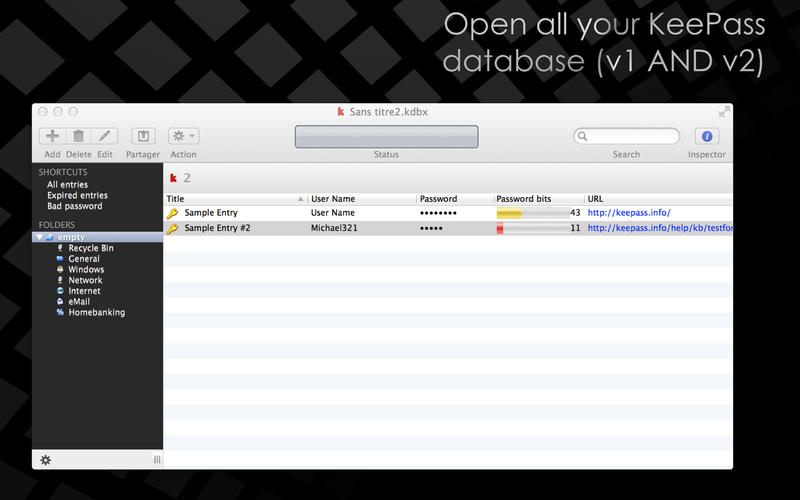
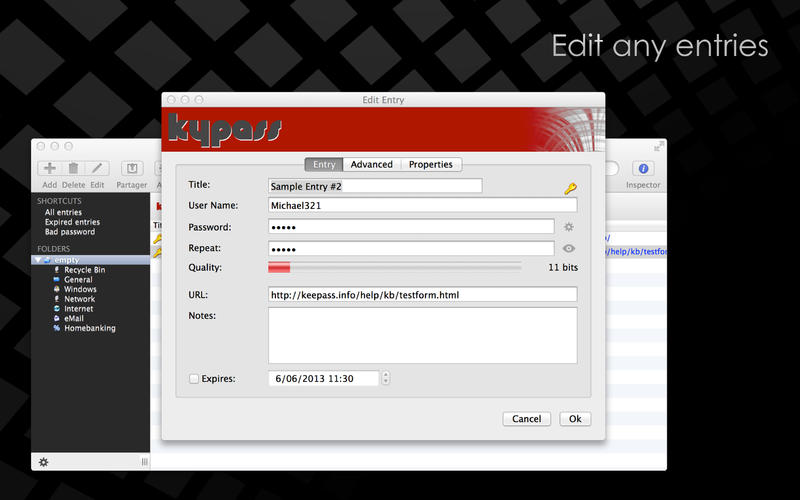
It saves many different information (user names, passwords, urls, comments, …) in one single database. The entries are sorted in groups. The integrated search function allows to search in the complete database.
KyPass Companion allows you to have auto-fill function in your Chrome or Firefox browser like Lastpass or 1Password with your Keepass database(s) using the keepasshttp plugins
Features:
- Fills out web forms with one click.
- Allows to use multilple Keepass database at the same time.
- Save your master password in Apple Keychain
- Support key file.
- Keepass v1 AND v2 are supported.
- OTP support
- Import passwords from kdb, kdbx or csv.
- Open your ssh session or http page directly from the Menu Extra.
WHAT’S NEW
Version 1.9
- add custom fields in the columns view
- edit multiple entries
- add filter on custom fields
- edit existing import tasks
- quick view improved
- attachments could be previewed by pressing the space key
- OTP support (enter otpauth://totp/Example:[email protected]?secret=JBSWY3DPEHPK3PXP&issuer=Example in a field and KyPass will translate it to the correct secret key)
- (bug fix) entry and group could now be created directly from the sidebar
- (bug fix) duplicate entry is now working also in search view
- (bug fix) viewing an entry doesn’t change modification date anymore
SCREENSHOTS
Frequently asked questions
How do I install the app?
Mount the image, drag the app into the "Applications" folder and launch it. If the system blocks the launch, allow it in "System Settings → Privacy & Security".
The app is damaged or won't launch
Reinstalling from a fresh image usually helps. Make sure your macOS version matches the one listed in the compatibility specs.
How do I update?
Download the new version from the site and install it over the current one — your settings will be preserved.
The download link doesn't work
Try a mirror or a download manager. For large files the browser often drops the connection.
How do I completely remove the app?
Use an uninstaller utility — it cleans up the service files that remain after moving the app to the trash.
VersionKyPass Companion 1.9
DeveloperMiguel Vanhove
CompatibilityOS X 10.9 or later, 64-bit processor
LanguageEnglish, French
IncludesK'ed by TNT

Information
Visitors in the group Guests cannot leave comments on this publication.
Choose a download source
KyPass Companion 1.9 · 7.44 MB