
Drive Genius 5.1.0
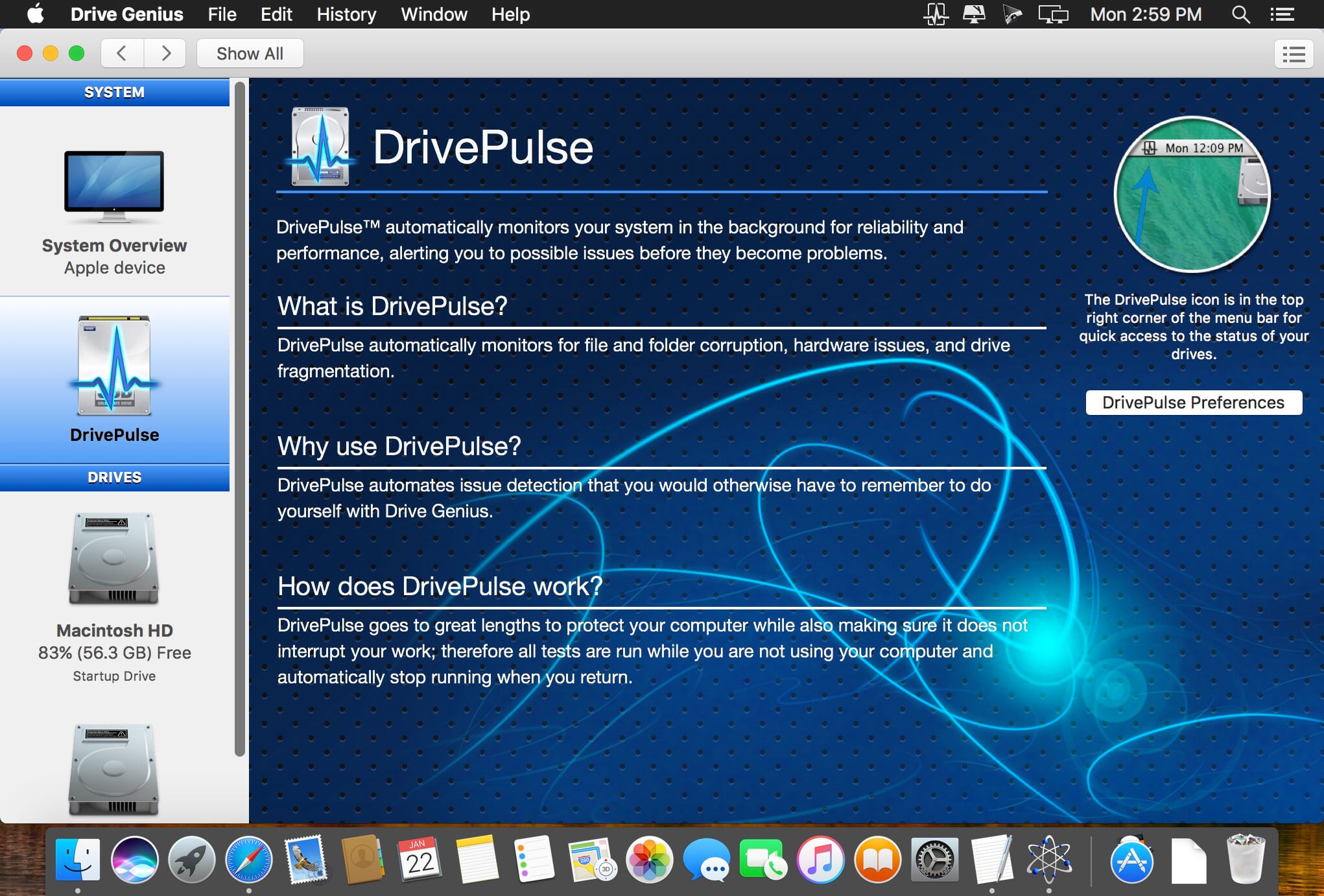
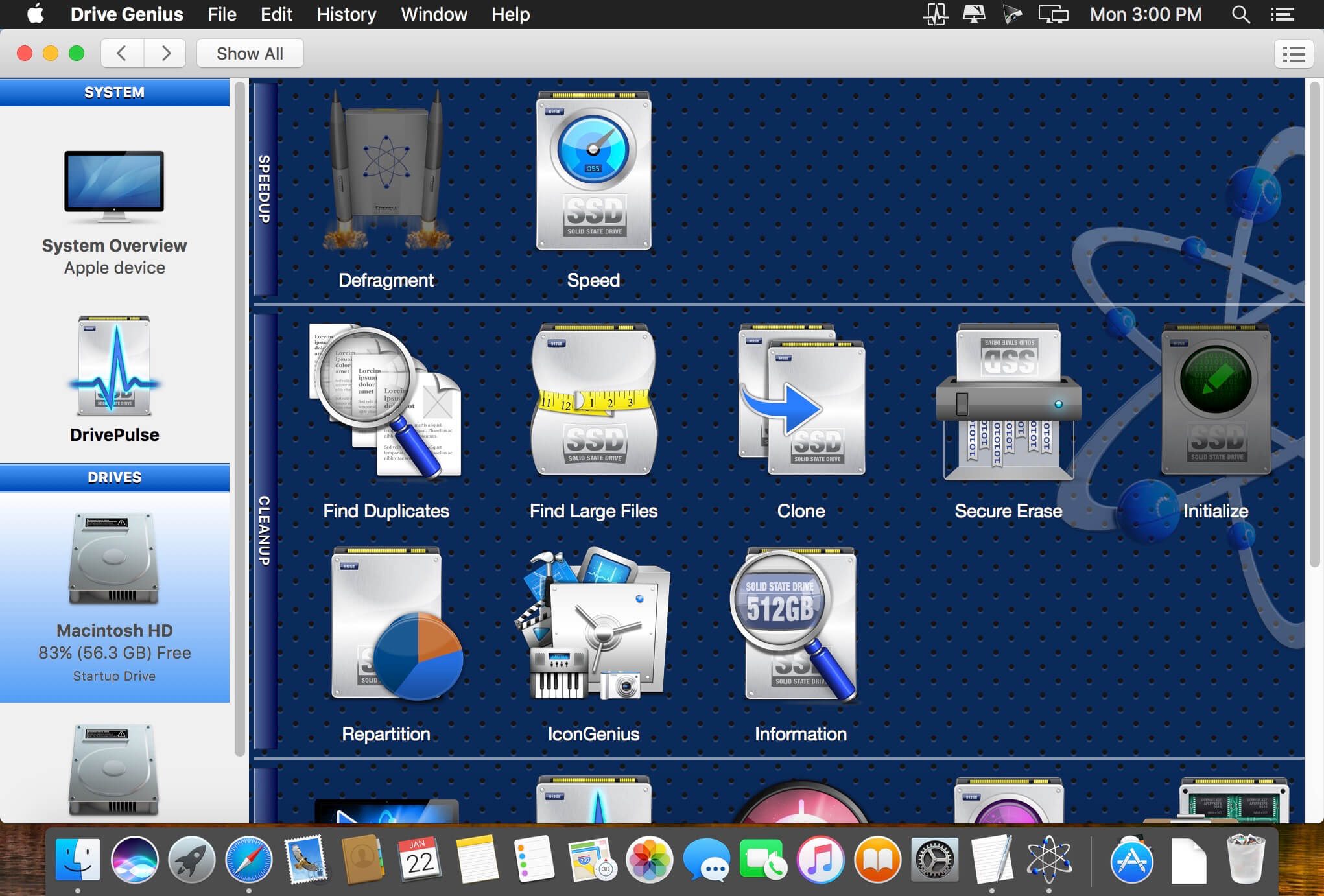
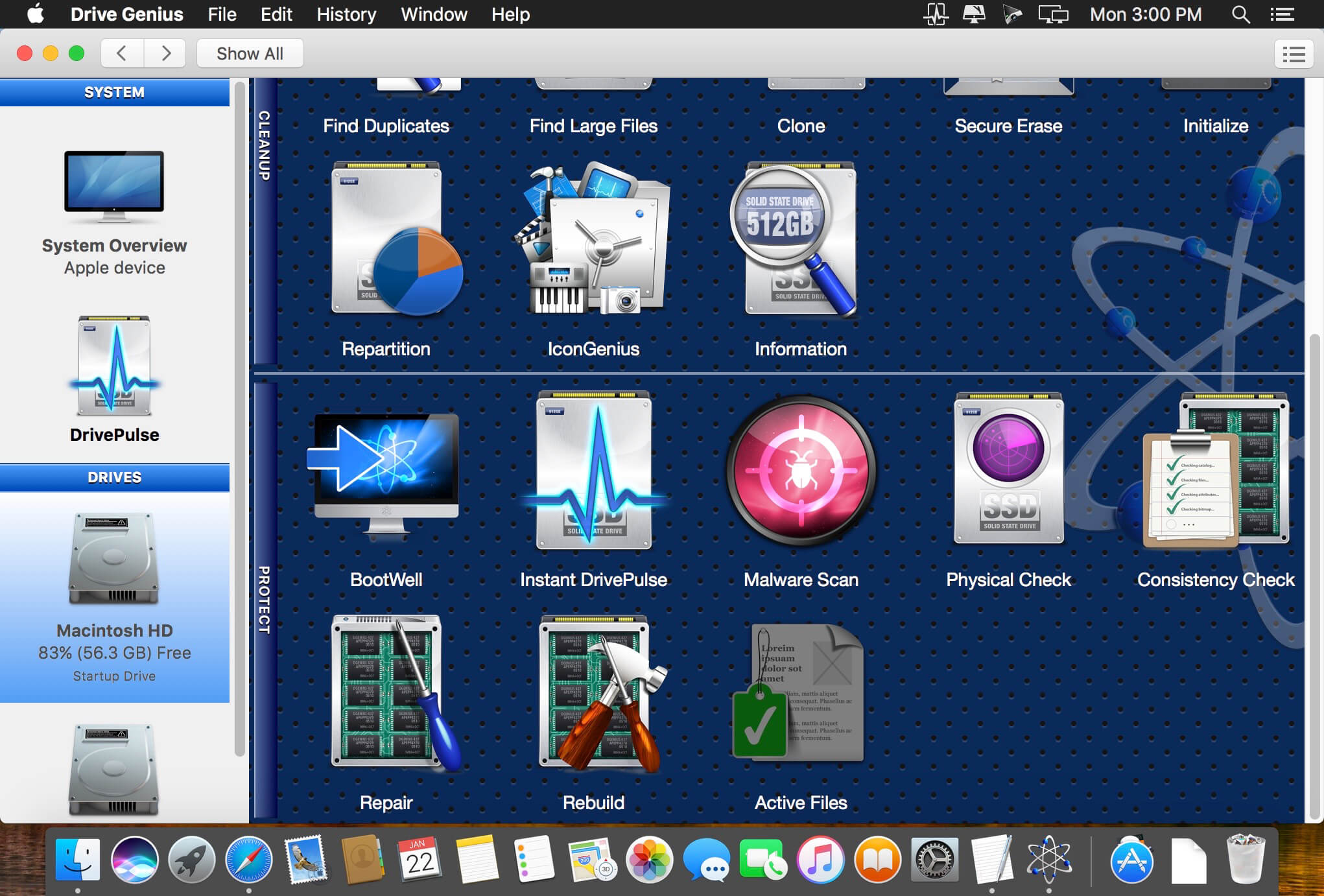
Drive Genius gives you faster performance from your Mac while also protecting it. The award-winning and improved DrivePulse feature alerts you to hard drive issues before they become major problems. Optimized for OS X 10.10 Yosemite, top features like Defrag and DriveSlim will help keep your Mac running fast. The all-new BootWell tool lets you create a special bootable secondary drive to Defrag or Repair your main hard drive. You can also personalize and organize your Mac hard drive icons with IconGenius.
Drive Genius 5 Features:
- Protect:
- Malware Scan
- BootWell™
- Physical Check
- Instant DrivePulse
- Active Files
- Consistency Check
- Repair
- Rebuild
- Defragment
- Speed
- Repartition
- Find Duplicates
- Find Large Files
- Clone
- Secure Erase
- Initialize
- IconGenius™
- Information
With Macs becoming more common in and out of the workplace, hackers are developing attacks specifically for the Mac platform. These hackers either attack the Mac itself or to lay dormant until a connection is made to a Windows based system. Only 50% of Mac users are running virus protection when compared to the 76% of Windows users. That’s why Prosoft Engineering implemented an automated Malware Scan into Drive Genius 5.
Protect your Mac
Drive Genius helps to protect your Mac from potential hard drive failures and errors that can cause you to lose your data. The award-winning DrivePulse® feature monitors the health of your hard drives to alert you to potential issues (errors, fragmentations, bad blocks) before they become a major problem.
DrivePulse® has been enhanced to do more extensive testing once the drive has been idle for 5 minutes.
- Heuristic engine analysis to notify you if a drive needs to be replaced before it actually stops working.
- Monitors your hard drive for system changes during login and notifies you when a change occurs (a common avenue for a virus to infect your computer).
- Monitors for low free space and notifies you when your hard drive is filling up.
- Prevents your hard drive from sleeping when your computer is in use. This prevents applications from hanging while waiting for a sleeping disk to wake.
Version 5.1.0:
- Release notes were unavailable when this listing was updated.
Frequently asked questions
How do I install the app?
Mount the image, drag the app into the "Applications" folder and launch it. If the system blocks the launch, allow it in "System Settings → Privacy & Security".
The app is damaged or won't launch
Reinstalling from a fresh image usually helps. Make sure your macOS version matches the one listed in the compatibility specs.
How do I update?
Download the new version from the site and install it over the current one — your settings will be preserved.
The download link doesn't work
Try a mirror or a download manager. For large files the browser often drops the connection.
How do I completely remove the app?
Use an uninstaller utility — it cleans up the service files that remain after moving the app to the trash.
VersionDrive Genius 5.1.0
DeveloperProsoft Engineering, Inc.
CompatibilitymacOS 10.10 +
LanguageEnglish
Includesserial





Choose a download source
Drive Genius 5.1.0 · 66.69 MB
Comments 4