
VOX 2.7.7
VOX was originally developed following the principles of clarity, simplicity and versatility. Thus, the minimalistic interface incorporates both essential and unique features, which let you:
Listen to your music regardless of the format:
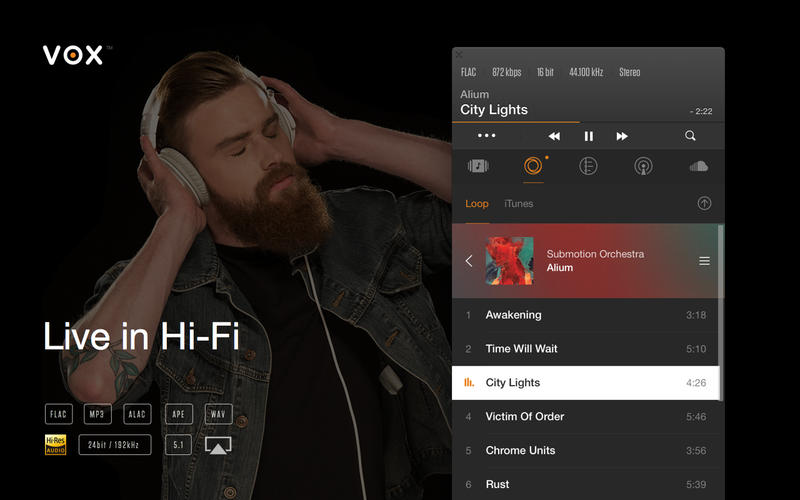
- Play numerous lossy and lossless audio formats;
- Export playlists in various formats (PLS, M3U, XSPF);
- Open different playlist types including M3U, PLS, XSPF and the popular CUE format used to store CD rips;
- Play audio files stored on NAS devices and other network drives.
Rule your music with ease:
- Control the player from the main interface, Dock context menu or main menu controls;
- Automatically search for all the missing album artwork from MusicBrainz and LastFM databases;
- Use keyboard media keys, headphones buttons and Apple Remote to control playback (requires VOX Preference Pane);
- Easily add music via smart drop zones, ordinary open dialog and Finder context menu;
- Use equalizer with presets & custom mode, crossfade, fade on play/pause, converting music to 5.1 or 7.1 format;
- Preview album artwork from your Dock icon;
- Gapless playback support;
- Get system or Growl playback notifications.
Focus on music, not the source:
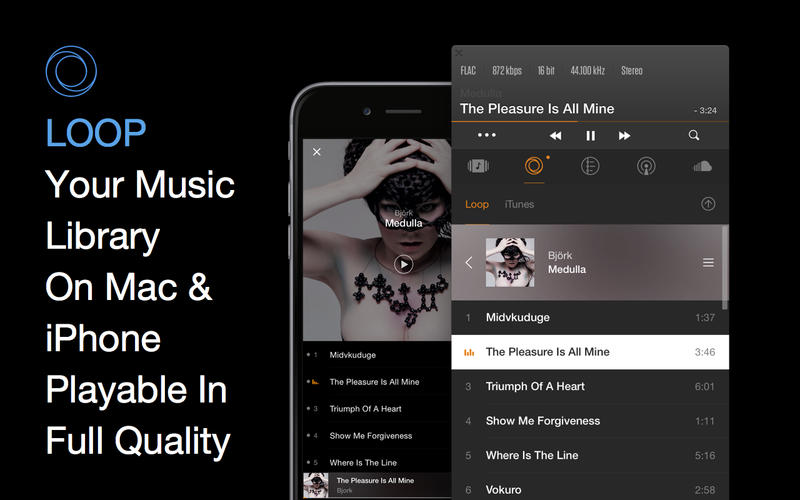
- Work with different audio sources including custom Playlist, iTunes Library, online Radio & even more in the future;
- Keep your listening statistics up-to-date with your LastFM account by means of LastFM scribbling.
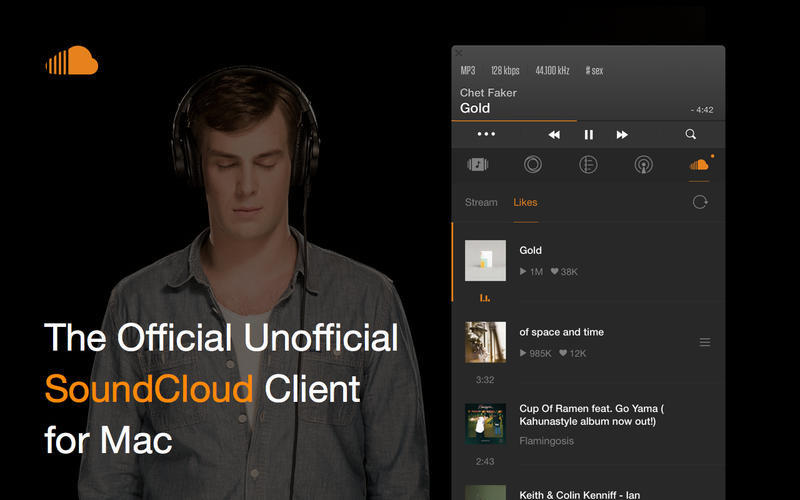
Full SoundCloud integration:
- Easily control SoundCloud from inside VOX.
- Access the largest database of the world’s music & discover new sound.
- Bring your SoundCloud stream and likes directly into VOX.
Get more out of your technical equipment:
- Advanced Audio Features: HOG Mode; Improved multi-output device support;
- Convert stereophonic audio in your headphones to binaural using Bauer DSP (BS2B) technology;
- Pause playback automatically on headphones disconnection;
- Take full advantage of AirPlay (10.9+) to listen from any of your wireless output devices.
WHAT’S NEW
Version 2.7.7:
- Fixed issue with re-login to LastFM
- Fixed Quick type search for Loop and iTunes source
- Decreased traffic usage for Loop artworks uploading
- Minor UI fixes
Screenshots
Includes Radio In-App Purchase! (Normally $4.99)
Frequently asked questions
How do I install the app?
Mount the image, drag the app into the "Applications" folder and launch it. If the system blocks the launch, allow it in "System Settings → Privacy & Security".
The app is damaged or won't launch
Reinstalling from a fresh image usually helps. Make sure your macOS version matches the one listed in the compatibility specs.
How do I update?
Download the new version from the site and install it over the current one — your settings will be preserved.
The download link doesn't work
Try a mirror or a download manager. For large files the browser often drops the connection.
How do I completely remove the app?
Use an uninstaller utility — it cleans up the service files that remain after moving the app to the trash.
VersionVOX 2.7.7
DeveloperCoppertino, inc.
CompatibilityOS X 10.9 or later.
LanguageMultilangual
IncludesPre-K'ed





Choose a download source
VOX 2.7.7 · 19.1 MB
Comments 2