
Write 1.1.6
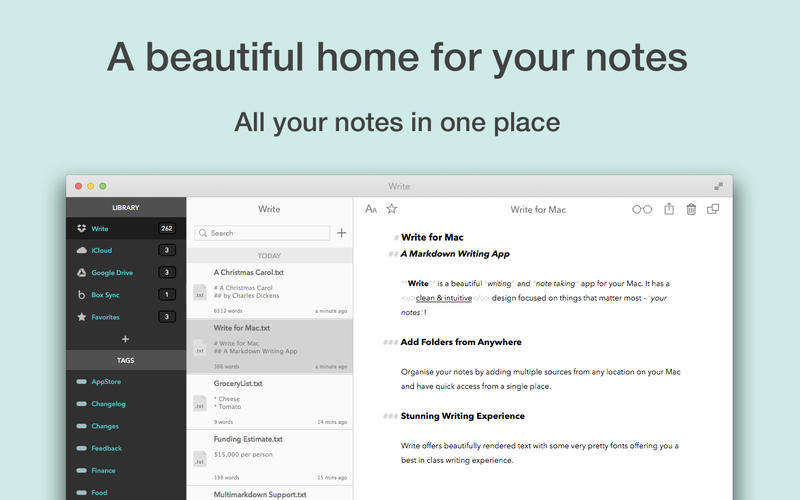
Write is a modern note taking app with a stunning interface.
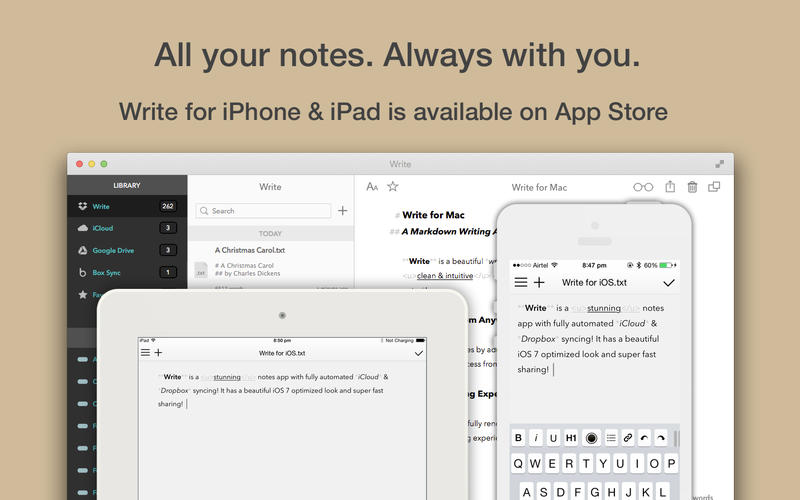
NOTE: iCloud sync between iOS and Mac version of Write is currently broken. I have no definite date on a fix for this. Dropbox sync should be working just fine.
You might be a writer, student, blogger or just a simple person who likes to keep things in order and make life productive, you'll love Write!
No matter where you store your notes, Write will organise and present them beautifully.
Features
- Full Multimarkdown 4 Support
- Syntax Highlighting and a unique Rich Text Markdown mode
- Distraction free writing interface
- Beautiful handpicked fonts and support to use your own fonts
- Type Writer Scrolling
- Customisable Theme and Export CSS
- Butter smooth scrolling no matter how big your document
- Word, Sentence, Paragraph count and Estimated Reading Time stats
- Drag Drop Image/URL Support via panels
- Select to Copy HTML offers super quick way to get HTML code for a particular piece of markdown text
- Dark Theme
- Menu bar app
Tags & Syncing
- Organise your notes with tags
- Any tag you add via Write will be available in Finder (Mavericks only)
- Any tag you add via Write for iOS will be available in Finder
- Full Dropbox* synchronisation for notes
- Ability to use Google Drive, Box.net, SkyDrive, etc to read, edit & save your notes*.
*requires respective Mac client app.
Sharing
- Export as PDF, RTF and HTML
- Share over iMessage or AirDrop
- Post on Twitter or Facebook
- Customisable Export CSS
SCREENSHOTS

Frequently asked questions
How do I install the app?
Mount the image, drag the app into the "Applications" folder and launch it. If the system blocks the launch, allow it in "System Settings → Privacy & Security".
The app is damaged or won't launch
Reinstalling from a fresh image usually helps. Make sure your macOS version matches the one listed in the compatibility specs.
How do I update?
Download the new version from the site and install it over the current one — your settings will be preserved.
The download link doesn't work
Try a mirror or a download manager. For large files the browser often drops the connection.
How do I completely remove the app?
Use an uninstaller utility — it cleans up the service files that remain after moving the app to the trash.
VersionWrite 1.1.6
DeveloperTanmay Sonawane
CompatibilityOS X 10.9 or later, 64-bit processor
LanguageEnglish, French, German, Greek, Italian, Japanese, Polish, Simplified Chinese, Spanish, Traditional Chinese
IncludesPre-K'ed




Information
Visitors in the group Guests cannot leave comments on this publication.
Choose a download source
Write 1.1.6 · 14.43 MB