
Templates Bundle for iWork - Templates Guru 5.0
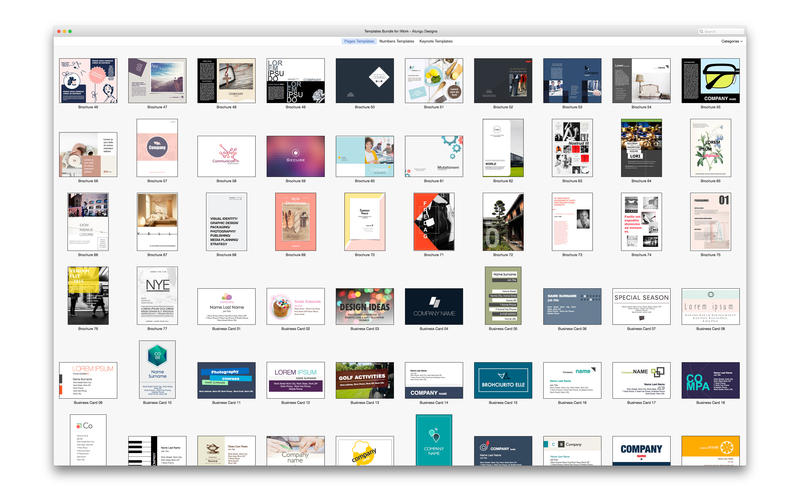
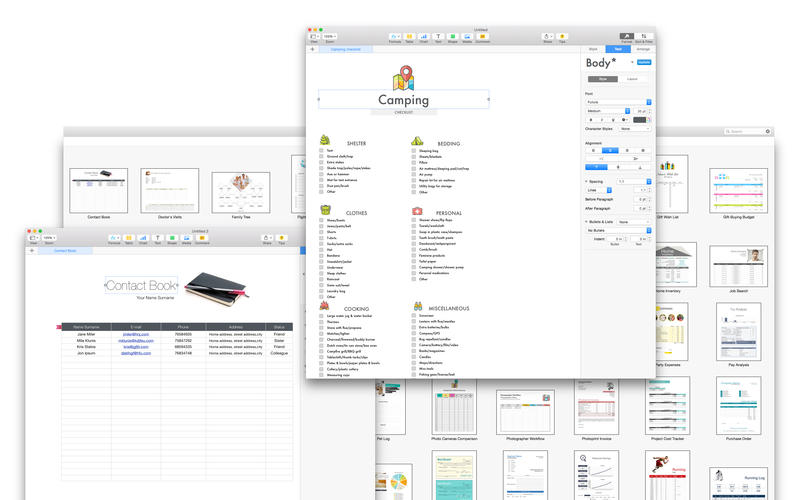
Templates Bundle for iWork - Templates Guru is the ultimate tool for users of iWork, providing you with over 800 templates for Pages, Numbers and Keynote.
This collection includes 680 unique designs for your Pages documents, 35 quality presentation themes for Keynote, and 90 spreadsheet templates for Numbers.
All templates are easily customizable and available in the US and international page formats.
Pages Templates
The premium-quality Pages Templates selection offers 680 beautiful and functional designs for Apple’s Pages. It includes an ecclectic mixture of template types, from business proposals and newsletters to posters and certificates. Pages Templates features a captivating combination of modern print layouts and a great deal of creative talent, adding a streak of sophistication to your content.
Numbers Templates
The high-quality Numbers Templates collection contains 90 helpful templates for Apple`s Numbers. Put them to use for your business or personal needs. Sort out your day-to-day tasks without a hitch. Customize the templates to your requirements: create tables, make calculations, generate diagrams, and incorporate images—make your assignments better organized and less demanding.
Keynote Templates
Keynote Templates includes 35 themes for Keynote presentations. These are more than merely good-looking backgrounds—each one of them consists of up to 24 different master slides so that you can plump for the best layout for your information. The themes are available in two sizes: standard (4:3) and wide (16:9). Let us take care of the appearance of your slideshow, while you focus on the point you're making.
Requires: iWork'09 or later.
WHAT’S NEW
Version 5.0
- Minor improvements.
Screenshots

Frequently asked questions
How do I install the app?
Mount the image, drag the app into the "Applications" folder and launch it. If the system blocks the launch, allow it in "System Settings → Privacy & Security".
The app is damaged or won't launch
Reinstalling from a fresh image usually helps. Make sure your macOS version matches the one listed in the compatibility specs.
How do I update?
Download the new version from the site and install it over the current one — your settings will be preserved.
The download link doesn't work
Try a mirror or a download manager. For large files the browser often drops the connection.
How do I completely remove the app?
Use an uninstaller utility — it cleans up the service files that remain after moving the app to the trash.
VersionTemplates Bundle for iWork - Templates Guru 5.0
DeveloperAlungu UAB
CompatibilityOS X 10.10 or later, 64-bit processor
LanguageEnglish
IncludesPre-K'ed
Related posts
-
 Templates Bundle for iWork - Alungu Designs 4.0
Productivity1.94 GB
Templates Bundle for iWork - Alungu Designs 4.0
Productivity1.94 GB
-
 GN Bundle for iWork - Templates 6.1
Graphic Design14.51 MB
GN Bundle for iWork - Templates 6.1
Graphic Design14.51 MB
-
 Templates Expert - Templates for Pages, Keynote 6.0
Productivity1.43 GB
Templates Expert - Templates for Pages, Keynote 6.0
Productivity1.43 GB
-
 Suite for iWork: Themes for Keynote, Templates for Pages and Numbers 9.1
Graphic Design144.62 MB
Suite for iWork: Themes for Keynote, Templates for Pages and Numbers 9.1
Graphic Design144.62 MB
-
 DesiGN for Numbers - Templates 5.0.5
Mac Apps14.07 MB
DesiGN for Numbers - Templates 5.0.5
Mac Apps14.07 MB
Information
Visitors in the group Guests cannot leave comments on this publication.
Choose a download source
Templates Bundle for iWork - Templates Guru 5.0 · 1.94 GB