AutoCrypt 2.5.2
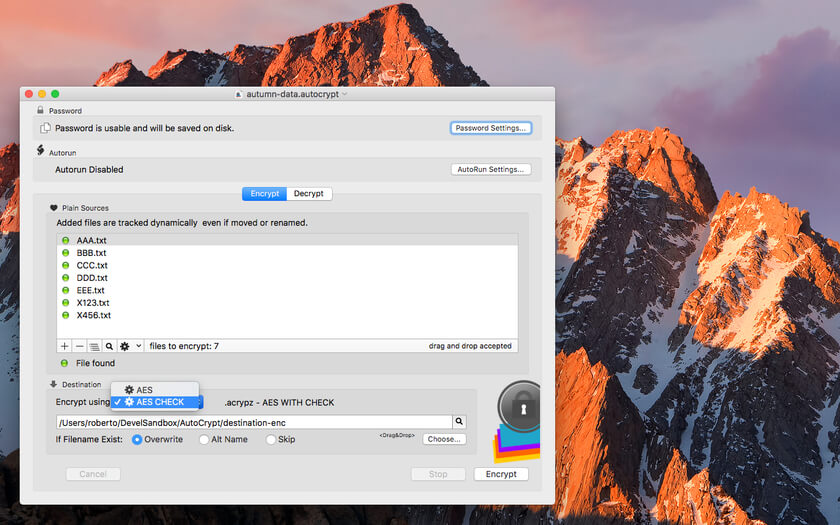
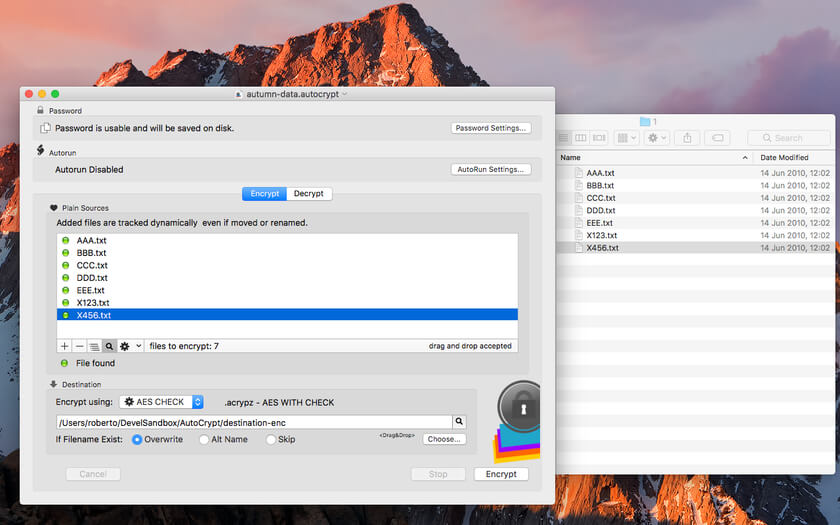

AutoCrypt, is an encryption/decryption app with a document-based approach.
AutoCrypt uses the latest Apple technology:
- Sandbox: The app works at the maximum security level
- Resume: the app will reopen at the point and state the user left it
- Auto save: the app saves using the Mac OS X autosave functionality
- Versions: the user can look at previous versions of documents and restore to any earlier version
- Full Screen: the user can switch at any time to full screen using the native OS X Lion full screen mode and commands
- Asynchronous tasks
Features
- Can work as a desktop tool or as a batch utility
- Save inside documents all the setting used to encrypt and decrypt group of files
- Encrypt and save in a custom place with one click or even unattended
- Can encrypt and decrypt list of files using the same document
- Accept input via drag and drops for an immediate and easy input
- Powerful features to manipulate list of files
- Uses latest technology with asynchronous tasks to perform fast and fluid encryption and decryption
- Can use also Blowfish encryption/decryption for previous compatibility
- Provides an embedded PDF manual
Version 2.5:
- Improved file handling
- Improved file encryption
- Improved User Interface
- Improved graphics
- Bug fixes
- Improved PDF User Guide
Frequently asked questions
How do I install the app?
Mount the image, drag the app into the "Applications" folder and launch it. If the system blocks the launch, allow it in "System Settings → Privacy & Security".
The app is damaged or won't launch
Reinstalling from a fresh image usually helps. Make sure your macOS version matches the one listed in the compatibility specs.
How do I update?
Download the new version from the site and install it over the current one — your settings will be preserved.
The download link doesn't work
Try a mirror or a download manager. For large files the browser often drops the connection.
How do I completely remove the app?
Use an uninstaller utility — it cleans up the service files that remain after moving the app to the trash.




Choose a download source
AutoCrypt 2.5.2 · 7.8 MB
Previous versions
AutoCrypt 2.5.2
Previous versions are available to registered users.