
iTubeDownloader 6.5.9

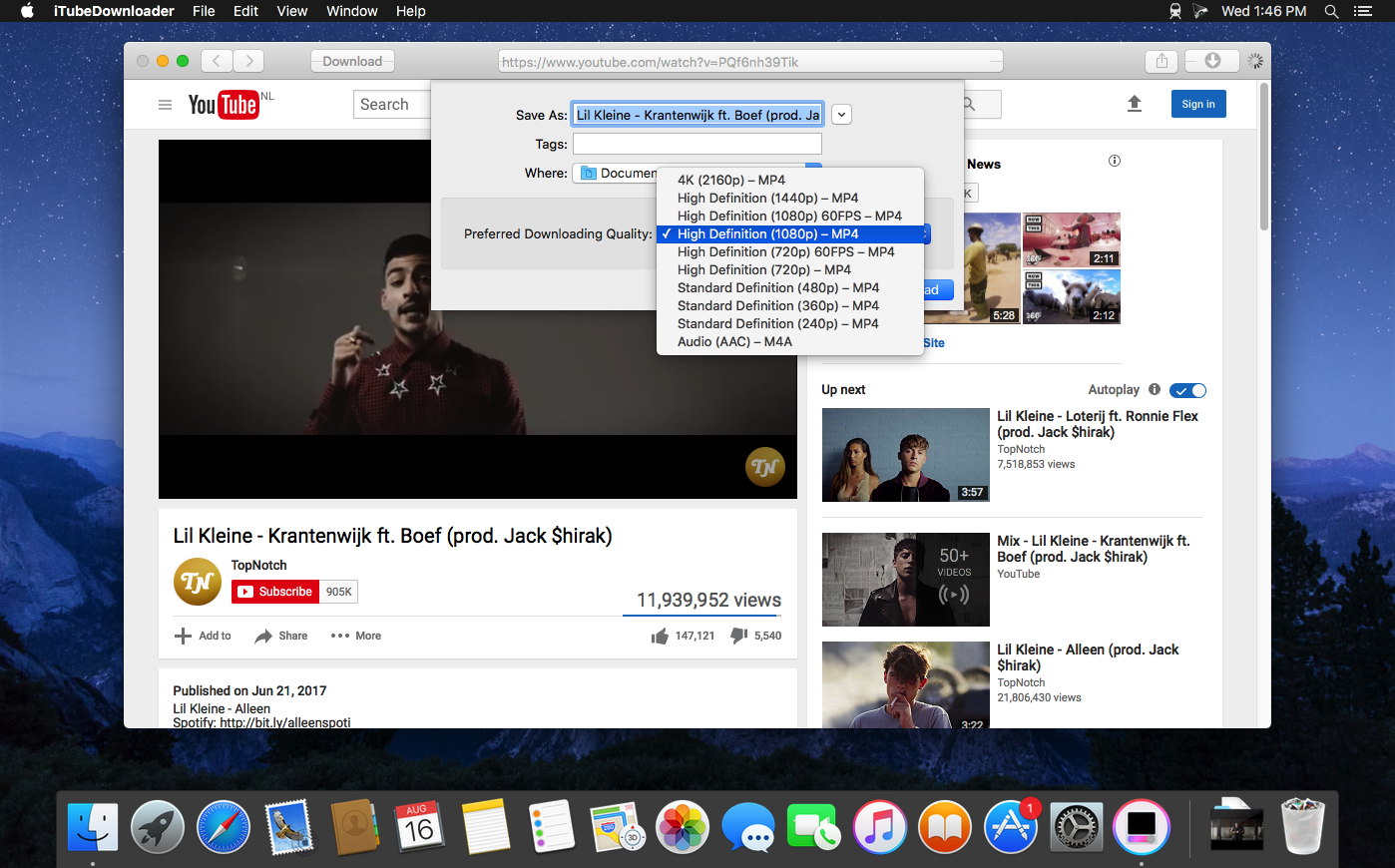

TubeDownloader 6 makes downloading YouTube videos even more enjoyable with easy-to-use features, such as a download queue, channel & playlist downloading, improved browsing performance and much more.
Search. Watch. Download
From the beginning we wanted iTubeDownloader to be simple, yet incredibly powerful. So, our goal was to add even more features to iTubeDownloader but, make it simple to use – and that's what we did with iTubeDownloader 6.
Download Queue
iTubeDownloader 6 now has a download queue. The download queue will enable you to add multiple videos, and have the program take care of executing them in order. Also, you can have the program execute downloads simultaneously giving you even more power!
New Browser Features
With iTubeDownloader 6 we added new features to make browsing YouTube easier. iTubeDownloader features multi-touch gestures so you can swipe to navigate the webpage, and with improved energy efficiency and performance, your notebook battery lasts longer between charges.
Downloading is as easy as 1, 2, 3
iTubeDownloader makes it simple to quickly download a YouTube video, channel, or an entire playlist to your Mac.
- Navigate: Use the built in web browser for navigation. You can also simply paste a YouTube URL in the address bar and tap the enter key to navigate to the webpage.
- Download: To download a video, channel, or playlist click the Download button in the toolbar.
- Manage: The downloads list will then automatically open when a download item has been added. From here you can manage your downloads.
Version 6.5.9:
- Release notes were unavailable when this listing was updated.
Frequently asked questions
How do I install the app?
Mount the image, drag the app into the "Applications" folder and launch it. If the system blocks the launch, allow it in "System Settings → Privacy & Security".
The app is damaged or won't launch
Reinstalling from a fresh image usually helps. Make sure your macOS version matches the one listed in the compatibility specs.
How do I update?
Download the new version from the site and install it over the current one — your settings will be preserved.
The download link doesn't work
Try a mirror or a download manager. For large files the browser often drops the connection.
How do I completely remove the app?
Use an uninstaller utility — it cleans up the service files that remain after moving the app to the trash.
VersioniTubeDownloader 6.5.9
DeveloperAlphaSoft
CompatibilityOS X 10.10 or later, 64-bit processor
LanguageEnglish
IncludesK'ed by TNT





Information
Visitors in the group Guests cannot leave comments on this publication.
Choose a download source
iTubeDownloader 6.5.9 · 40.82 MB
Previous versions
iTubeDownloader 6.5.9
Previous versions are available to registered users.