Smart DVD Creator 1.4.0
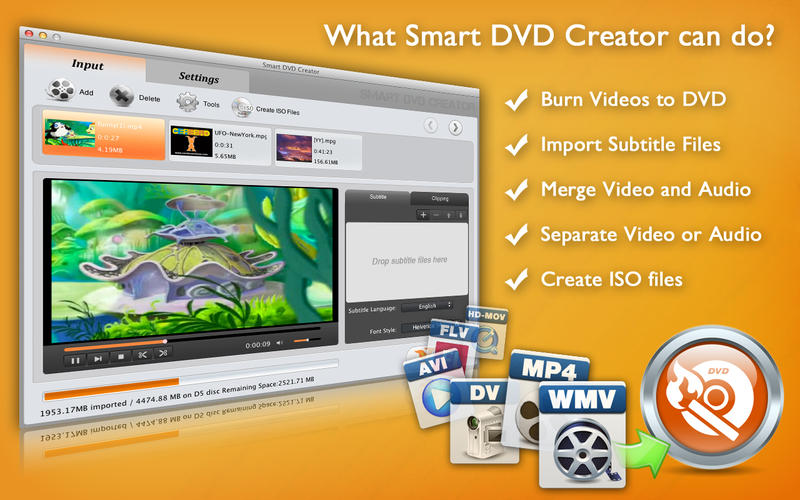
Smart DVD Creator can be used to burn popular video formats including MP4, MKV, FLV, AVI, etc., to DVD. This DVD burner can not only burn video to DVD disc that will playback in any DVD player or computer's DVD drive, but also can create ISO files, which are suitable for virtual-drive users.
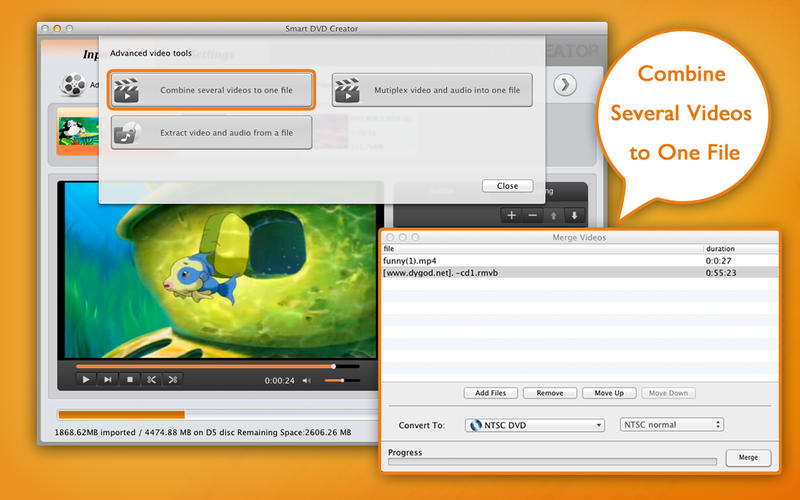
Beside, Smart DVD Creator allows you to edit videos using tools like trim, crop, merge, etc. Moreover, the full version can add multiple subtitles to your videos, then burn them to DVD discs or ISO files. The intuitive interface lets you easily import a few video clips, and burn them to disc effortlessly. Smart DVD Creator supports burning of DVDs at ultra-fast speed but without loss DVD quality.
Key Features
- Create personalized DVD movies from footage of favorite moments.
- Support burning popular video formats including MP4, MKV, FLV, AVI, MPEG, DivX, DV, and WMV to DVD.
- Support high definition ( AVCHD, HD-MOV, HD-MKV, HD-WMV) videos importing.
- Search and connect your digital camera, camcorder, or mobile phone to transfer DV (AVCHD, MOD, TOD) video clips.
- Import lots of subtitle file formats, including .srt, .sub, .ass, .smi, and so on.
- Personalize video by trimming, cropping, and merging video for DVD movie output.
- Convert downloaded videos and movies to DVD.
- Customize output video quality per your request. You can burn 8-hour video into one DVD-5.
- Preview exactly what your DVD will look like and play before burning the disc with built-in DVD player tool.
- Generate an ISO file if you do not want to burn it directly to DVD, so that you can burn it later.
- Highly compatible with DVD-5, DVD-9, DVD-R, DVD+R, DVD-R DL, DVD+R DL, DVD-RW, DVD+RW.
WHAT’S NEW
Version 1.4.0 (1.3.0):
- Fixed compatibility with OS X 10.10 Yosemite
Screenshots

Frequently asked questions
How do I install the app?
Mount the image, drag the app into the "Applications" folder and launch it. If the system blocks the launch, allow it in "System Settings → Privacy & Security".
The app is damaged or won't launch
Reinstalling from a fresh image usually helps. Make sure your macOS version matches the one listed in the compatibility specs.
How do I update?
Download the new version from the site and install it over the current one — your settings will be preserved.
The download link doesn't work
Try a mirror or a download manager. For large files the browser often drops the connection.
How do I completely remove the app?
Use an uninstaller utility — it cleans up the service files that remain after moving the app to the trash.
VersionSmart DVD Creator 1.4.0
Developeretinysoft Inc. © eTinySoft Inc.
CompatibilityOS X 10.6 or later, 64-bit processor
LanguageEnglish
IncludesPre-K'ed


Information
Visitors in the group Guests cannot leave comments on this publication.
Choose a download source
Smart DVD Creator 1.4.0 · 16.1 MB