
TurboCollage Pro 7.3.1
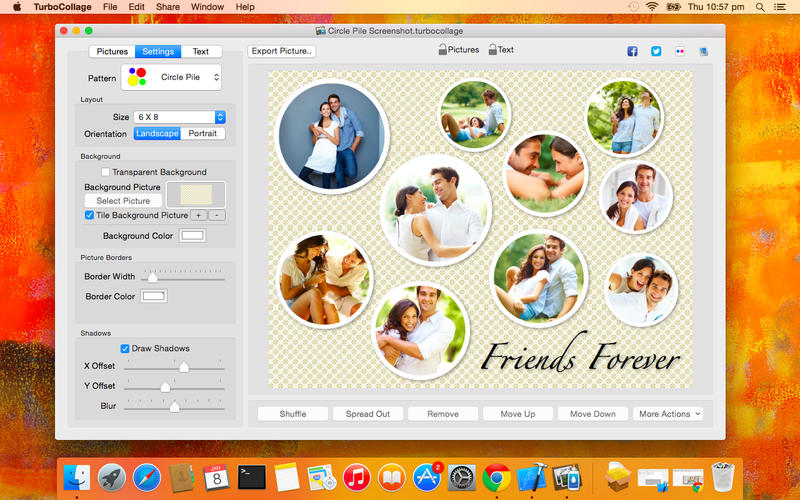

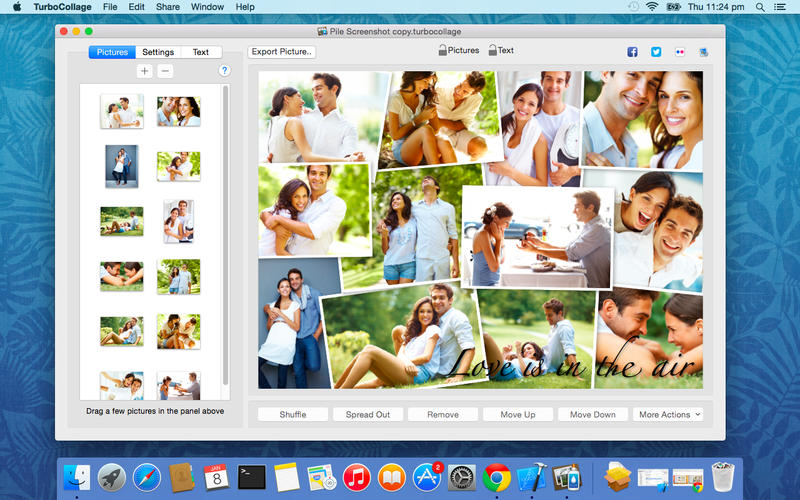
TurboCollage (was Collage Creator) gives you the power to create stunning picture collages. Setup a collage with a prominent center picture, arrange pictures in a regular grid, or create a random picture pile. Tie fond memories together into gorgeous picture mosaics. With an intuitive interface, Collage Creator gives you complete control over your collage design.
Features
- Customize picture shadows
- Drag a picture on another picture to exchange them
- Shuffle collage to get a completely new layout
- Pan and zoom pictures within their frames
- Drag, scale, or rotate pile pictures
- Change pile order to bring more prominent pictures on top
- Customize picture borders
- Select background picture or color
- Use transparent background
- Create Landscape or Portrait collages
- Wide range of sizes and aspect ratios
COLLAGE STYLES
- Regular Pile
- Circle Pile
- Picture Grid
- Mosaic
- Center Frame
- Zig Mosaic
- Photohive
Version 7.3.1:
- Release notes were unavailable when this listing was updated.
Frequently asked questions
How do I install the app?
Mount the image, drag the app into the "Applications" folder and launch it. If the system blocks the launch, allow it in "System Settings → Privacy & Security".
The app is damaged or won't launch
Reinstalling from a fresh image usually helps. Make sure your macOS version matches the one listed in the compatibility specs.
How do I update?
Download the new version from the site and install it over the current one — your settings will be preserved.
The download link doesn't work
Try a mirror or a download manager. For large files the browser often drops the connection.
How do I completely remove the app?
Use an uninstaller utility — it cleans up the service files that remain after moving the app to the trash.




Choose a download source
TurboCollage Pro 7.3.1 · 27.51 MB
Previous versions
TurboCollage Pro 7.3.1
Previous versions are available to registered users.