
TryToMp3 v4.0
TryToMp3 which makes It's easy and smart to try convert other format to MP3.
Features in current stable releas
1.support some popular audio format like:
- 8SVX exponential
- 8SVX fibonacci
- AAC+
- AAC
- AC-3s
- ADPCM 4X Movie
- ADPCM CDROM XA
- ADPCM Creative Technology
- ADPCM Electronic Arts
- ADPCM Electronic Arts Maxis CDROM XS
- ADPCM Electronic Arts R1
- ADPCM Electronic Arts R2
- ADPCM Electronic Arts R3
- ADPCM Electronic Arts XAS
- ADPCM G.722
- ADPCM G.726
- ADPCM IMA AMV
- ADPCM IMA Electronic Arts EACS
- ADPCM IMA Electronic Arts SEAD
- ADPCM IMA Funcom
- ADPCM IMA QuickTime
- ADPCM IMA Loki SDL MJPEG
- ADPCM IMA WAV
- ADPCM IMA Westwood
- ADPCM ISS IMA
- ADPCM IMA Dialogic
- ADPCM IMA Duck DK3
- ADPCM IMA Duck DK4
- ADPCM IMA Radical
- ADPCM Microsoft
- ADPCM MS IMA
- ADPCM Nintendo Gamecube AFC
- ADPCM Nintendo Gamecube DTK
- ADPCM Nintendo Gamecube THP
- ADPCM QT IMA
- ADPCM SEGA CRI ADX
- ADPCM Shockwave Flash
- ADPCM Sound Blaster Pro 2-bit
- ADPCM Sound Blaster Pro 2.6-bit
- ADPCM Sound Blaster Pro 4-bit
- ADPCM Westwood Studios IMA
- ADPCM Yamaha
- AMR-NB
- AMR-WB
- Amazing Studio PAF Audio
- Apple lossless audio
- ATRAC1
- ATRAC3
- ATRAC3+
- Bink Audio
- CELT
- Delphine Software International CIN audio
- Discworld II BMV Audio
- COOK
- DCA (DTS Coherent Acoustics)
- DPCM id RoQ
- DPCM Interplay
- DPCM Sierra Online
- DPCM Sol
- DPCM Xan
- DSP Group TrueSpeech
- DV audio
- Enhanced AC-3
- EVRC (Enhanced Variable Rate Codec)
- FLAC (Free Lossless Audio Codec)
- G.723.1
- G.729
- GSM
- GSM Microsoft variant
- IAC (Indeo Audio Coder)
- iLBC (Internet Low Bitrate Codec)
- IMC (Intel Music Coder)
- MACE (Macintosh Audio Compression/Expansion) 3:1
- MACE (Macintosh Audio Compression/Expansion) 6:1
- MLP (Meridian Lossless Packing)
- Monkey’s Audio
- MP1 (MPEG audio layer 1)
- MP2 (MPEG audio layer 2)
- MP3 (MPEG audio layer 3)
- MPEG-4 Audio Lossless Coding (ALS)
- Musepack SV7
- Musepack SV8
- Nellymoser Asao
- Opus
- PCM A-law
- PCM mu-law
- PCM signed 8-bit planar
- PCM signed 16-bit big-endian planar
- PCM signed 16-bit little-endian planar
- PCM signed 24-bit little-endian planar
- PCM signed 32-bit little-endian planar
- PCM 32-bit floating point big-endian
- PCM 32-bit floating point little-endian
- PCM 64-bit floating point big-endian
- PCM 64-bit floating point little-endian
- PCM D-Cinema audio signed 24-bit
- PCM signed 8-bit
- PCM signed 16-bit big-endian
- PCM signed 16-bit little-endian
- PCM signed 24-bit big-endian
- PCM signed 24-bit little-endian
- PCM signed 32-bit big-endian
- PCM signed 32-bit little-endian
- PCM signed 16/20/24-bit big-endian in MPEG-TS
- PCM unsigned 8-bit
- PCM unsigned 16-bit big-endian
- PCM unsigned 16-bit little-endian
- PCM unsigned 24-bit big-endian
- PCM unsigned 24-bit little-endian
- PCM unsigned 32-bit big-endian
- PCM unsigned 32-bit little-endian
- PCM Zork
- QCELP / PureVoice
- QDesign Music Codec 2
- RealAudio 1.0 (14.4K)
- RealAudio 2.0 (28.8K)
- RealAudio 3.0 (dnet)
- RealAudio Lossless
- RealAudio SIPR / ACELP.NET
- Shorten
- Sierra VMD audio
- Smacker audio
- SMPTE 302M AES3 audio
- Sonic
- Sonic lossless
- Speex
- TAK (Tom’s lossless Audio Kompressor)
- True Audio (TTA)
- TrueHD
- TwinVQ (VQF flavor)
- VIMA
- Vorbis
- Voxware MetaSound
- WavPack
- Westwood Audio (SND1)
- Windows Media Audio 1
- Windows Media Audio 2
- Windows Media Audio Lossless
- Windows Media Audio Pro
- Windows Media Audio Voice
WHAT’S NEW
Version 4.0
- Fixed the multiple conversion problem.
- UI update and code rewriting.
SCREENSHOTS
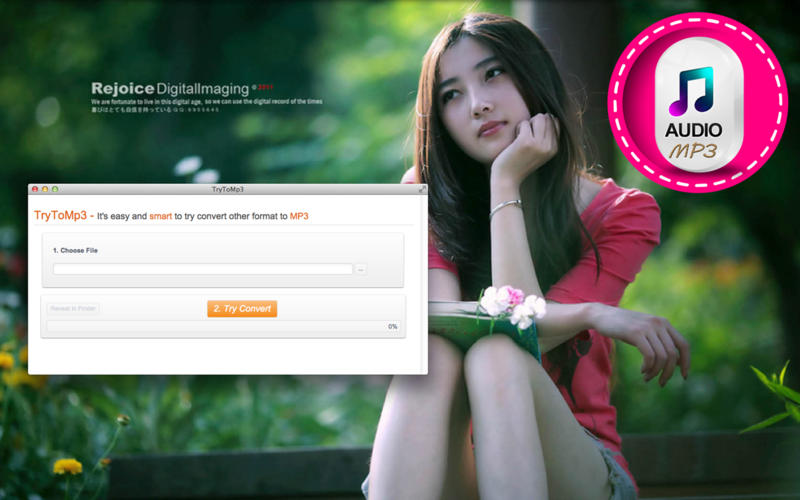
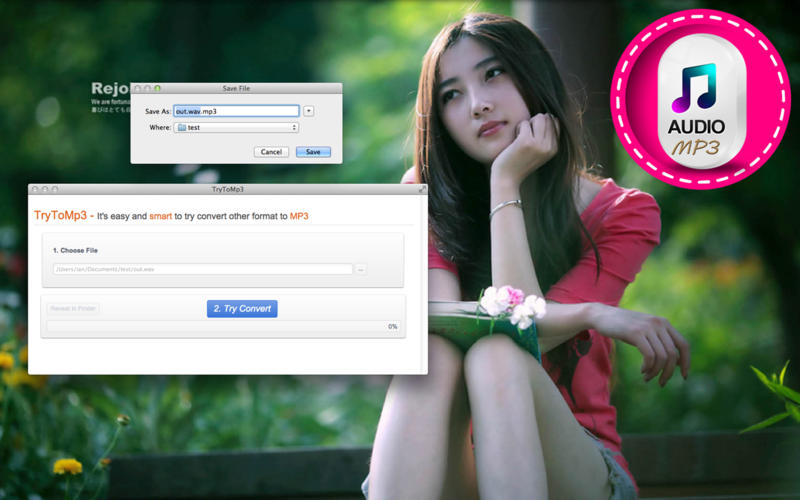
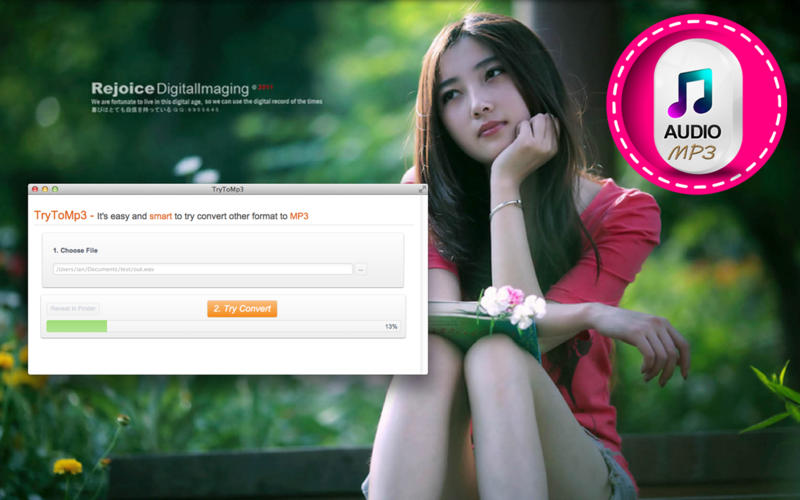
Frequently asked questions
How do I install the app?
Mount the image, drag the app into the "Applications" folder and launch it. If the system blocks the launch, allow it in "System Settings → Privacy & Security".
The app is damaged or won't launch
Reinstalling from a fresh image usually helps. Make sure your macOS version matches the one listed in the compatibility specs.
How do I update?
Download the new version from the site and install it over the current one — your settings will be preserved.
The download link doesn't work
Try a mirror or a download manager. For large files the browser often drops the connection.
How do I completely remove the app?
Use an uninstaller utility — it cleans up the service files that remain after moving the app to the trash.
VersionTryToMp3 v4.0
DeveloperSUN ZHI FENG
CompatibilityOS X 10.7 or later, 64-bit processor
LanguageMultilangual
IncludesPre-K'ed

Information
Visitors in the group Guests cannot leave comments on this publication.
Choose a download source
TryToMp3 v4.0 · 16.85 MB