Divvy - Window Manager 1.5.2
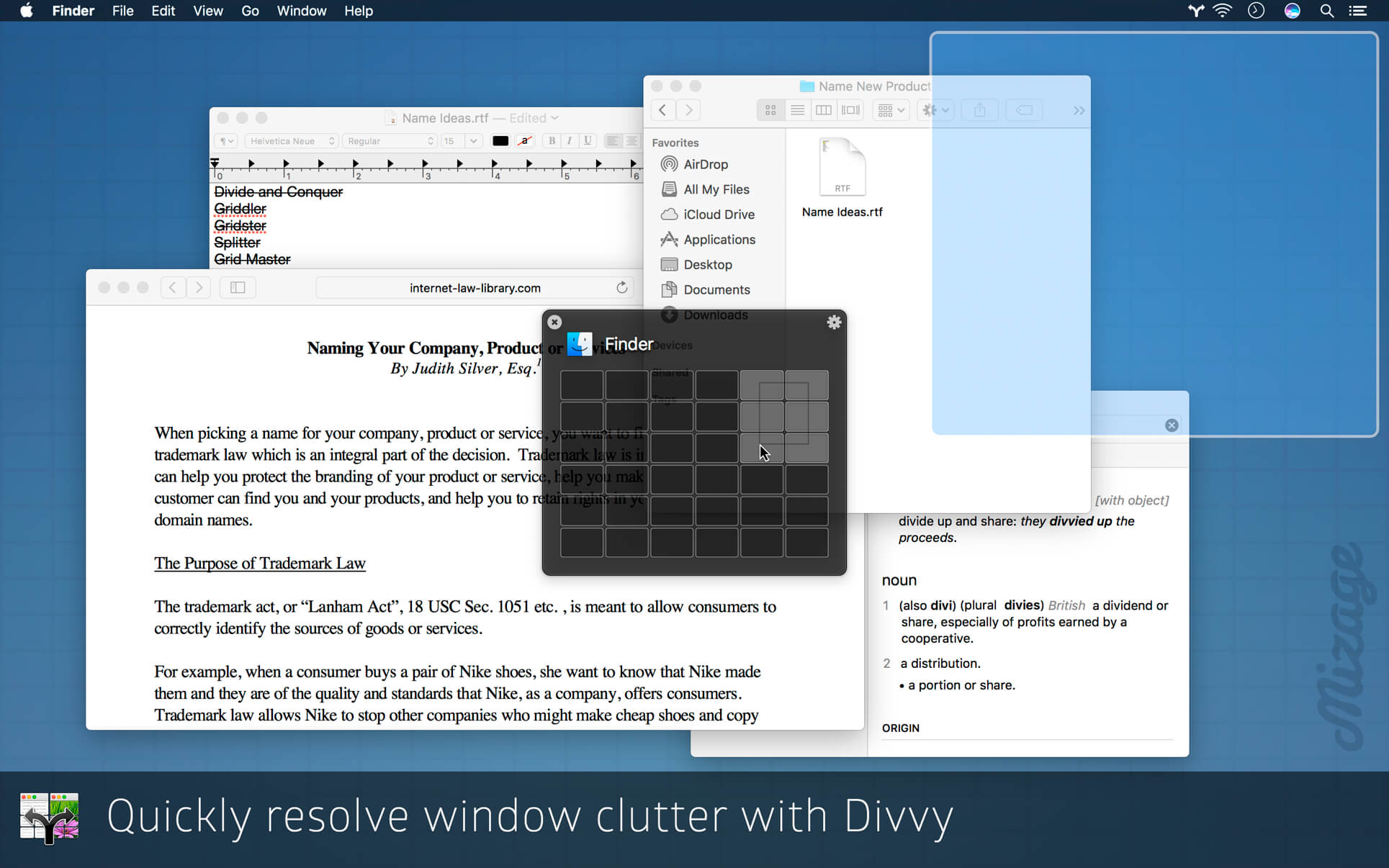

Divvy is an entirely new way of managing your workspace. It allows you to quickly and efficiently "divvy up" your screen into exact portions.
The Problem:
Managing windows can be frustrating, requiring precision control of your mouse or trackpad for clicking, dragging, pushing and pulling your windows to the size and position you desire. Even with all this work, it’s very difficult to get windows exactly where you want them, so most of the time windows are left scattered all over the screen.
The Solution:
Divvy, a solution for both Mac OS X and Microsoft Windows, is an entirely new way of managing your windows. It allows you to quickly and efficiently "divvy up" your screen into exact portions. This lets you take maximum advantage of your screen real estate without any hassle at all. Window management has never been this easy.
With Divvy, it’s as simple as a single click and drag in the Divvy interface and your window will be resized and moved to a relative portion of the screen. If that seems like too much work, you can go ahead and create as many different shortcuts as you'd like that resize and move your windows.
Divvy is designed to be quick, simple and elegant, staying out of your way as much as possible while providing the most powerful window management available today.
Features:
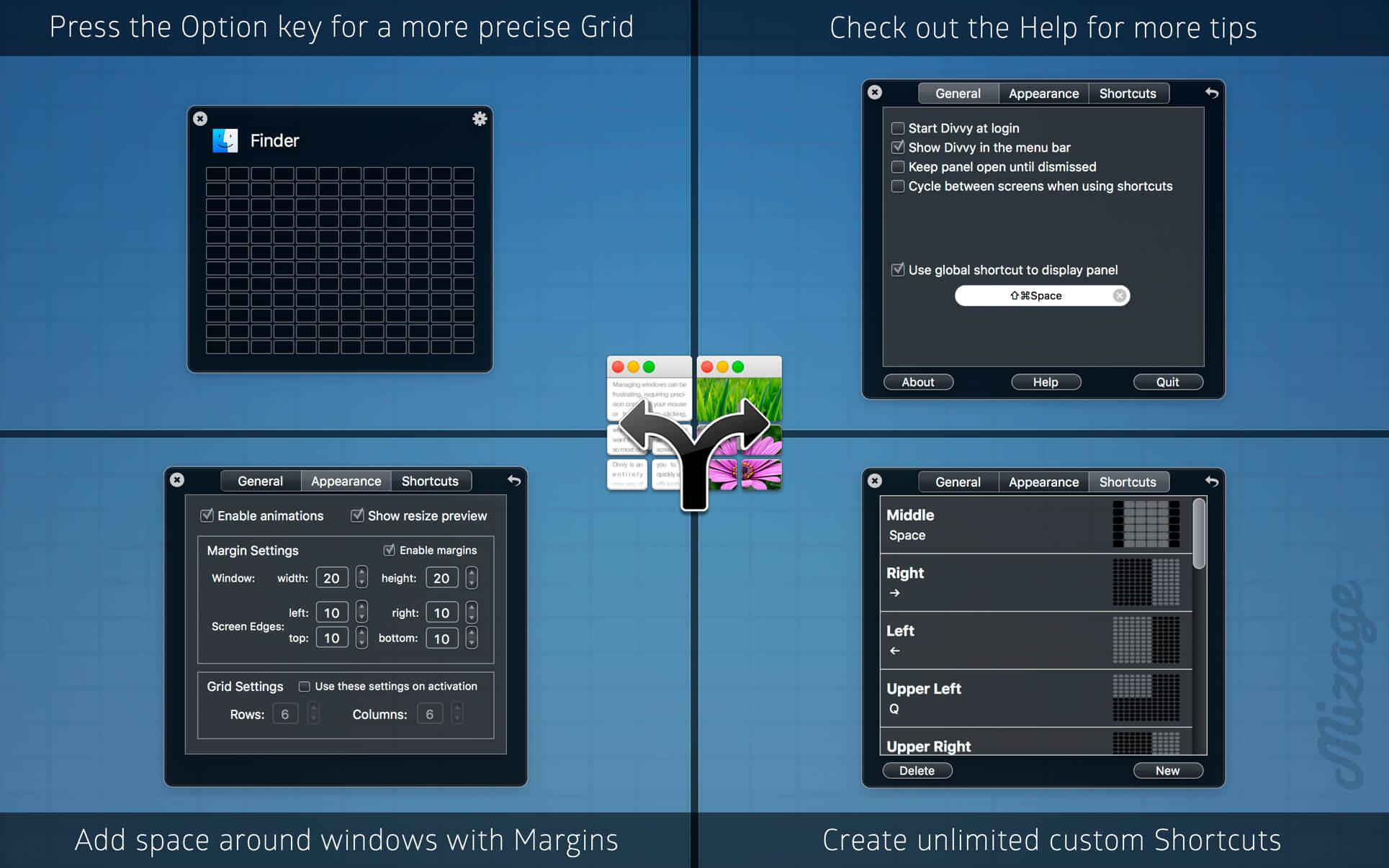
- Resize your windows with the innovative Divvy grid
- Customizable grid size (from 1x1 up to 20x20)
- Works with multiple monitors
- Unlimited user-customizable keyboard shortcuts
- Access Divvy from anywhere using a configurable global hotkey
Version 1.5.2
- Compatibility with future macOS update
Frequently asked questions
How do I install the app?
Mount the image, drag the app into the "Applications" folder and launch it. If the system blocks the launch, allow it in "System Settings → Privacy & Security".
The app is damaged or won't launch
Reinstalling from a fresh image usually helps. Make sure your macOS version matches the one listed in the compatibility specs.
How do I update?
Download the new version from the site and install it over the current one — your settings will be preserved.
The download link doesn't work
Try a mirror or a download manager. For large files the browser often drops the connection.
How do I completely remove the app?
Use an uninstaller utility — it cleans up the service files that remain after moving the app to the trash.
VersionDivvy - Window Manager 1.5.2
DeveloperMizage, LLC
CompatibilityOS X 10.10 or later 64-bit
LanguageEnglish
IncludesK'ed by TNT



Information
Visitors in the group Guests cannot leave comments on this publication.
Choose a download source
Divvy - Window Manager 1.5.2 · 4.27 MB