Timing 1.8
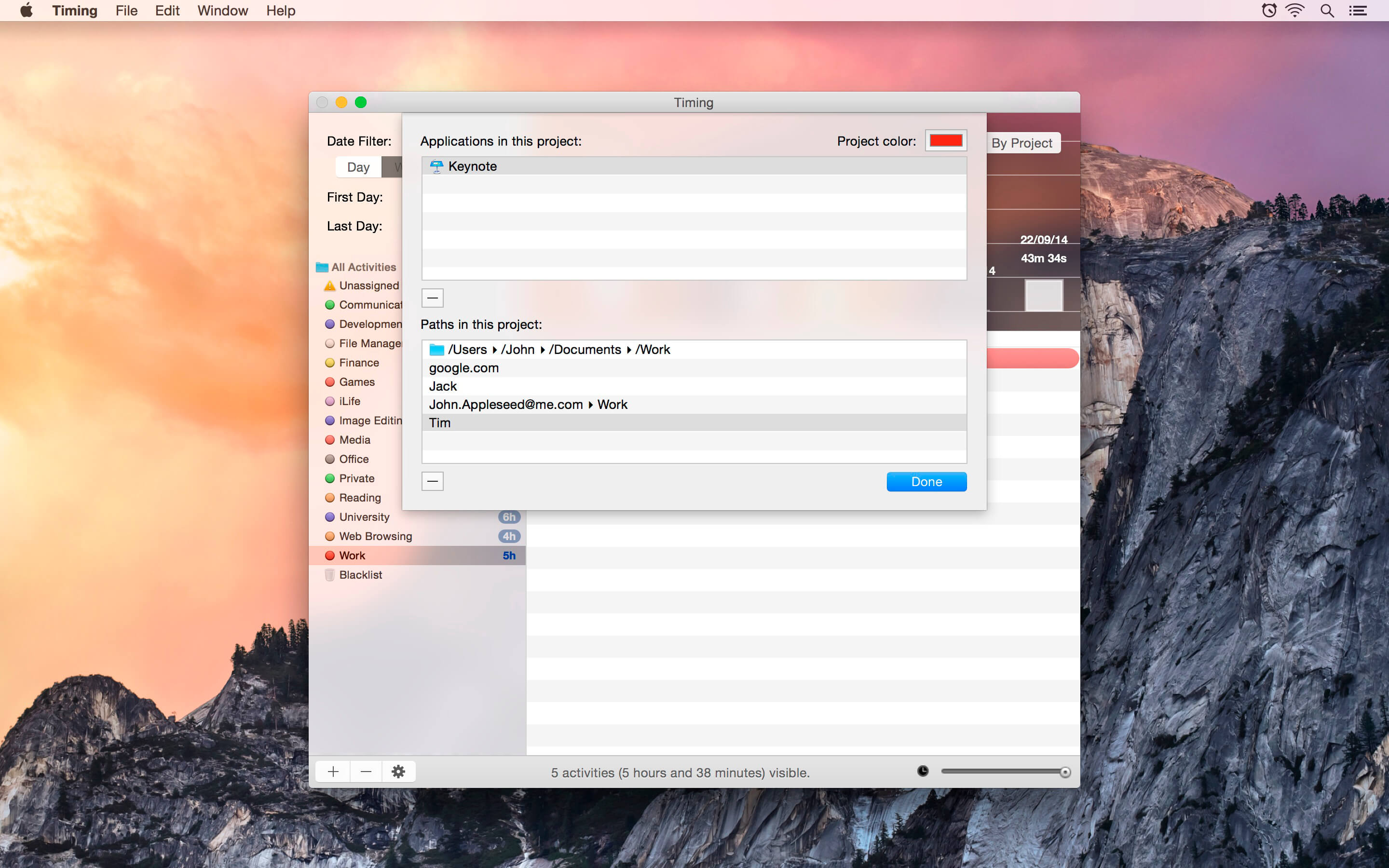
Timing is the best way to keep track of the time you spend with your Mac. Find out where your time goes -- without ever having to start a timer again! Timing automatically tracks which documents you are editing, which applications you use, and the domains of the websites you visit. You'll never have to worry about forgetting to start or stop a timer again -- there are none! It's all done in the background! After tracking, just drag and drop activities into projects. Some general categories like "Web Browsing", "Office", and "Games" have already been prepared for you, but you can customize them any way you like!
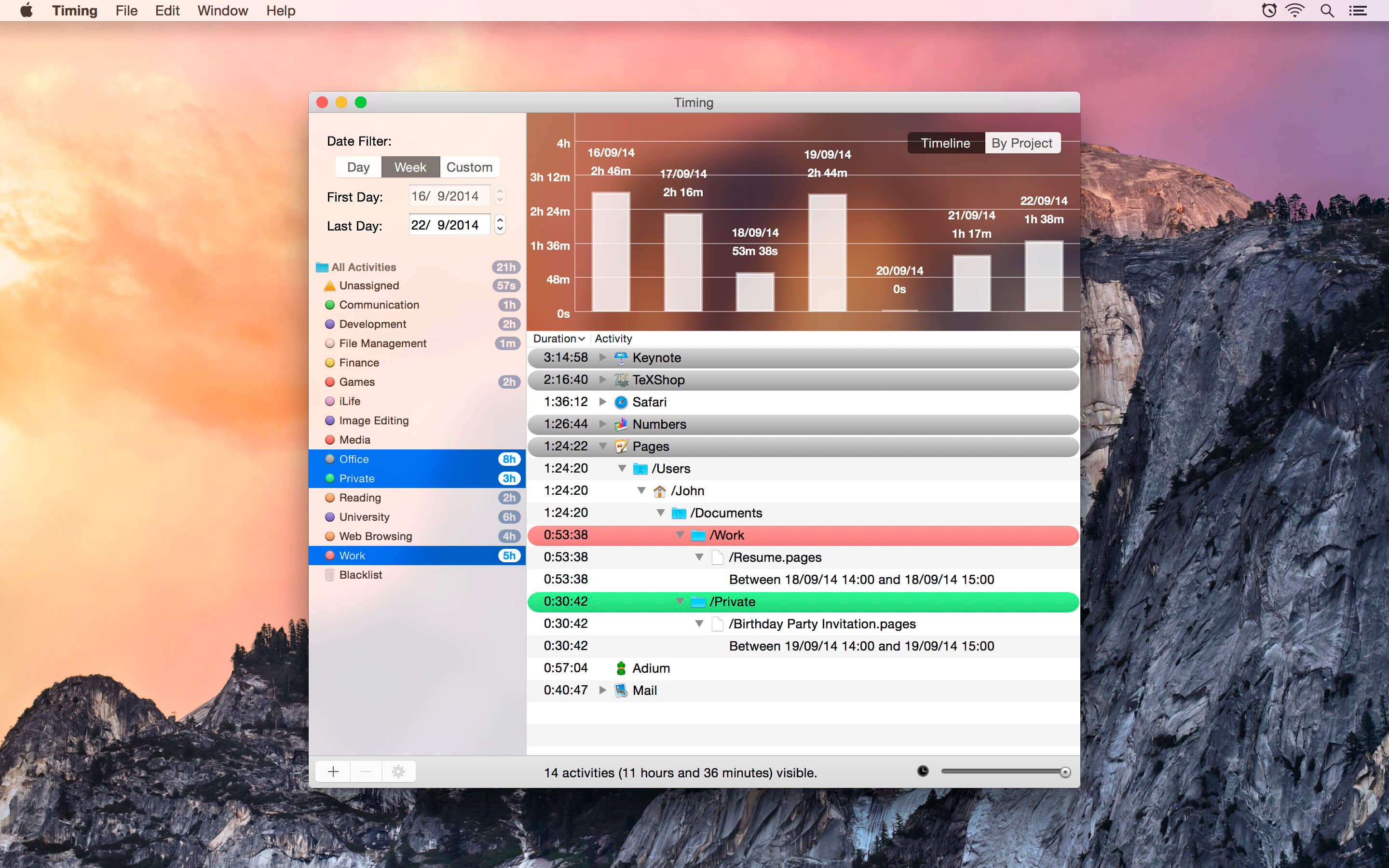
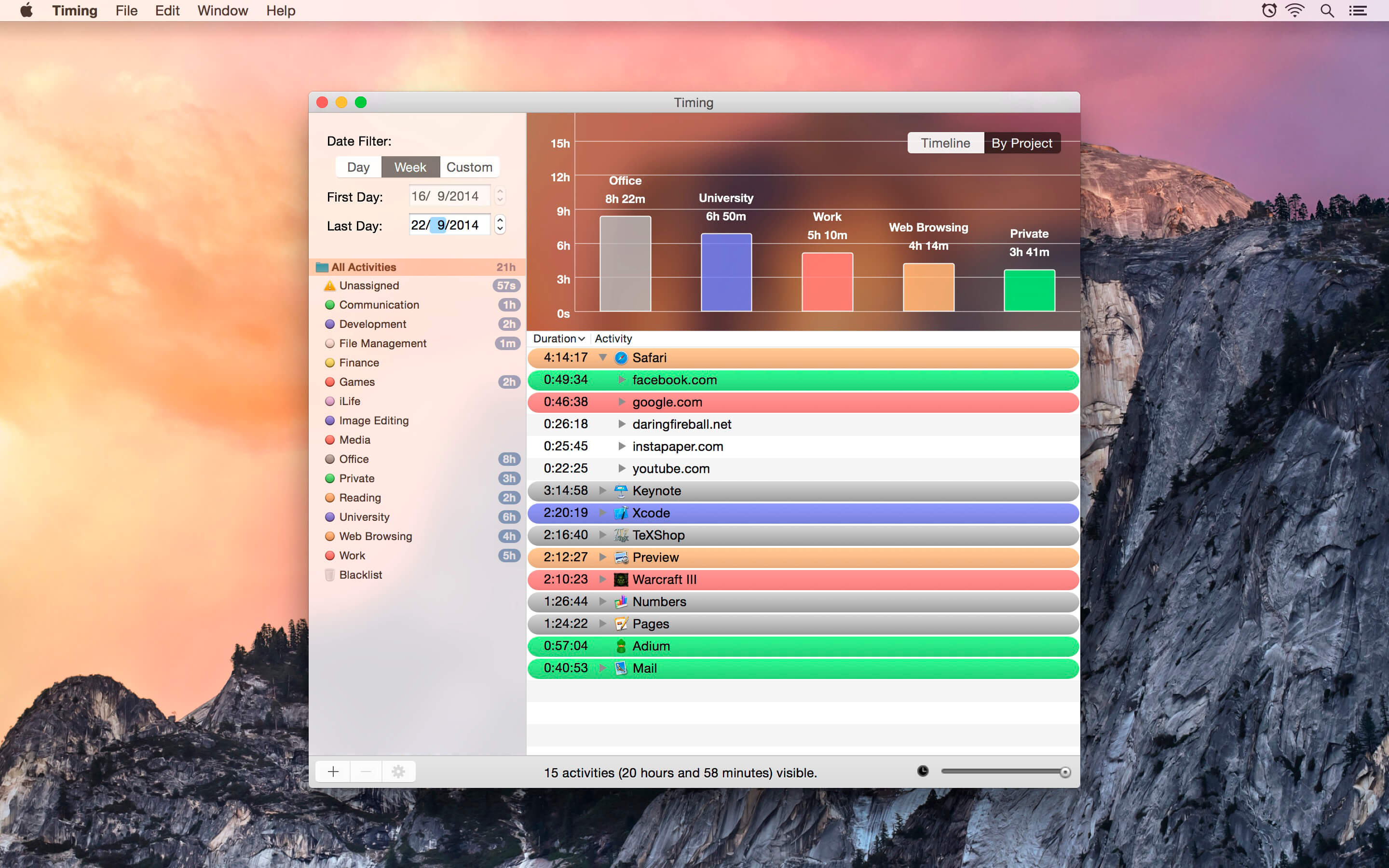
Review this week's activities with just one click! Sophisticated graphs show you how you spent your time each day and which projects consumed most of your time.
Some of the applications supported by Timing:
- Safari
- Chrome and Chromium
- Opera
- Mail
- Preview
- Photoshop (and probably the rest of the Adobe Creative Suite)
- Acorn
- iWork
- MS Office
- LibreOffice
- Evernote
- TeXShop
- Finder
- Terminal
- GitX
- Xcode (3 and 4)
- Coda
- TextWrangler and BBEdit
- Smultron and Fraise
- Kod
- MacVim and AquaMacs
- TextEdit
- Dashcode
- QuickTime Player
- VLC Player
WHAT’S NEW
Version 1.8:
- New feature: Timing now supports the Touch Bar on the new MacBook Pros. Try the duration slider (also available from the bottom right of the app's window) to quickly filter out short activities!
SCREENSHOTS
Frequently asked questions
How do I install the app?
Mount the image, drag the app into the "Applications" folder and launch it. If the system blocks the launch, allow it in "System Settings → Privacy & Security".
The app is damaged or won't launch
Reinstalling from a fresh image usually helps. Make sure your macOS version matches the one listed in the compatibility specs.
How do I update?
Download the new version from the site and install it over the current one — your settings will be preserved.
The download link doesn't work
Try a mirror or a download manager. For large files the browser often drops the connection.
How do I completely remove the app?
Use an uninstaller utility — it cleans up the service files that remain after moving the app to the trash.
VersionTiming 1.8
DeveloperThomas Osthege und Daniel Alm
CompatibilityOS X 10.9 or later, 64-bit processor
LanguageEnglish
IncludesPre-K'ed



Choose a download source
Timing 1.8 · 11.76 MB
Comments 2