One Cloud Backup 1.0.3
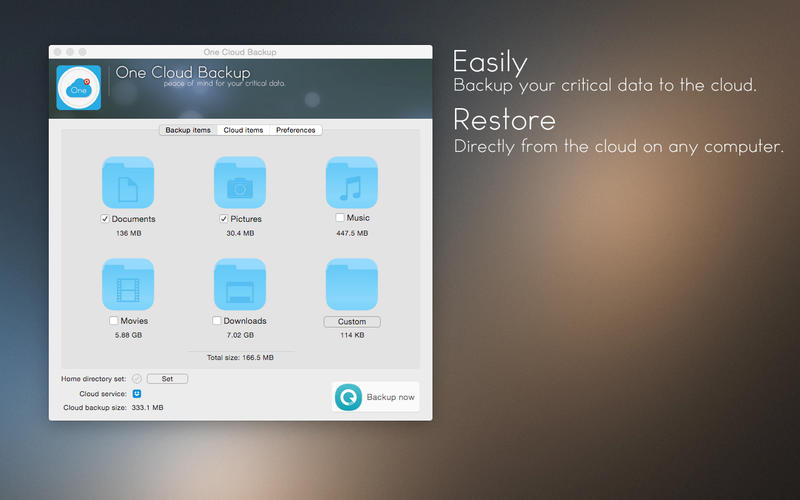
One Cloud Backup is a backup utility that uses Dropbox and/or Box cloud services to backup your data.
With One Cloud Backup you can backup the most critical data of your computer such as:
- Documents
- Pictures
- Music
- Movies
- Downloads
- Custom items of your choice
Supports two cloud services so far:
- Dropbox
- Box
Restore with one click and a lot of options, automatically:
- make backup(s) on your local content and restore
- restore only those items that don't exist on you computer (merge) (good for syncing multiple computers)
- replace your local items with the backup ones (good for updating multiple computers)
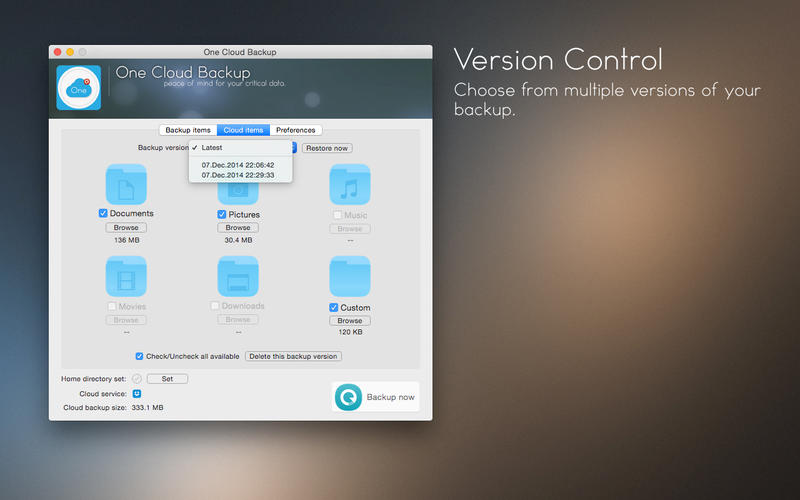
Every time you create a backup the old one is stored so you can easily access older versions of your files by date.
Older versions are easy to delete so you can free up disk space.
You can easily browse your backups and interact with their content.
WHAT’S NEW
Version 1.0.3
- Minor sync algorithm update.
SCREENSHOTS

Frequently asked questions
How do I install the app?
Mount the image, drag the app into the "Applications" folder and launch it. If the system blocks the launch, allow it in "System Settings → Privacy & Security".
The app is damaged or won't launch
Reinstalling from a fresh image usually helps. Make sure your macOS version matches the one listed in the compatibility specs.
How do I update?
Download the new version from the site and install it over the current one — your settings will be preserved.
The download link doesn't work
Try a mirror or a download manager. For large files the browser often drops the connection.
How do I completely remove the app?
Use an uninstaller utility — it cleans up the service files that remain after moving the app to the trash.
VersionOne Cloud Backup 1.0.3
DeveloperYuriy Georgiev © Devotion8
CompatibilityOS X 10.9 or later, 64-bit processor
LanguageEnglish
IncludesPre-K'ed


Information
Visitors in the group Guests cannot leave comments on this publication.
Choose a download source
One Cloud Backup 1.0.3 · 2.9 MB