
EaseUS Todo Backup for Mac 3.4.8
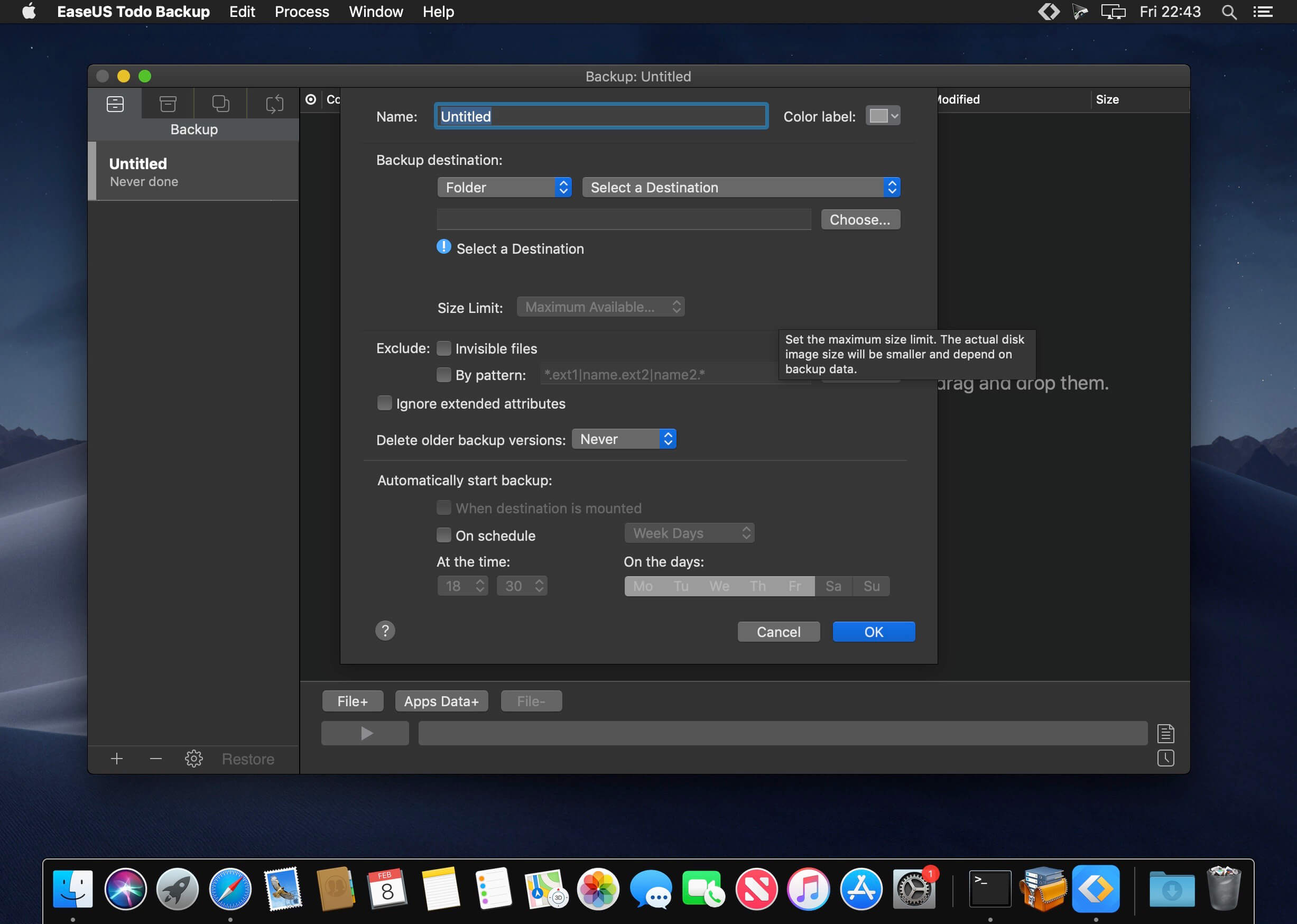
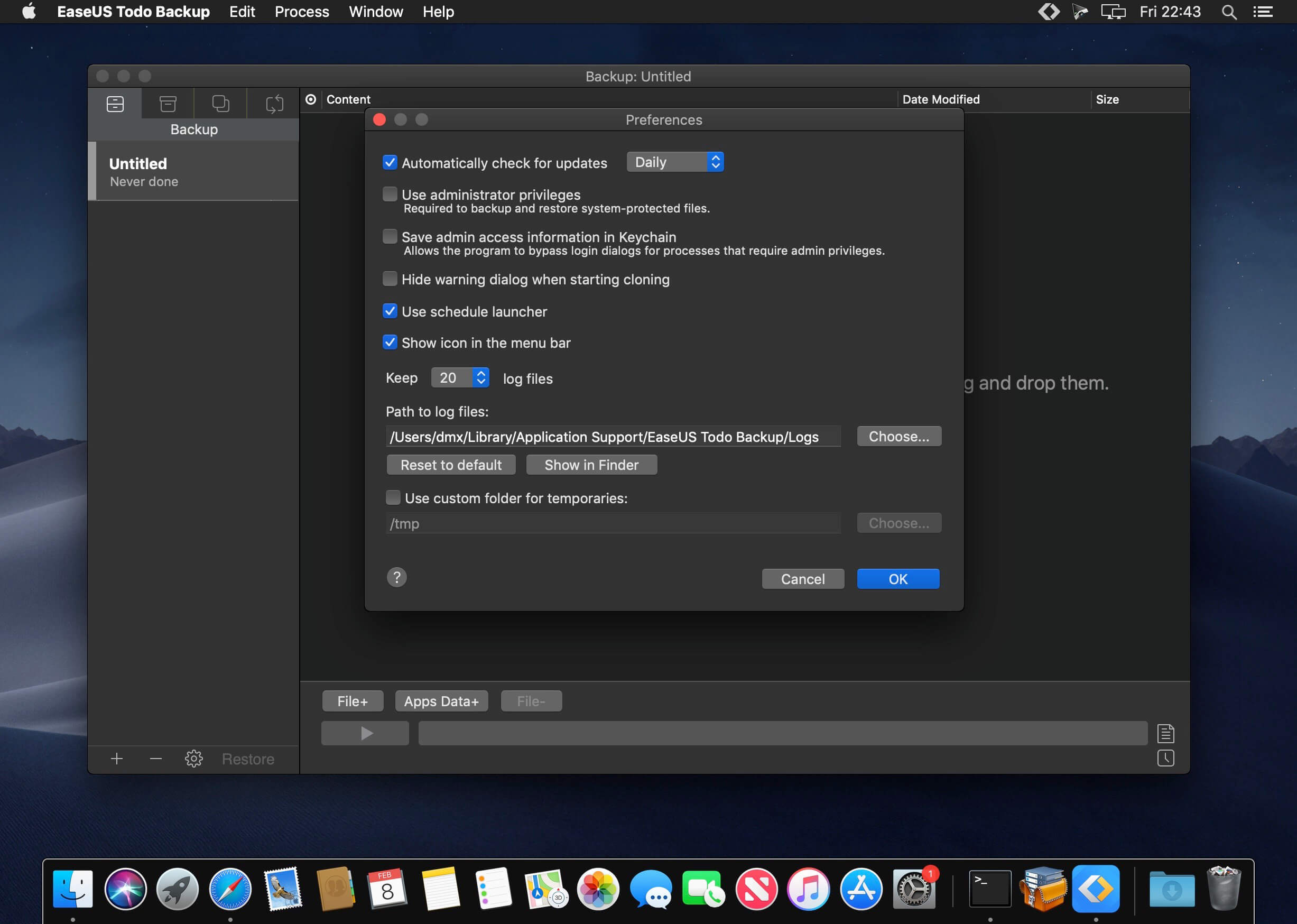
Backup solution for your important photos, documents, and projects on MacOS. Hardware failures and other unexpected disasters are unavoidable. EaseUS Todo Backup for Mac is a comprehensive utility to safeguard data on Mac computers.
Data Backup
Make a copy of your data. Conduct full, differential, or incremental backups. Set up customizable backup schedules to automate the process just as you need.
Secure Backup Archives
Secure archived backups with AES-168, AES-256, Blowfish, or Triple DES to retain high information security.
Clone for Bootable Backups
Clone your disk volume to get a backup disk that can be booted at any moment, whether you have new APFS or traditional HFS+.
Incremental Backups and Compressed Image
Save space with differential and incremental backups. Backup compression can reduce the size of created backups by up to 60%.
Back Up to External or Network Volumes
Create backups on external devices or network volumes which can then be auto-mounted.
Schedule Automatic Backup
Specify a plan for data backups. Customize the frequency and type of backup. Create a plan that perfectly suits your environment.
Stealth Mode
Scheduled backups are initiated in stealth mode and quit automatically after the process is complete. Never get interrupted by a backup.
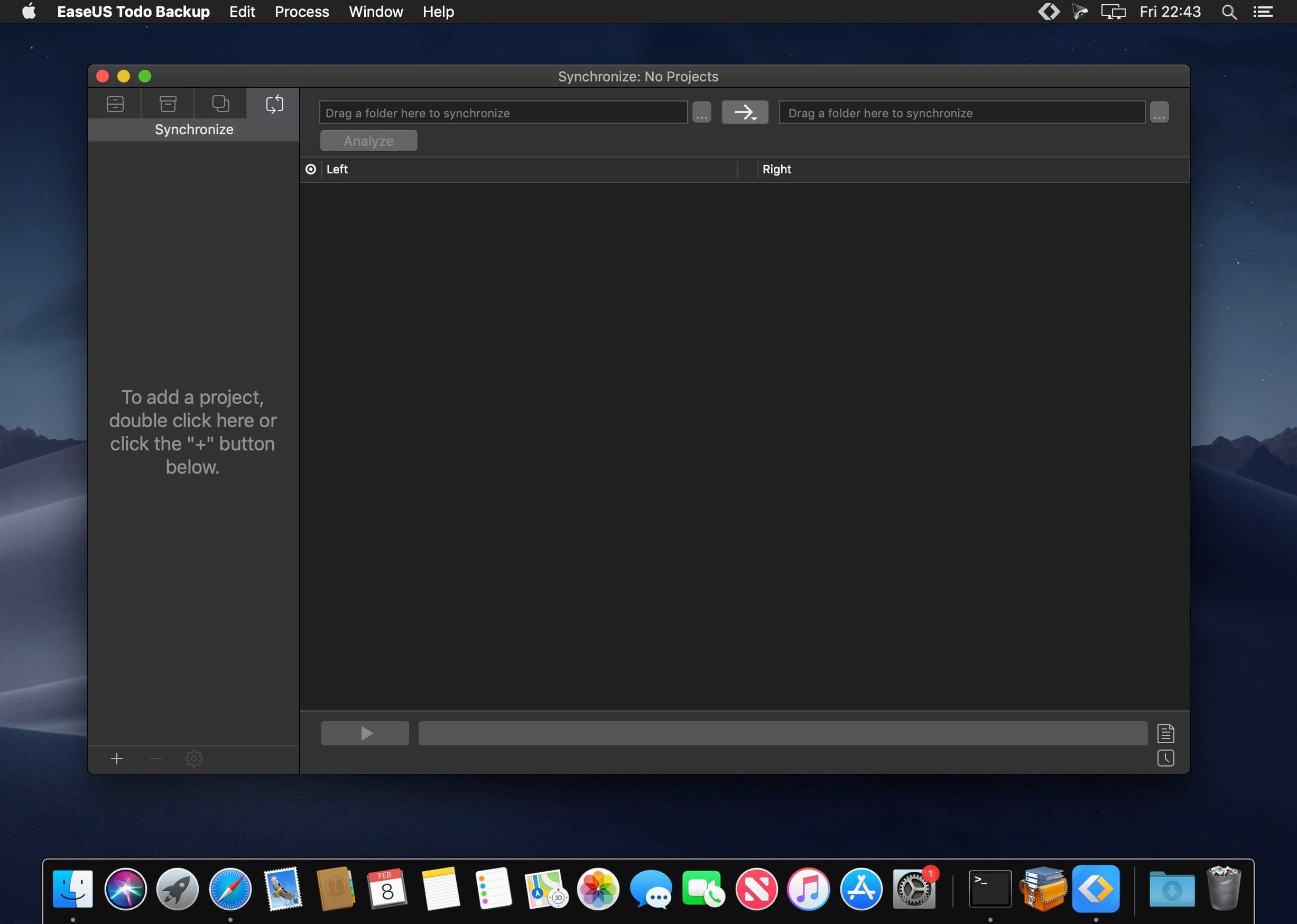
Folder Synchronization
Keep files in two different locations with unidirectional or bidirectional sync.
App Data Support
Easily add data from iTunes, Photos, Mail, Contacts, and any application to your backup jobs. Never lose your app data and configurations.
Restore to Any Computer
Restore backup archives on any Mac computer without requiring EaseUS Todo Backup for Mac to be installed on the machine.
A Good Support for Time Machine
EaseUS Todo Backup for Mac augments Time Machine with extra features. You can create bootable backups, encrypted backups, compress your backup archives, and back up mounted & network disks.
Version 3.4.8 :
- Release notes were unavailable when this listing was updated.
Frequently asked questions
How do I install the app?
Mount the image, drag the app into the "Applications" folder and launch it. If the system blocks the launch, allow it in "System Settings → Privacy & Security".
The app is damaged or won't launch
Reinstalling from a fresh image usually helps. Make sure your macOS version matches the one listed in the compatibility specs.
How do I update?
Download the new version from the site and install it over the current one — your settings will be preserved.
The download link doesn't work
Try a mirror or a download manager. For large files the browser often drops the connection.
How do I completely remove the app?
Use an uninstaller utility — it cleans up the service files that remain after moving the app to the trash.
VersionTodo Backup for Mac 3.4.8
DeveloperEaseUS
CompatibilityOS X 10.9 or later, 64-bit processor
LanguageEnglish
IncludesSerial (block outbound connections)





Information
Visitors in the group Guests cannot leave comments on this publication.
Choose a download source
EaseUS Todo Backup for Mac 3.4.8 · 15.02 MB