Native Instruments Traktor & Scratch Pro 2.11
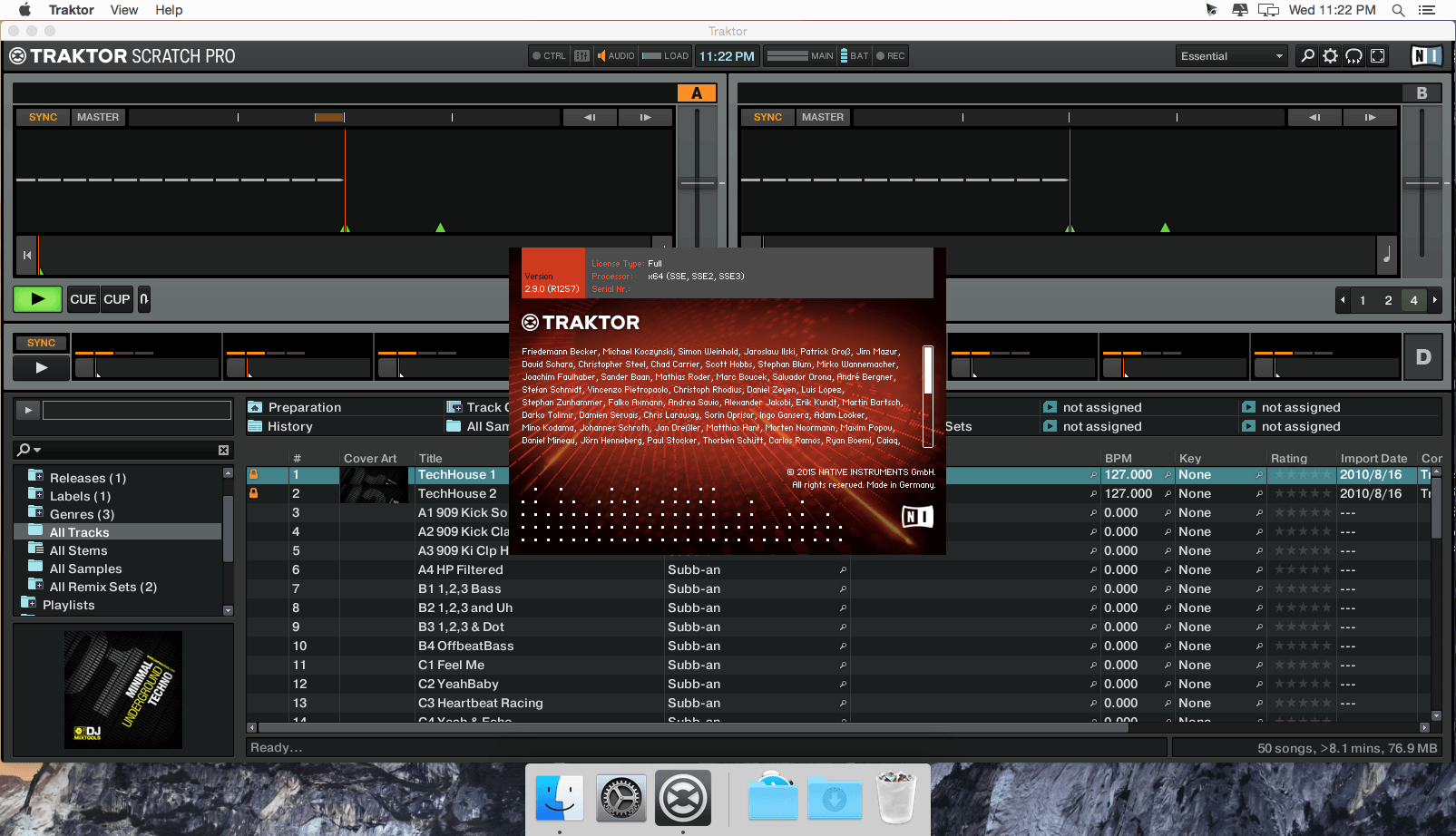
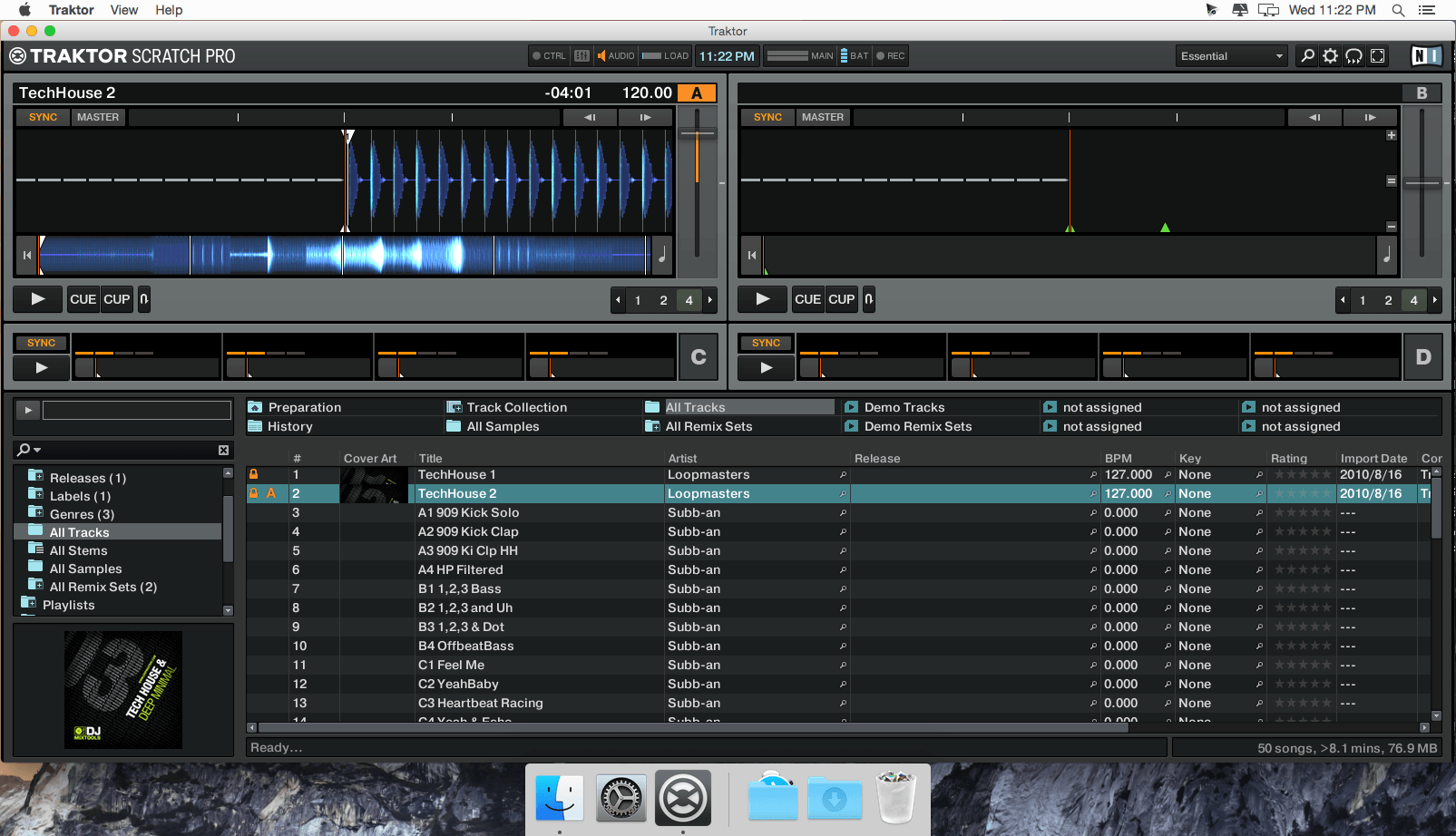
TRAKTOR PRO 2 is the pro DJ software trusted by top DJs worldwide and designed to handle even the biggest clubs. Perform with up to four decks, powerful looping and cueing functionality, plus an exceptional suite of over 30 studio-grade effects – the most advanced DJ features available.
Capture and load loops, beats, and samples into Remix Decks for instant, on the fly remixing and re-editing of your tracks. Unleash your creativity and build your signature sound.
SEAMLESS HARDWARE INTEGRATION
TRAKTOR PRO 2 is at the core of all TRAKTOR hardware. Tailor-made for TRAKTOR software, these controllers deliver seamless, unmatched physical control over TRAKTOR functions no matter your style.
ALL-IN-ONE DJ CONTROLLERS
Get ultimate hands-on TRAKTOR control with the flagship TRAKTOR KONTROL S4 and TRAKTOR KONTROL S2 all-in-one DJ systems. A pro-quality audio interface, multichannel mixer, looping and effects controls deliver a tactile and intuitive DJ experience.
ADD-ON DJ CONTROLLERS
Compact and modular, add-on controllers TRAKTOR KONTROL X1, TRAKTOR KONTROL F1, and TRAKTOR KONTROL Z1 provide power, portability, and flexibility for any DJ setup.
TRAKTOR READY CONTROLLERS
TRAKTOR PRO 2 also works with almost any MIDI-capable controller. Extensively tested products from other manufacturers bearing the TRAKTOR READY logo meet near-seamless compatibility with TRAKTOR software.
PRO FEATURES
Take your set to new heights. TRAKTOR PRO 2 delivers a wealth of essential and unique software features that bring DJ hardware to life and fit the needs of any pro DJ.
SCREENSHOTS

Frequently asked questions
How do I install the app?
Mount the image, drag the app into the "Applications" folder and launch it. If the system blocks the launch, allow it in "System Settings → Privacy & Security".
The app is damaged or won't launch
Reinstalling from a fresh image usually helps. Make sure your macOS version matches the one listed in the compatibility specs.
How do I update?
Download the new version from the site and install it over the current one — your settings will be preserved.
The download link doesn't work
Try a mirror or a download manager. For large files the browser often drops the connection.
How do I completely remove the app?
Use an uninstaller utility — it cleans up the service files that remain after moving the app to the trash.
VersionNative Instruments Traktor & Scratch Pro 2.11
DeveloperNative Instruments
CompatibilityMac OS X 10.9, 10.10, 10.11 or 10.12 (latest update)
LanguageEnglish
IncludesK
Related posts
-
 Native Instruments Traktor Pro 4.5.1.21
Music & Audio370.48 MB
Native Instruments Traktor Pro 4.5.1.21
Music & Audio370.48 MB
-
 Traktor Pro 2.10.2 for Mac
Music & Audio292.82 MB
Traktor Pro 2.10.2 for Mac
Music & Audio292.82 MB
-
 Native Instruments KOMPLETE 12 Instruments & Effects (25.05.2020)
Music & Audio16.35 GB
Native Instruments KOMPLETE 12 Instruments & Effects (25.05.2020)
Music & Audio16.35 GB
-
 Native Instruments KOMPLETE 11 Standalone, AU, VST
Music & Audio12.48 GB
Native Instruments KOMPLETE 11 Standalone, AU, VST
Music & Audio12.48 GB
-
 Ableton Live Suite 9.7.5
Music & Audio916.04 MB
Ableton Live Suite 9.7.5
Music & Audio916.04 MB
Information
Visitors in the group Guests cannot leave comments on this publication.
Choose a download source
Native Instruments Traktor & Scratch Pro 2.11 · 670.59 MB