Apple Pages 7.0.1
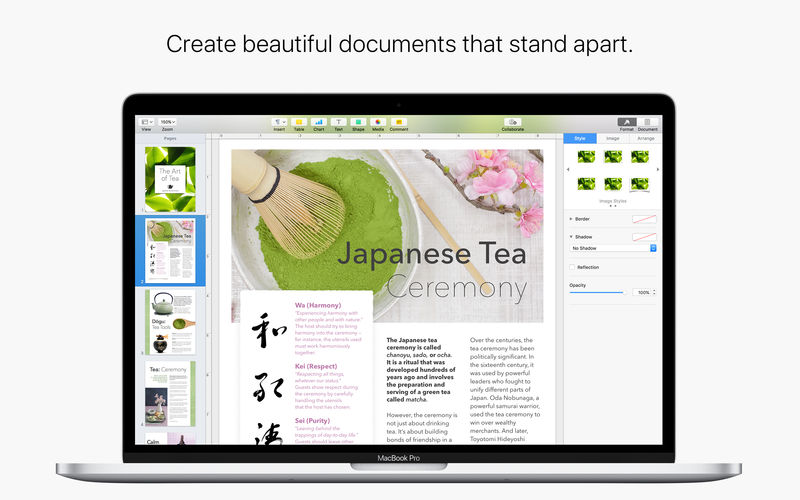
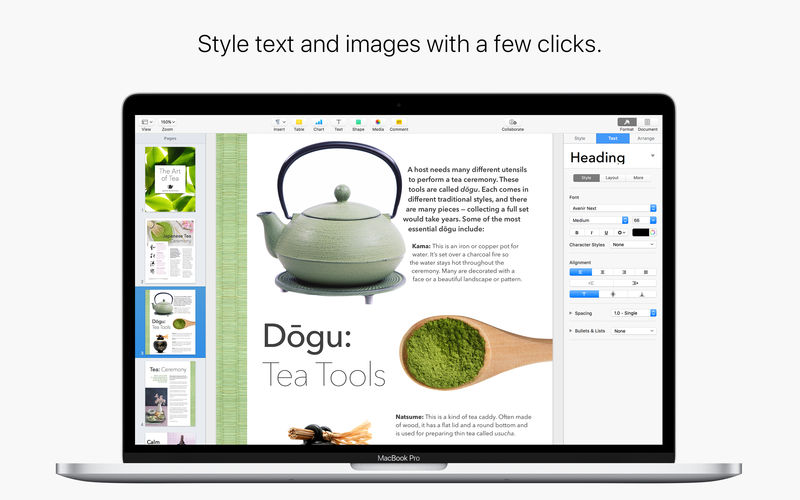

Create gorgeous documents in minutes with the all-new Pages for Mac word processor — featuring a stunning new design, new writing tools, and improved performance. Start with an Apple-designed template or create your own design using fonts, styles, and tools from the intelligent Format Panel. Easily add images, movies, charts, and more. And use change tracking, comments, and highlights to review your work.
- With the beta release of new collaboration features, your whole team can work together on a document at the same time
- Collaboration is built right in to Pages on the Mac, iPad, iPhone and iPod touch
- PC users can collaborate too, using Pages for iCloud
- Share your document publicly or with specific people
- You can easily see who’s currently in the document with you
- View other people’s cursors to follow their edits
- Choose from over 60 Apple-designed templates to instantly create beautiful reports, resumes, cards, and posters
- Simplified toolbar gives you quick access to shapes, media, tables, charts, and sharing options
- The Format Panel automatically updates based on selection
- Import and edit Microsoft Word documents and plain text files
- Format your document with gorgeous styles, fonts, and textures
- Easily update and reorder styles using the new Format Panel
- Use auto-text wrap to flow text around images
- Create and view impressive 2D, 3D, and interactive charts
- Insert photos, music, and video with the Media Browser
- Use powerful graphics tools including Instant Alpha and masking
- Use gorgeous preset styles to make your text, tables, shapes, and images look beautiful
- Edit down to the pixel with the ruler, alignment guides, and powerful graphics tools
- A new unified file format on Mac, iOS, and the web makes documents work seamlessly across platforms
- Turn on change tracking to mark up a document as you edit it
- Use comments and highlights to share ideas and feedback with others
- Show and hide change tracking and comments on mouse-over
- Create footnotes and endnotes and view word counts with character, paragraph, and page counts
- Automatic list making and spell checking
- Seamless integration with MathType* and EndNote* for inserting equations and citations
- Advanced typography features including smart quotes and ligatures
- Easy setup for headers, footers, and document body
- Turn on iCloud so your documents are automatically available on your Mac, iPad, iPhone, iPod touch, and iCloud.com
- Access and edit your documents from a Mac or PC browser at www.icloud.com with Pages for iCloud
- Pages automatically saves your documents as you make changes
- Use AirDrop to send your document to anyone nearby
- Quickly and easily share a link to your work via Mail, Messages, Twitter, or Facebook
- Anyone with the shared document link will always have access to the latest version of the document and can edit it with you at iCloud.com
- Export your document in ePub, Microsoft Word, and PDF format
- Print wirelessly with AirPrint, including page range selection, number of copies, and two-sided printing
Version 7.0.1
- This update contains stability and performance improvements.
- Make beautiful digital books using new book templates.
- Collaborate in real time on documents stored in Box. Requires macOS High Sierra.
- View pages side by side as you work.
- Turn on facing pages to format your document as two-page spreads.
- Add an image gallery to view a collection of photos on the same page.
- Create master pages to keep the design consistent across your page layout document.
- Use donut charts to visualize data in an engaging new way.
- Enhance your documents with a variety of new editable shapes.
- Additional options for reducing the file size of documents.
- New option to automatically format fractions as you type.
Frequently asked questions
How do I install the app?
Mount the image, drag the app into the "Applications" folder and launch it. If the system blocks the launch, allow it in "System Settings → Privacy & Security".
The app is damaged or won't launch
Reinstalling from a fresh image usually helps. Make sure your macOS version matches the one listed in the compatibility specs.
How do I update?
Download the new version from the site and install it over the current one — your settings will be preserved.
The download link doesn't work
Try a mirror or a download manager. For large files the browser often drops the connection.
How do I completely remove the app?
Use an uninstaller utility — it cleans up the service files that remain after moving the app to the trash.
VersionPages 7.0.1
DeveloperApple Inc.
CompatibilitymacOS 10.12 or later
LanguageMultilangual
IncludesK'ed by TNT

Information
Visitors in the group Guests cannot leave comments on this publication.
Choose a download source
Apple Pages 7.0.1 · 289.5 MB