
Megapack for iWork 2015: Keynote Numbers Pages Templates 2.3
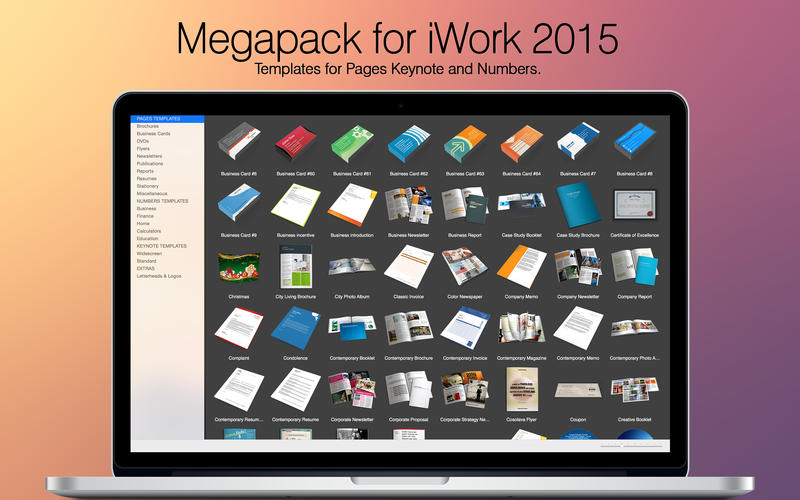
Megapack for iWork 2015 is the ultimate home and office package providing creative designs, themes, and templates for the latest edition of Pages, Numbers, and Keynote.
PAGES
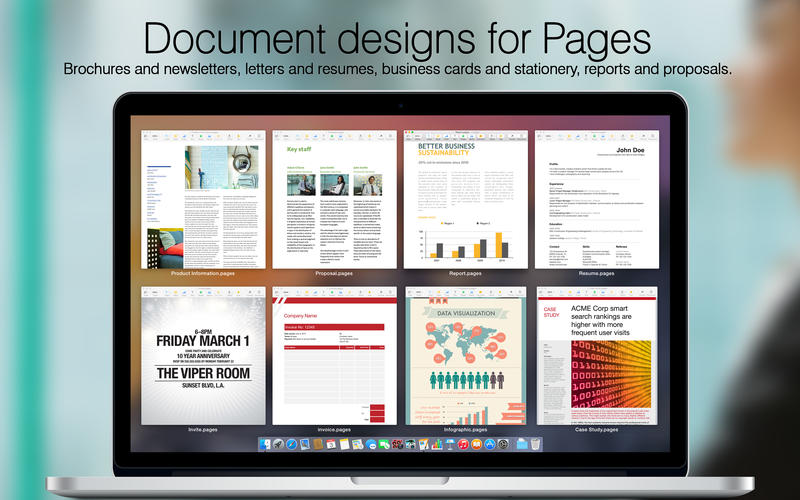
From simple letters and invites, to media-rich newsletters, brochures, and reports, Megapack for iWork 2015 will have you building full documents in minutes.
Tables and charts can be quickly updated, with time-saving presets including character and paragraph styles, color schemes, table of contents, multiple columns, headers and footers and more.
Easily add your own text and graphics using the placeholders that help you focus on content and not the design. It’s effortlessly easy. Period.
NUMBERS
Plan a wedding. Start a business. Compare mortgages and loans. Anyone can be good at Numbers.
Spreadsheets that look great, and help you organize and plan for home and in the office. Tables are already made. Formulas have been figured out. Fonts are in place. They're all ready to go.
KEYNOTE
Professionally-designed themes, cinematic transitions, animated text and powerful slide builds, Megapack for iWork 2015 lets you create stunning, interactive presentations certain to entertain and delight both you the presenter, as well as your audience.
Color-coordinated templates let you maintain a slick, consistent look and feel throughout your presentation. From the opening title slide to matching tables and 3D charts to the closing slide, the templates include graphic elements, color themes and backgrounds.
WHAT’S NEW
Version 2.3
- Fixed compatibility problems reported by some users.
- New and improved templates.
SCREENSHOTS

Frequently asked questions
How do I install the app?
Mount the image, drag the app into the "Applications" folder and launch it. If the system blocks the launch, allow it in "System Settings → Privacy & Security".
The app is damaged or won't launch
Reinstalling from a fresh image usually helps. Make sure your macOS version matches the one listed in the compatibility specs.
How do I update?
Download the new version from the site and install it over the current one — your settings will be preserved.
The download link doesn't work
Try a mirror or a download manager. For large files the browser often drops the connection.
How do I completely remove the app?
Use an uninstaller utility — it cleans up the service files that remain after moving the app to the trash.
VersionMegapack for iWork 2015: Keynote Numbers Pages Templates 2.3
DeveloperNick Maskill
CompatibilityOS X 10.7 or later, 64-bit processor
LanguageEnglish
IncludesPre-K'ed
Related posts
-
 Templates Bundle for iWork - Alungu Designs 4.0
Productivity1.94 GB
Templates Bundle for iWork - Alungu Designs 4.0
Productivity1.94 GB
-
 Templates Bundle for iWork - Templates Guru 5.0
Productivity1.94 GB
Templates Bundle for iWork - Templates Guru 5.0
Productivity1.94 GB
-
 Suite for iWork: Themes for Keynote, Templates for Pages and Numbers 9.1
Graphic Design144.62 MB
Suite for iWork: Themes for Keynote, Templates for Pages and Numbers 9.1
Graphic Design144.62 MB
-
 MegaPack for MS Office 3.1
Graphic Design931.57 MB
MegaPack for MS Office 3.1
Graphic Design931.57 MB
-
 DesiGN for Numbers - Templates 5.0.5
Mac Apps14.07 MB
DesiGN for Numbers - Templates 5.0.5
Mac Apps14.07 MB
Information
Visitors in the group Guests cannot leave comments on this publication.
Choose a download source
Megapack for iWork 2015: Keynote Numbers Pages Templates 2.3 · 1023.98 MB